EXPLORING ACTWIN ACTWinPro
Adding Controllers
Use the Controllers command in the Database menu, or click on the controller
icon on the toolbar to select the controller view in the main ACTWinPro
screen.
Use the New command
in the Record menu, or click on the new icon on the
toolbar to create a new controller record.
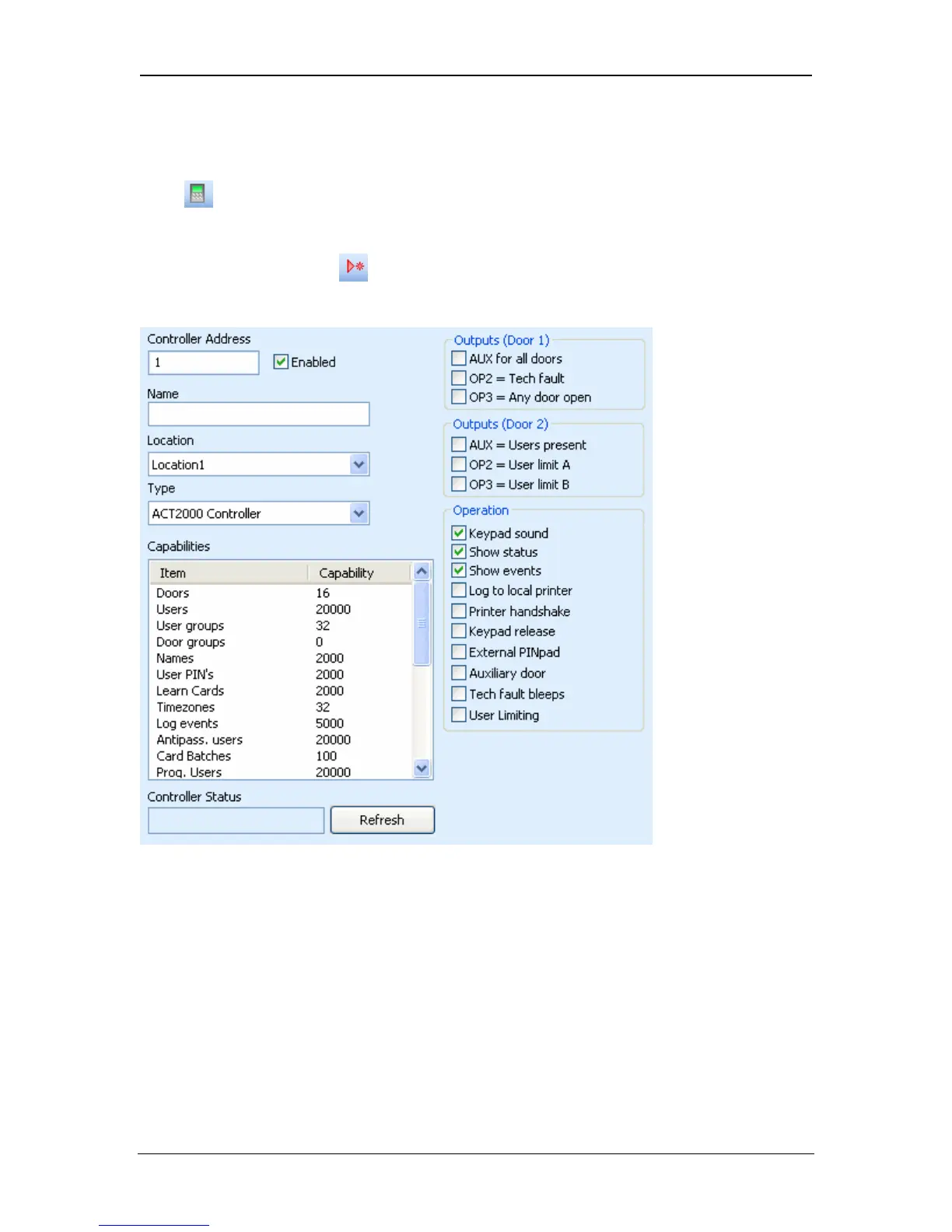
The controller number will be selected automatically. This is also the address of
the controller on the network. If a different controller number is required, then it
should be changed at this point.
The name of the new controller should be entered in the Name field.
The controller type should be selected from the Type dropdown list. This will
allow ACTWinPro to make assumptions about the capability of the controller and
its doors. The capability list will change to reflect the selected controller type.
Page 23 Access Control Technology



 To Next Page