EXPLORING ACTWIN ACTWinPro
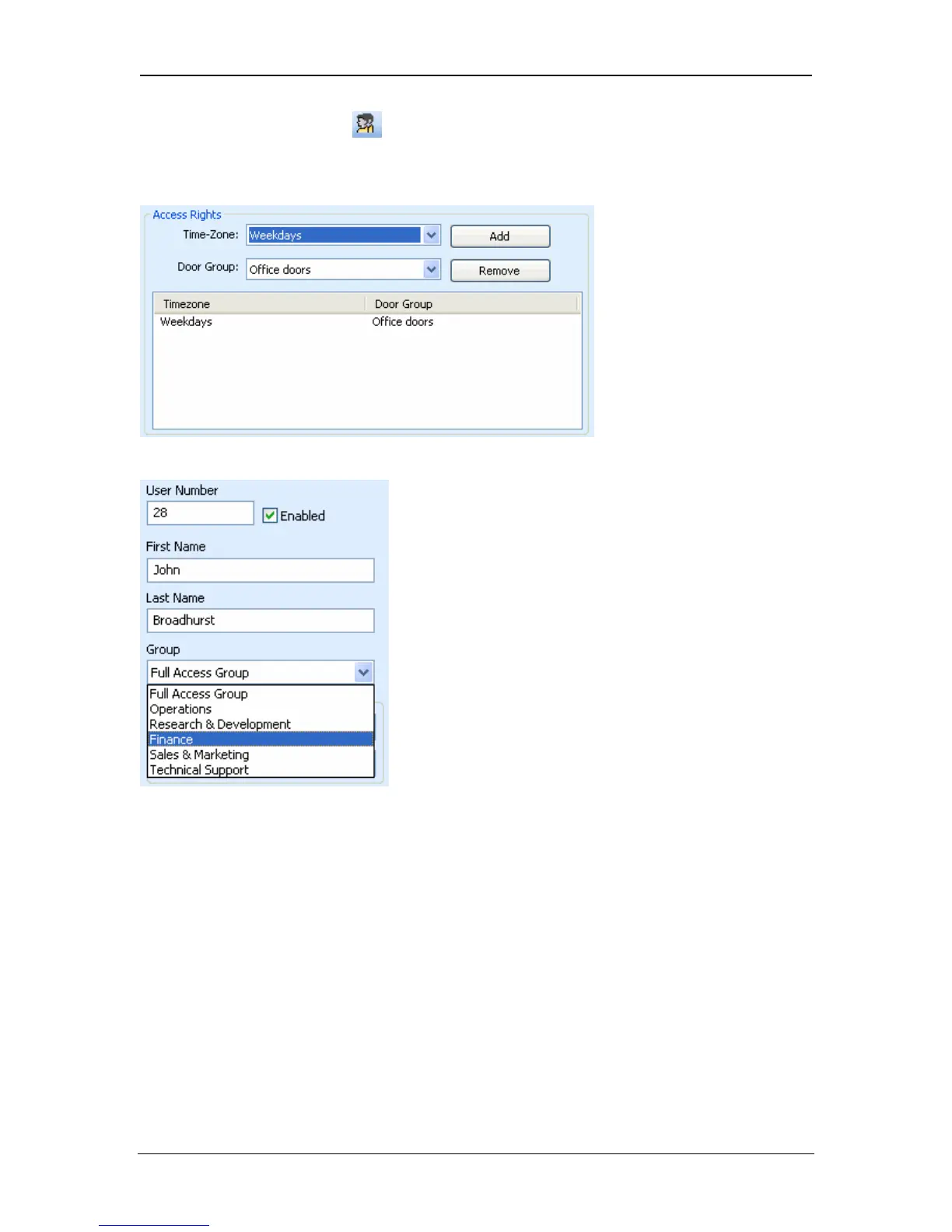
3. Set up the User Group to which the user will belong. In the Access Rights
dialog box add the timezone and doorgroup configured in Steps 1 and 2.
(Remember to remove 24Hour and All Doors from the Access Rights). More
Timezone/Doorgroup combinations may be added by repeating Steps 1,2 and 3.
4. Assign the User group to the user in the Users view.
ACT recommends that the names of the timezones and doorgroups be kept the
same as the user group. For example, the Staff usergroup should have a Staff
timezone and a Staff doorgroup. Similarly for Managers, Cleaners, Production
etc. This will make ACTWinPro maintenance easier.
Page 27 Access Control Technology



 To Next Page