REPORTS ACTWinPro
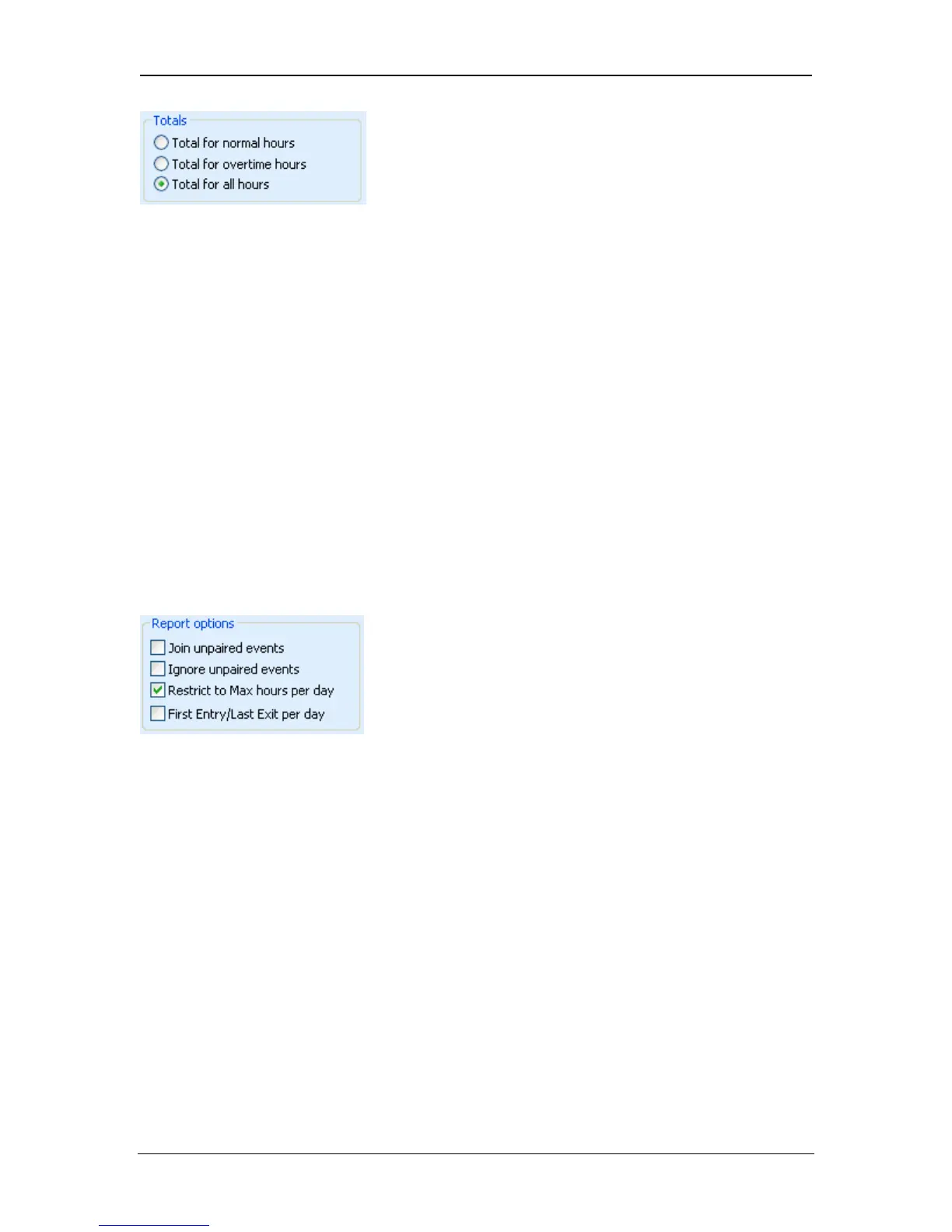
The Totals box selects the hours over which the time and attendance report is
run.
• If total for all hours is selected (default), the report will calculate the total
number of hours the user was present over the entire day.
• If total for normal hours is selected, the report will calculate the total
number of hours the user was present that were within the normal hours
time-zone configured for that user’s group. In addition, the total hours will
be restricted to the maximum number of normal hours per day set for that
user’s group.
• If total for overtime hours is selected, the report will calculate the total
number of hours the user was present that were within the overtime hours
time-zone configured for that user’s group. In addition, the total hours will
be restricted to the maximum number of overtime hours per day set for
that user’s group
The Reports box contains some additional settings that affect the generated
report.
• If Join Unpaired Events is selected, then the report will ignore unpaired
Entry or Exit events. In the ideal case every Entry event must be paired
with corresponding Exit event, however in the real world users can forget
to swipe the card. So this option might be helpful in situations when some
unimportant Entry or Exit events happened during the day are missing.
• If Ignore Unpaired Events is selected, then the report will calculate a valid
hourly total for all users even if there are missing Entry or Exit events that
would normally be flagged by question marks [??:??] for manual
resolution.
• If Restrict to Max hours per day is unselected, then the report will ignore
the maximum number of normal/overtime hours per day set for that user’s
group.
Page 96 Access Control Technology



 To Next Page