MNR-310 System Administrator’s Manual
25
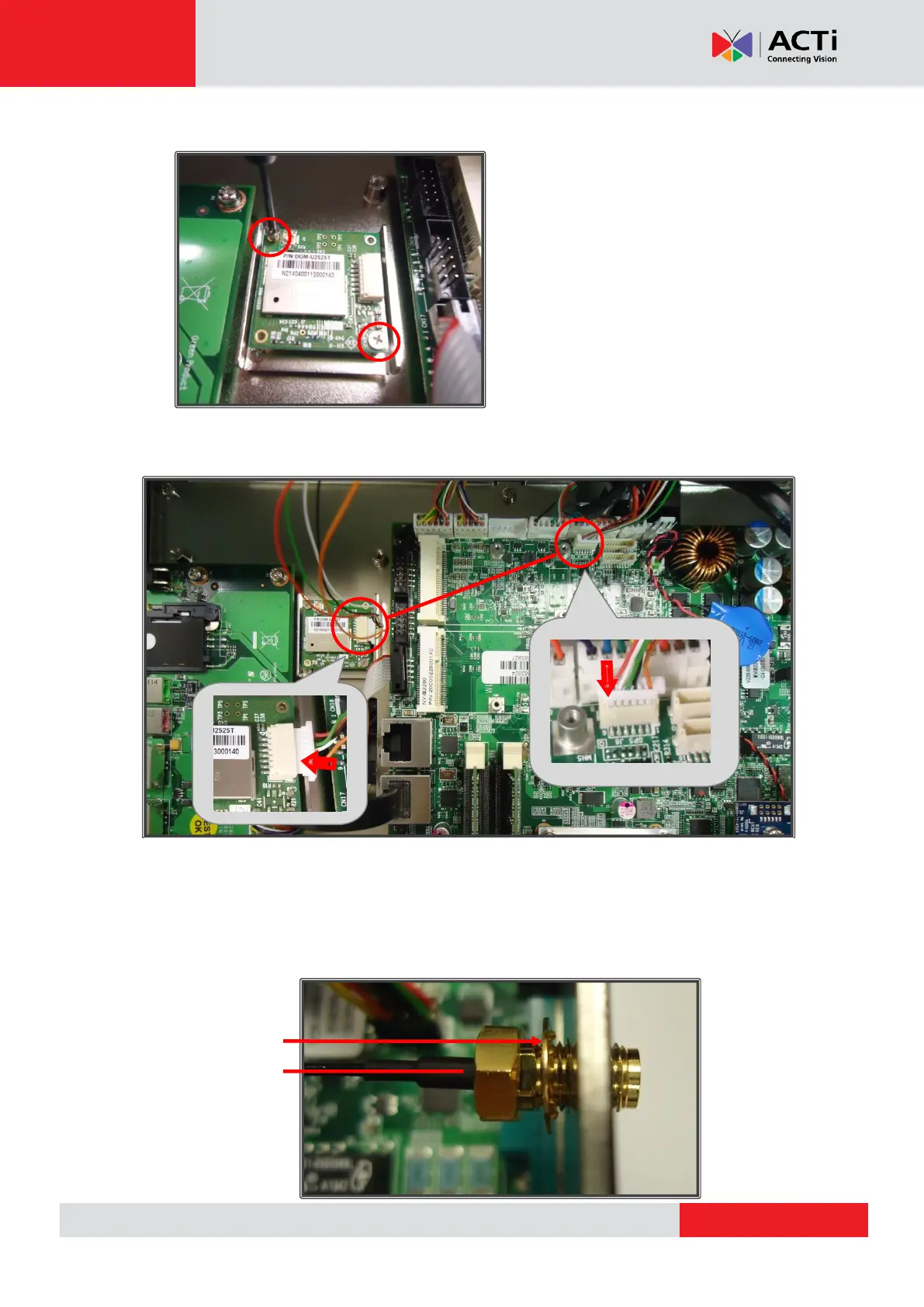
Step 4: Secure the module with mounting screws
Step 5: Connect the GPS module connector to the GPS connector (J8) on the
motherboard
Step 6: Insert antenna jacks into the antenna holes
Remove one of the antenna hole covers. Place the circular ring on the antenna jack of the RF
cable and insert the antenna jack into the antenna hole. Make sure the flat side of the antenna
jack is facing upwards, to slide smoothly into the antenna hole:



 To Next Page