MNR-310 System Administrator’s Manual
39
Create Volume and Configure Software RAID
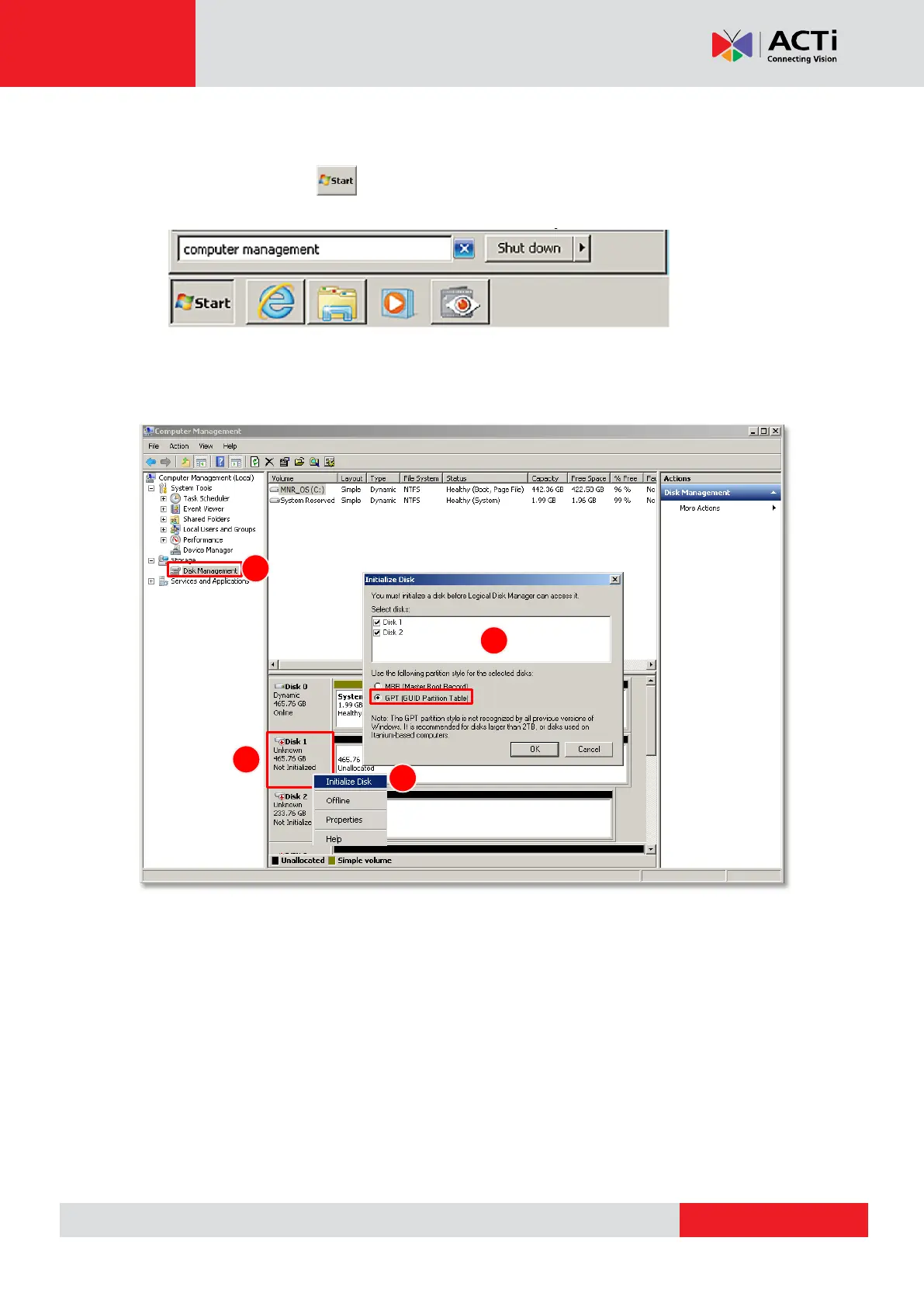
1. Click Window Start , in Windows Search Box, input “Computer Management”,
and enter this utility.
2. Select “Disk Management”, right-click on a disk title and select “Initialize Disk”. Check
all the disks you have installed, choose “GPT” as the partition type and then click “OK”.



 To Next Page