MNR-310 System Administrator’s Manual
40
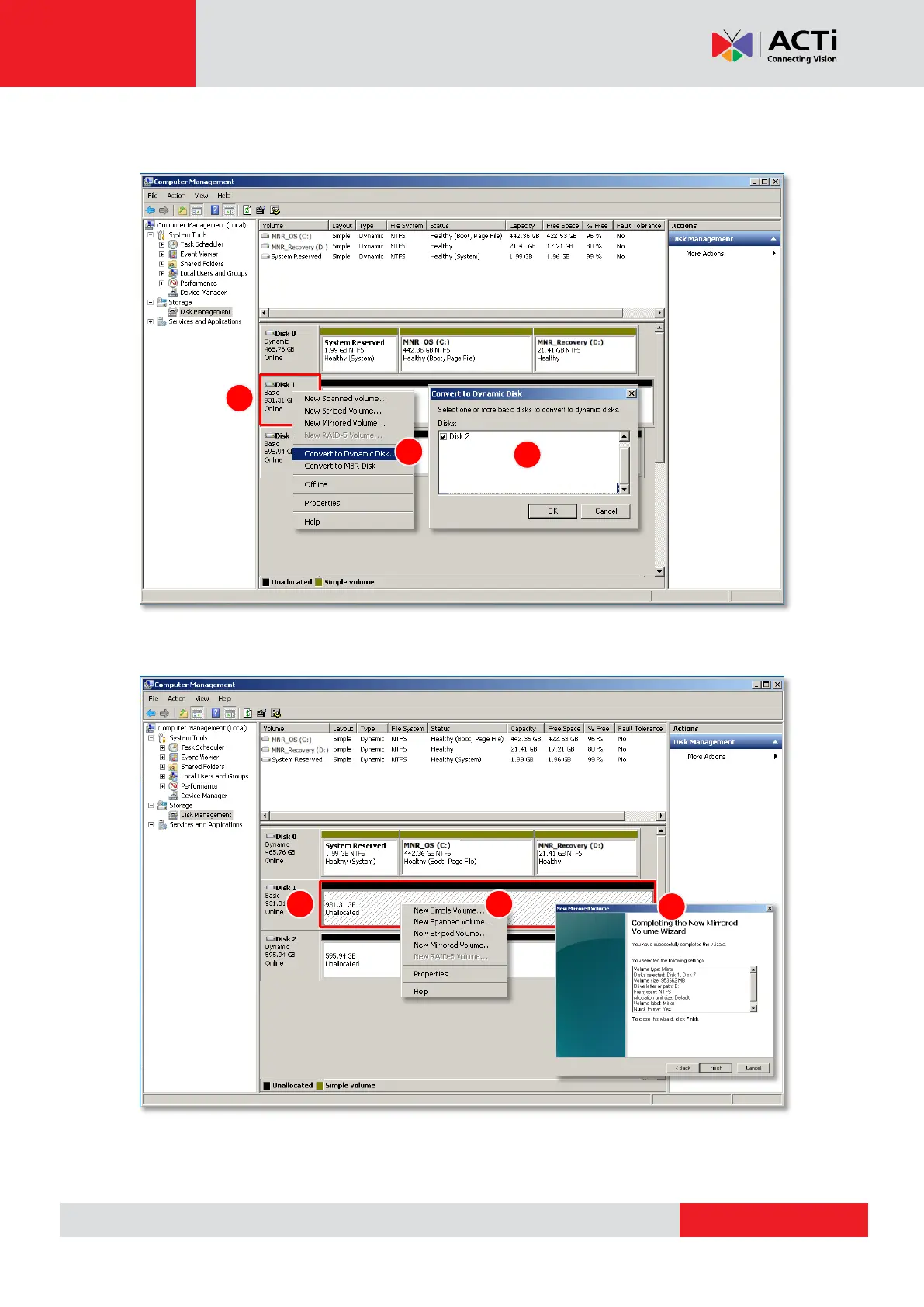
3. Right-click on a disk title again, select “Convert to Dynamic Disk…”, check all the
installed disks and then click “OK”.
4. Right-click on a disk and select the volume type to make a new volume.
A Volume Wizard will come up to bring you through the configuration process. Make sure you
assign the desired Drive Letter and Volume Label to the volume via the wizard.



 To Next Page