MNR-310 System Administrator’s Manual
47
Step 3
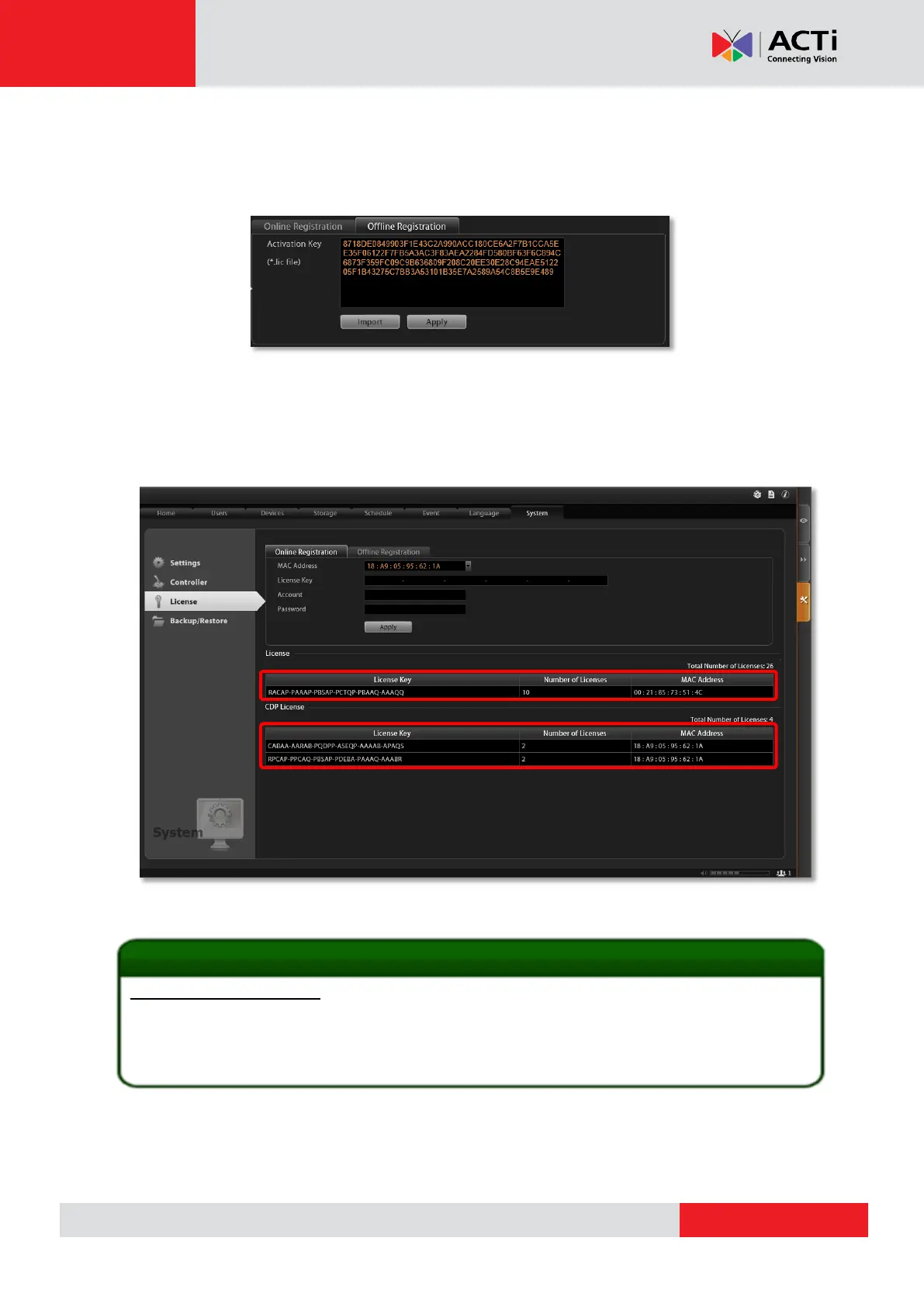
: Login to the NVR server from local or via web client. Go to Setup page System
tab License “Offline Registration” click “Import” and upload the license file(.lic).
Click “Apply” to activate this license.
Verify Your License
Once your license is successfully activated, the license information will be shown on License
page.
1. How to find MAC Address
1. Click Windows Start, in the run box on Start menu, input “cmd”.
2. Execute the cmd program, and input the command “ipconfig /all” or “getmac”
3. The MAC address will be referred to as the Physical Address, made up of 12 characters, e.g.
00-1E-65-FE-8E-98.
Activated Standard License



 To Next Page