MNR-310 System Administrator’s Manual
56
Cause 1: Server is not ready
Solution: It may happen when you just started the server computer or the server installation
has just finished, please wait a few seconds and connect again.
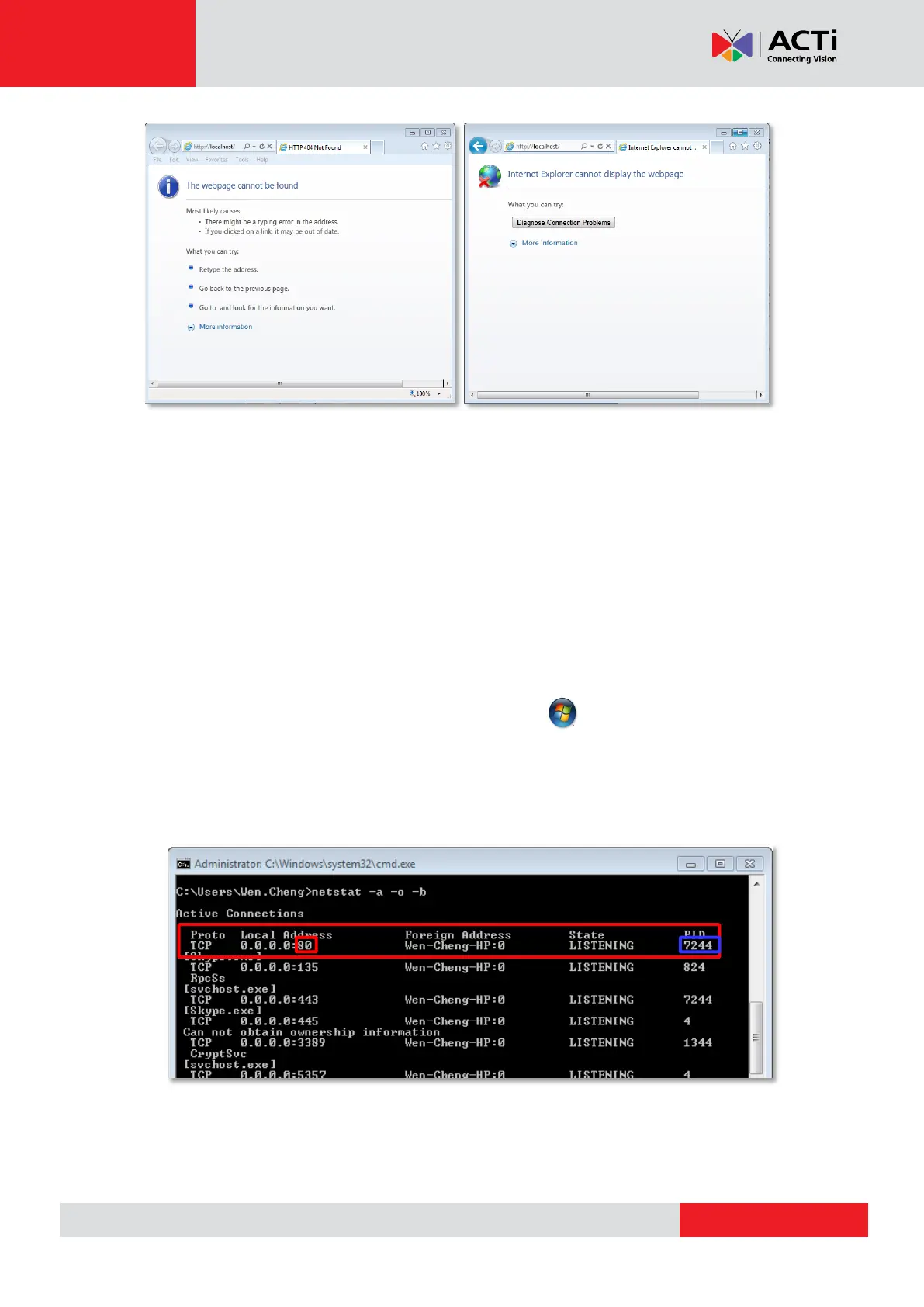
Cause 2: The NVR server is not able to respond to your request through current path because
port 80 has been seized by another service running on server computer. This may happen
when that service is executed right before the NVR server starts its services.
Solution: Please check if there is another service using port 80 right now, and change the
setting in that program to release port 80 for the NVR server. Below are the steps to find the
service:
1. Please click on "Windows Start" (Windows-Logo) , then enter "cmd.exe" in the
run box and execute it.
2. Input the command “netstat -a -o -b”. You will be provided with the ports in use and
the services using them. Find the Local Address that has taken port 80, and the PID
number.
3. Press down “ctrl”+ “alt” + “Delete” keys to bring up Windows Task Manager. Select
“View”, then “Select columns”, and enable the “PID (Process Identifier)” to appear
on search results. Please also make sure “Show process from all users” is enabled.



 To Next Page