MNR-310 System Administrator’s Manual
58
To ensure the NVR server is always accessible from your web client regardless of any change
in browser’s overall Internet security settings, you may add the NVR server site to Internet
Explorer’s trusted sites. Trusted sites are the sites which you consider safe and wish to visit
with low security restrictions while maintaining higher security for the rest of the Internet.
1. On IE browser, click Tools Safety and make sure ActiveX Filtering is unchecked.
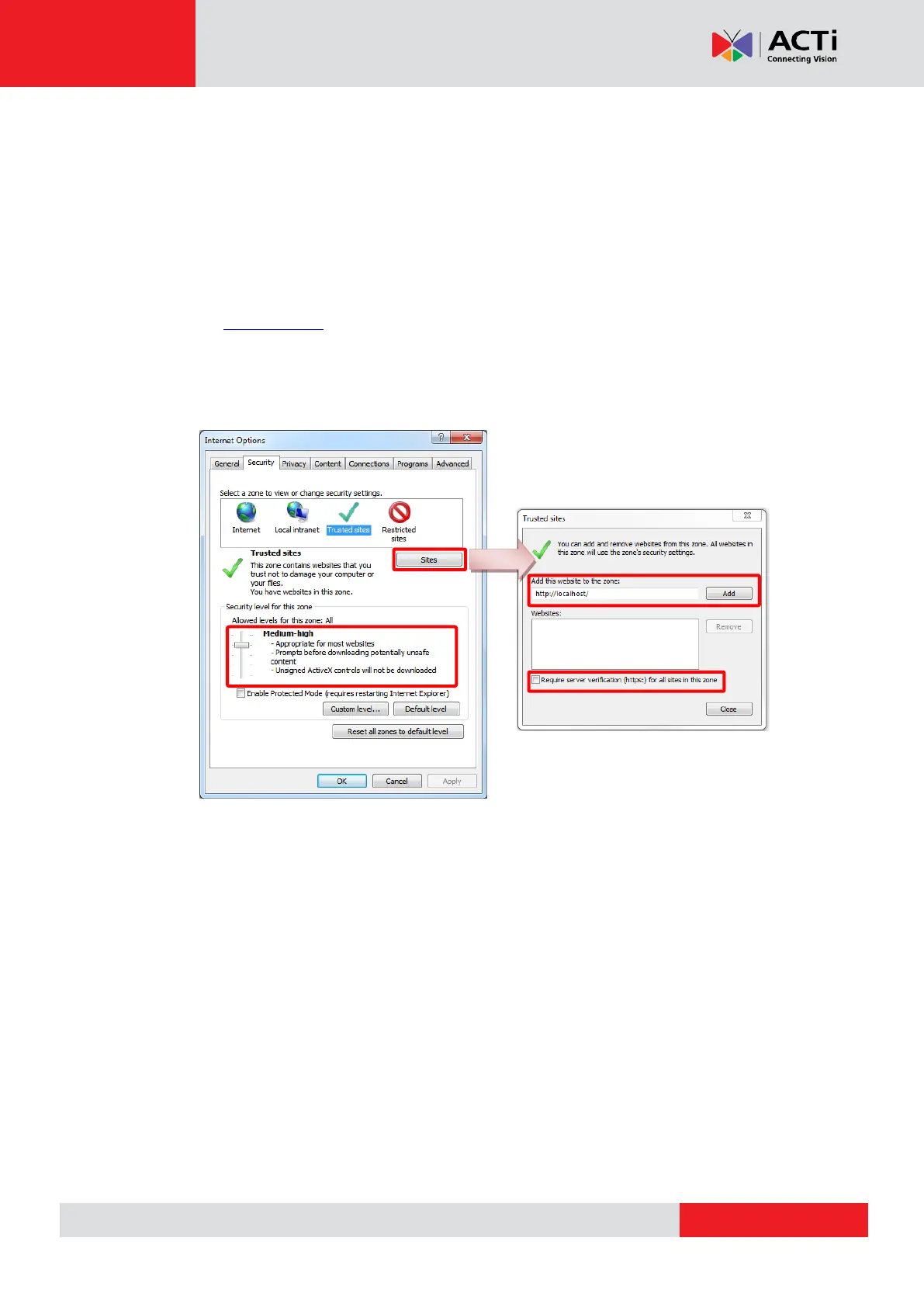
2. On IE browser, go to Tools Internet OptionsSecurity tab, select “Trusted sites”,
set the security level to “Medium High”, and then click “Sites”.
3. Add http://localhost or the NVR server IP to the zone, and clear the box “Require
server verification (https:) for all sites in this zone”.
4. Back on Security tab, click “Apply” to apply the changes. This will allow ActiveX and
scripting to be available for the chosen sites but not for the Internet as a whole.



 To Next Page