MNR-310 System Administrator’s Manual
78
Event Recording with Frame Rate Adjustment
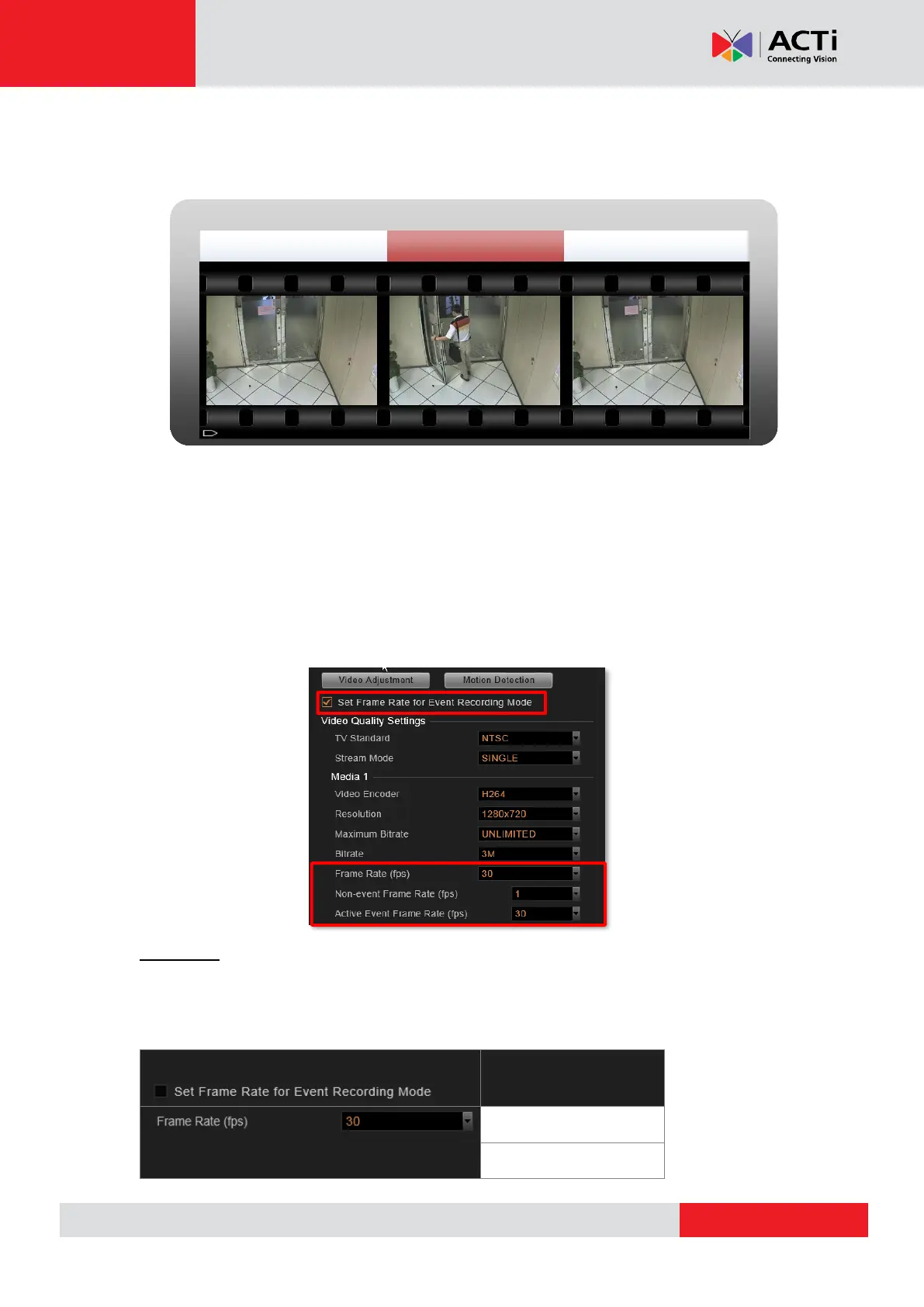
This mode keeps recording all the way without losing any single moment; lower frame rate can
be set for non-event recording, which consumes only a little storage.
How to Make Use of Event Recording with Frame Rate Adjustment
To make use of Event recording with Frame Rate Adjustment function, you may configure
the Frame Rate settings on Setup page Device tabVideo tab. The Frame Rate (fps) you
set will always be applied to live view and schedule recording. Once Set Frame Rate for
Event Recording Mode is checked, you may configure advanced settings for event recording.
If the device is in Dual stream mode, you will only need to configure these settings of the
Recording Stream.
Scenario A:
You wish all the videos are recorded at a very high frame rate. With sufficient storage, you may
not need this function. Set the video Frame Rate that will apply to all the recordings. In this
way, the NVR server will not record non-event during event recording period.
Non- event Event Non-event



 To Next Page