Firmware Update
i3070 Series 5i Help 8-3
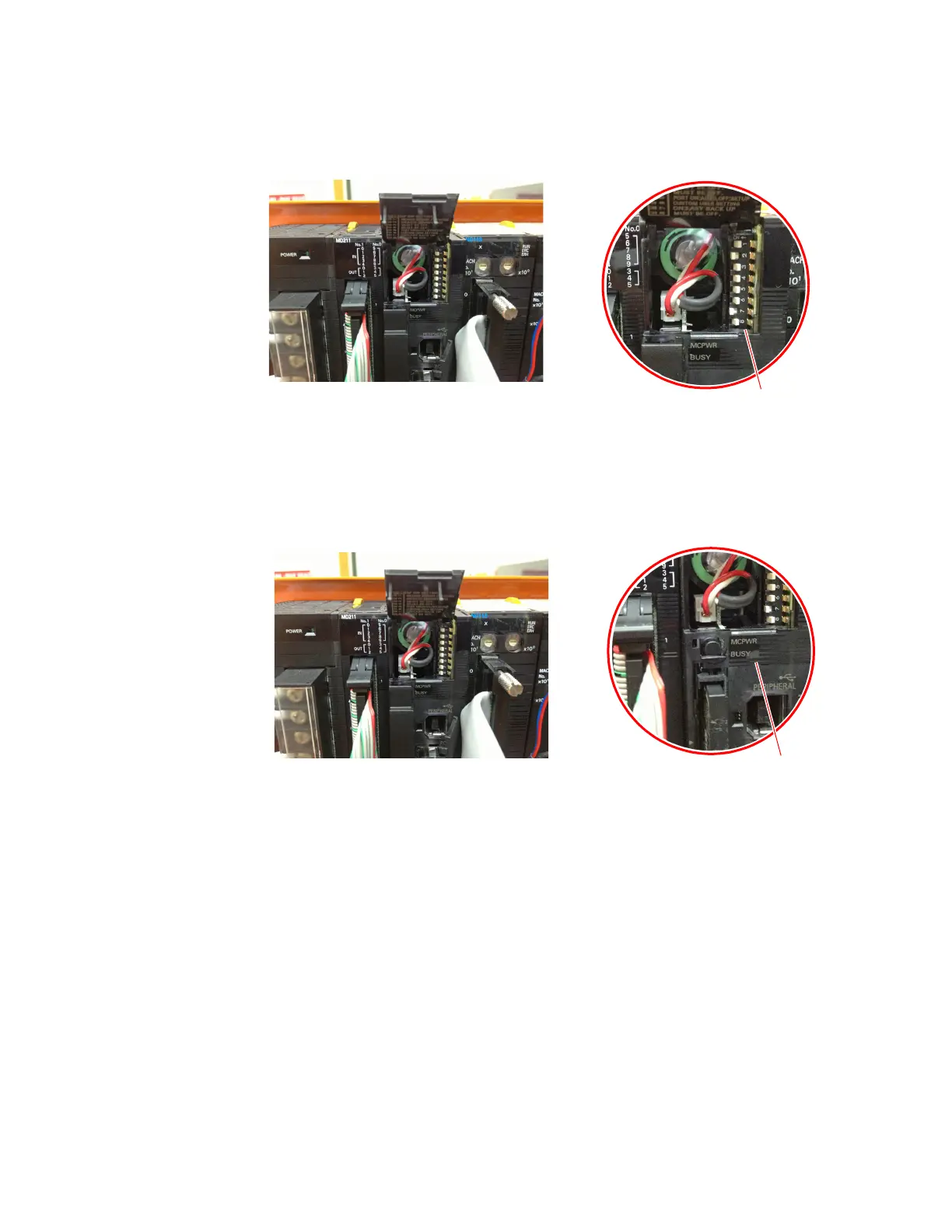
4 Open the cover above the memory slot to access the DIP switches.
5 Turn on DIP switch 2 and 7.
6 Switch on MCB4.
The program is automatically downloaded to the PLC.
7 Wait for the BUSY and MCPWR lights to go off, then turn the PLC power
off.
8 Turn off DIP switches 2 and 7.
9 Remove the memory card and replace all covers.


 To Next Page
 Loading...