7-12 i3070 Series 5i Help
Replacement Procedures
Press Lower Runner Block
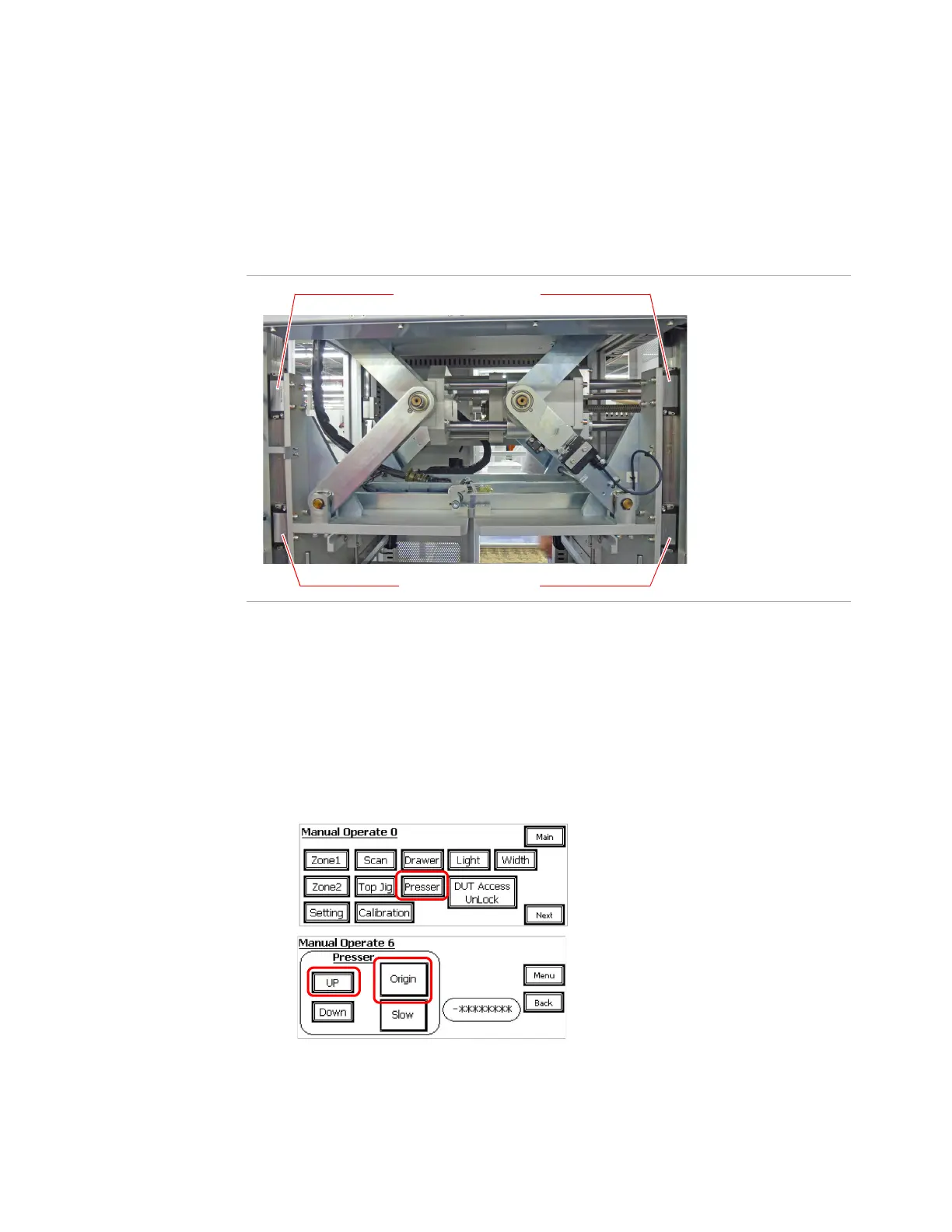
The Press has four guide rails with two runner blocks on each rail.
Figure 7- 6 shows the runner blocks visible from the front of the system.
Figure 7-6 Front Runner Blocks for Press
Removal
Follow this procedure to replace a lower runner block. Power must be
connected to begin this procedure.
1 Select Maintenance mode on the LCD touch panel.
a Press Presser to go to page 6.
b Press Origin to move the Press to its origin position.
c Then press and hold UP to move the Press all the way up.
Lower Runner Blocks
Upper Runner Blocks


 To Next Page
 Loading...