Replacement Procedures
i3070 Series 5i Help 7-11
Removal
1 Follow the instructions in Accessing the Testhead.
2 Turn the hand crank clockwise to rotate the testhead about 90 degrees.
3 Open the rear doors to access the runner blocks from the rear of the
system.
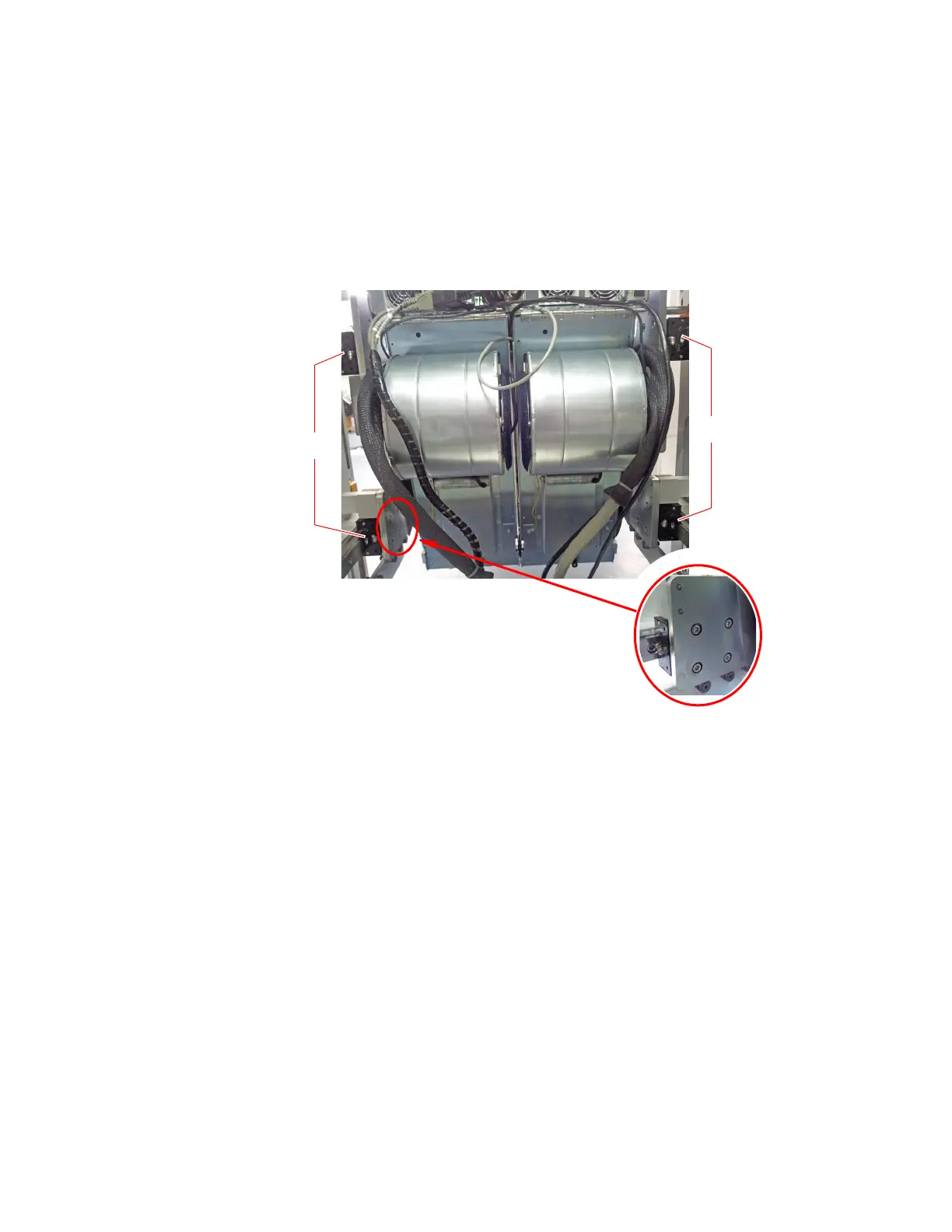
4 Remove the four screws securing the runner block to be replaced.
Slide the runner block out along the guide rail.
Installation
5 Slide the new runner block along the guide rail into the system.
Align the mounting holes and secure with the four screws.
6 Rotate the testhead back into position and stow the hand crank.
Replace the guide bar and fasten the latches.
7 Push the testhead back into the system and tighten the star knobs.
8 Close all doors/covers.
Runner Blocks
Runner Blocks
Runner Blocks
Screws on
support plate


 To Next Page
 Loading...