Page 98
aero Flight Mode Menu
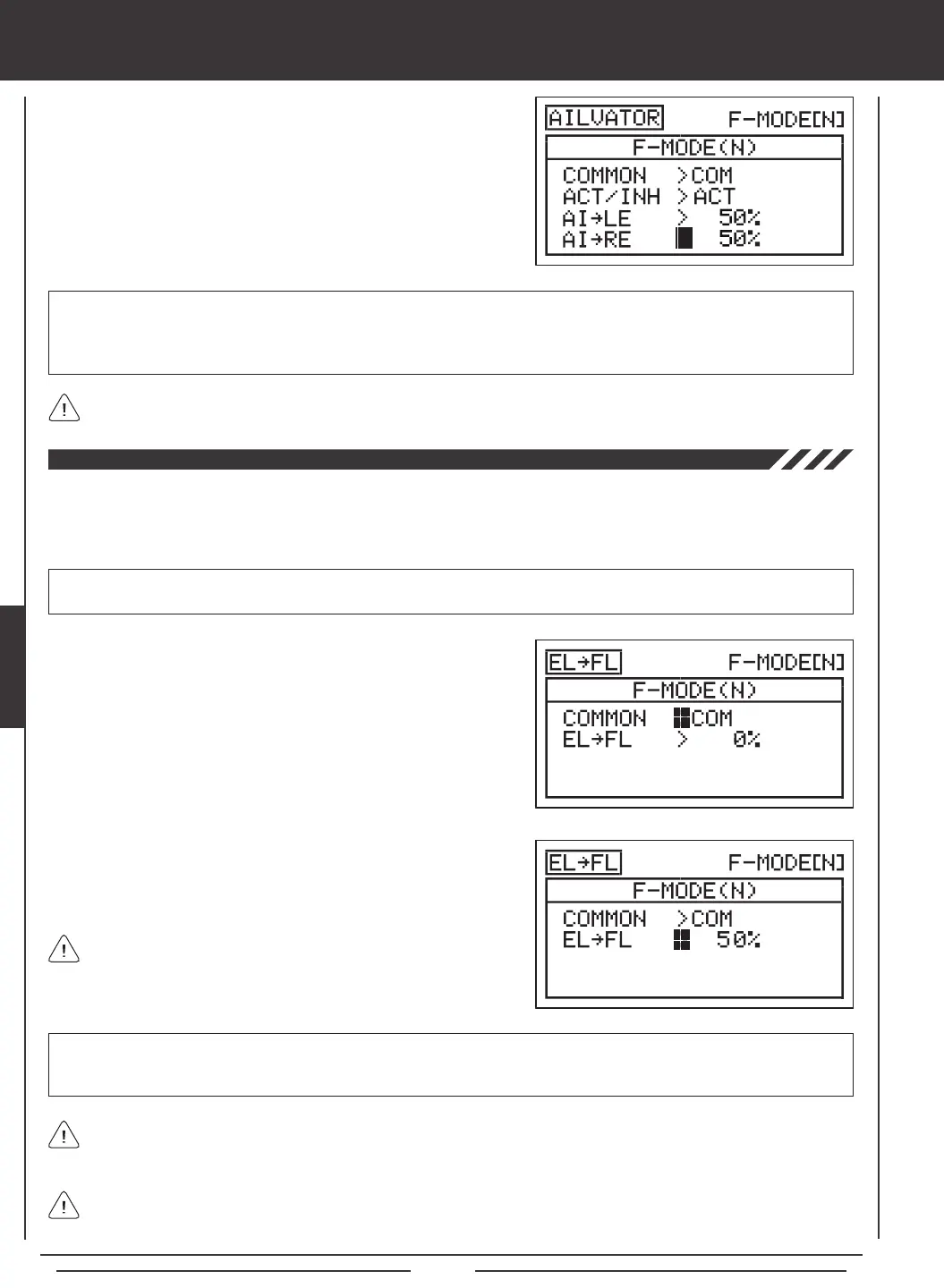
5) The Ailvator mixing percentage values can be changed for each
elevator servo separately. Press the Navigation Pad
6
to highlight
AI
4
LE>50%, then press the YES/+ or NO/- keys to change the
Aileron
4
Left Elevator percentage value.
6) Press the Navigation Pad
6
to highlight AI
4
RE>50%, then press the
YES/+ or NO/- keys to change the Aileron
4
Right Elevator percentage
value.
AI
4
LE and AI
4
RE setting range is -100% to 100%. The default setting is 50%. Adjusting the percentage values will change
the ratio of elevator roll travel to elevator pitch travel. For example, when the Aileron
4
Left Elevator and the Aileron
4
Right
Elevator percentage values are both set to 50%, the elevator roll travel will be half the amount of the elevator pitch travel at
any given control stick position.
Setting one percentage value opposite of the other percentage value will cause both elevator servos to move together
when the elevator/aileron control stick is moved in both the up and down, and the right and left directions.
Elevator to Flap Mixing
The Elevator to Flap Mixing function allows you to mix a percentage of ap control with elevator control. When you move the
elevator up and down, the aps will move up and down. The Elevator to Flap Mixing function is typically used with Fun-Fly aircraft
to enable near-instantaneous pitch changes. The amount and the direction that the aps move with elevator control is adjusted
by changing the Elevator
4
Flap mixing percentage value either positive or negative.
IMPORTANT The Elevator to Flap Mixing function must be assigned to a Switch Position Number before it can be Activated.
For more information, see page 45.
1) Press the Navigation Pad
56
to highlight MIXING, then press the
ENTER key to display the MIXING menu. The FLAPERON sub-menu
will be highlighted by default.
2) Press the Navigation Pad
6
to highlight EL
4
FL, then press the
ENTER key to display the EL
4
FL menu. The cursor will default to
COMMON>COM.
3) Press the YES/+ or NO/- keys to choose the desired COM or SEP
option as described previously.
The channel options displayed will vary based on Model Type and Model Type selection options currently selected. For
example, if your model features dual ap servos, EL
4
LF (Left Flap) and EL
4
RF (Right Flap) percentage values can be
changed separately.
4) Press the Navigation Pad
6
to highlight EL
4
FL>0%.
5) Press the YES/+ or NO/- keys to change the Elevator
4
Flap mixing
percentage value.
EL
4
FL setting range is -100% to 100%. The default setting is 0%. When the percentage value is increased from 0% to 100%,
flap travel will increase in one direction in relation to elevator travel. When the percentage value is decreased from 0%
to -100%, ap travel will increase in the opposite direction in relation to elevator travel.
The Elevator
4
Flap mixing percentage value is a ratio of ap travel
to elevator travel. For example, when the Elevator
4
Flap mixing
percentage value is set to 50%, the aps will travel half the amount that the
elevator travels. This mix is Linear.
Elevator
4
Flap mixing will cause the aps to move up when you move the elevator control stick. If you don't want the aps
to move up (you want them to only move down with EL
4
FL mixing Active), set the ap channel Limit Adjustment Value to
0% in the Surface menu for the ap up direction.



 To Next Page