15
Chapter 1 Getting Started
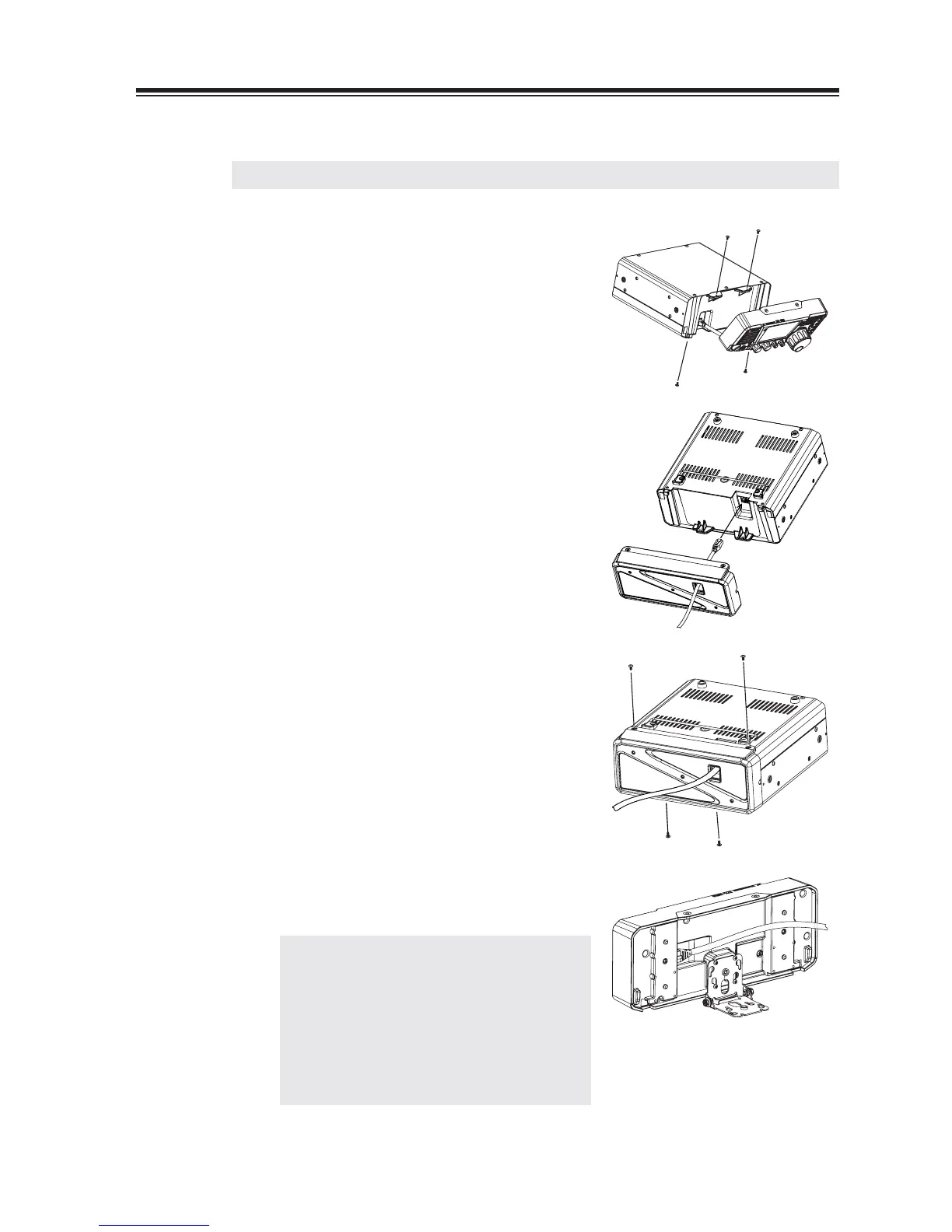
6. Installing the control panel and body separately
IMPORTANT: Be sure to disconnect the power cable before carrying out this procedure.
1.
Remove 2 screws above the main unit to
separate the front-control panel. Disconnect
the cable
Remove other 2 screws at the bottom of the
2.
main unit.
3.
Passing the separate-cable (5m) through the
hole of the cover in advance, connect the
cable to the main unit.
4.
Fix the cover to the main unit using those 4
screws.
5.
Fix the bracket using provided hardware, and
connect another end of the cable to the
front-control panel.
NOTE: Please be sure to keep the short,
original cable in order to make it back
to the original condition in future.
Provided ferrite-beads on the separate
cable are to eliminate the RF feed
back. The position of beads may affect
to the condition of RF feed back. See
page 89 for troubleshooting.



 To Next Page