-X BAG0235.4 01.23
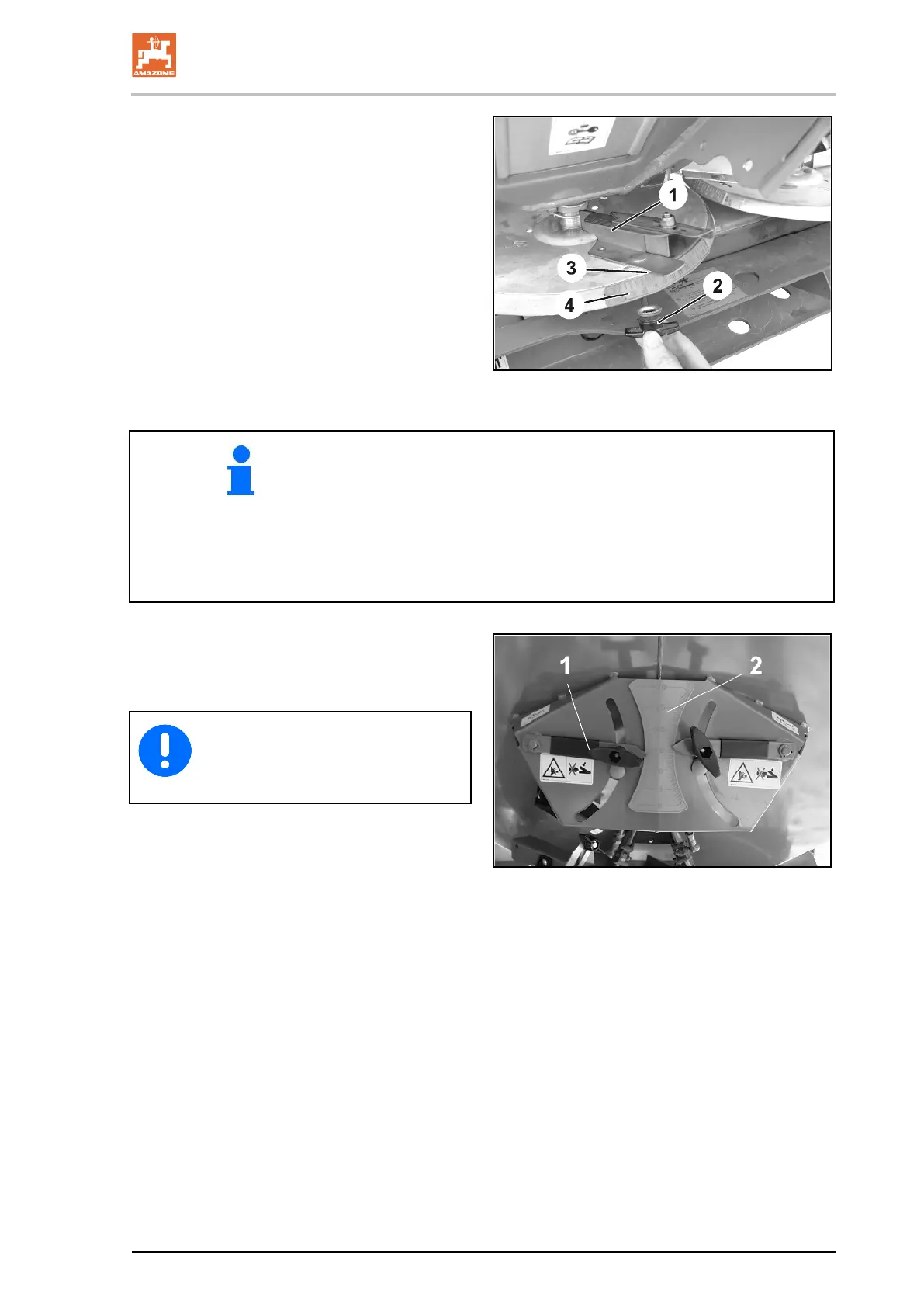
5. Install the border spreading vane (Fig. 80/1)
on the spreading disc using the thumb nut
Fig. 80/2).
6. Set the read-off edge (Fig. 80/3) to the
number on the scale (Fig. 80/4) according
to the setting chart and retighten the thumb
nut (Fig. 80/2).
80
• Set the border spreading vane to a higher letter.
→ Increase the throwing range
→ Flatter spreading flank
• Swivel the border spreading vane to a higher number.
→ Increase the throwing range
→ Steeper spreading flank
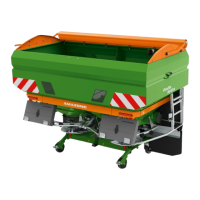
7. For boundary spreading, move the slider
position of the setting lever (Fig. 81/1) on
the left side of the machine back by two
scale intervals (Fig. 81/2).
81
When finished boundary spreading,
return the left slider back to its original
position and replace the spreading
vanes.




 To Next Page