VoiceMail answering machine
- 109 -
♦ To delete all (played) messages, hold down the DELETE button for approx
5 seconds until all messages disappear from the display.
♦ To delete all messages (both played and unplayed), press "SHIFT and
SYMBOL and !DEL together on the keyboard.
3. Press STOP so that the
e-m@iler returns to the standby display.
If MEMORY LOW – Delete old messages / email appears at the bottom of
the display, use the above procedure to delete all messages you no longer
require.
Recording your own outgoing message
➣
FAST TRACK: Hold down RECORD button, press 2, record message,
press STOP twice.
When you receive the
e-m@iler new, the answering machine comes with a pre-
recorded outgoing message (shown on page 106).
You can replace the pre-recorded outgoing message with your own recording
(30 seconds max), as follows:
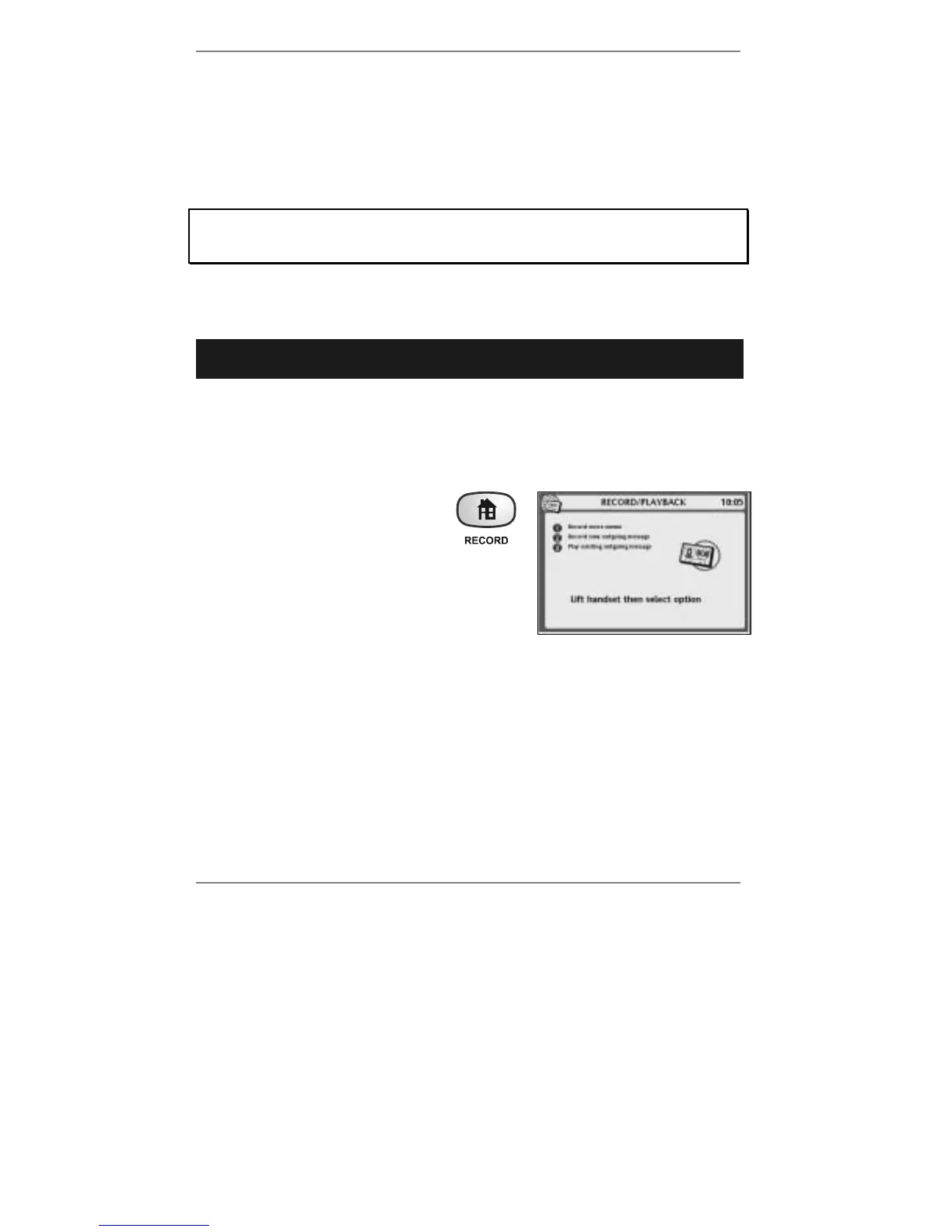
1. Hold down the RECORD button
(for approx 5 seconds) until the
display shows (right):
2. Lift the handset, press 2 and speak after the
beep. When you've finished recording the
message, press STOP and replace handset.
& Note when recording, you may leave the handset in place and speak into
the microphone at the front right-hand side of the e-m@iler instead.
(Press STOP twice to finish.)
♦ If you wish to playback the outgoing message, press 3. If it's not satisfactory,
repeat step 2. (You can re-record the outgoing message as often as you like.)
3. Press STOP and the e-m@iler will return to the standby display.
You can set up the answering machine so that it plays the outgoing message only (as
an announcement) and then ends the call. (For information see Advanced settings
page 146.)



 To Next Page