Advanced settings
- 152 -
Changing ringtone pitch and speed
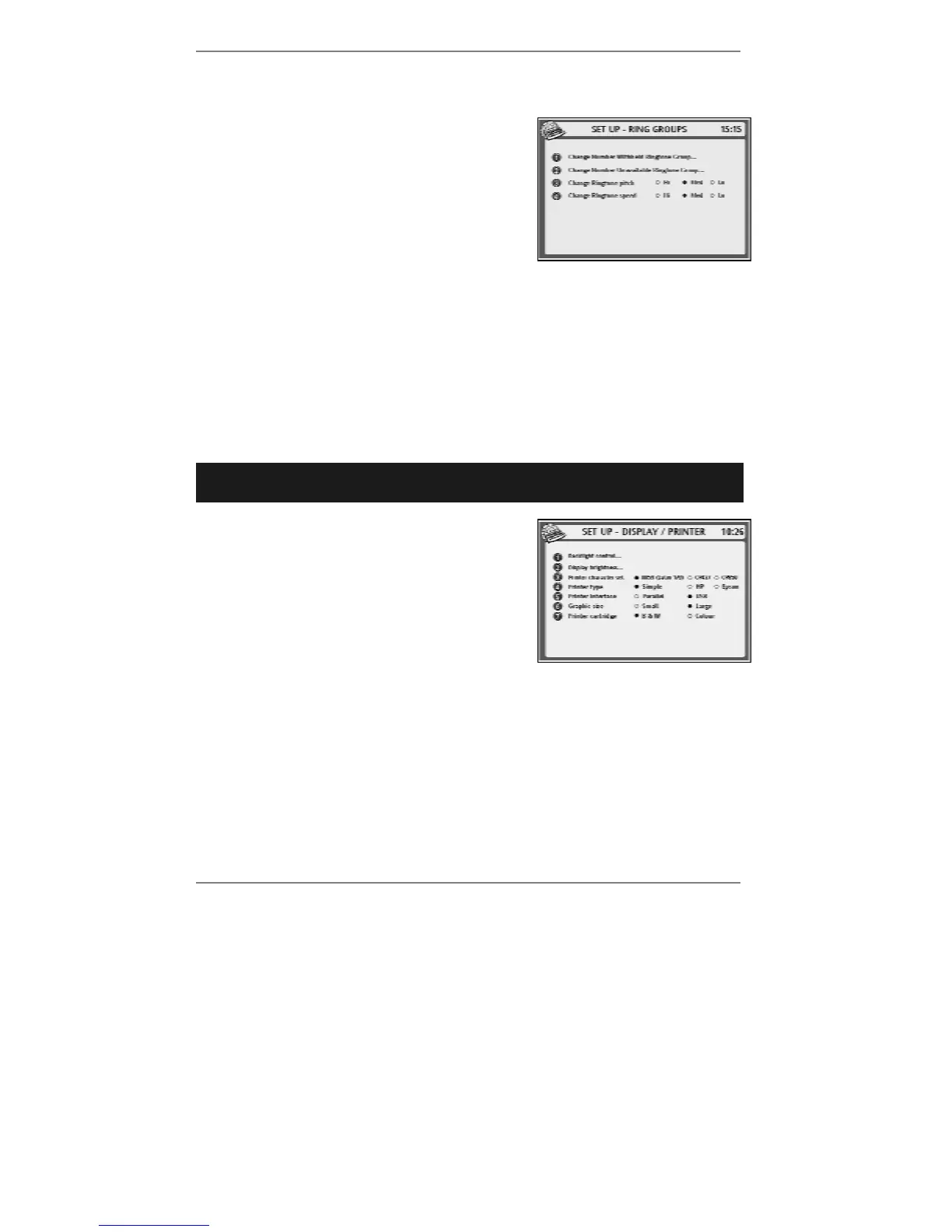
1. Press SETUP, 2, 6 so that the following
display appears:
2. Depending on whether you wish to Change
Ringtone pitch or Change Ringtone
speed, press 3 or 4 to select Hi, Med or Lo
according to taste.
& Pitch and speed settings are applied to all ringtones except standard
ringtone.
3. Press STORE, then press STOP repeatedly to return to standby display.
Printer settings
➣
FAST TRACK: Press SETUP, 5, select/adjust required option(s), press
STORE.
1. Press SETUP, 5 so that display top line reads
SET UP - DISPLAY / PRINTER:
2. Use options 3 to 7 as described below:
♦ Option 3 changes Printer character set between ISO 8859-15 (8859 Latin
1/9) and IBM PC 'Code Pages' 437 and 850 (CP437 and CP850). For further
information see page 67.
♦ Option 4 changes Printer type between Simple, HP (Hewlett Packard) and
Epson.
♦ Leave option 5 (Printer interface) set to USB. Ignore the Parallel setting –
the
e-m@iler does not support a parallel printer.



 To Next Page