Videophone
- 36 -
D
Videophone
VIDEOPHONE TECHNOLOGY – Note, the current technology for all videophones
(which operate on a normal telephone line) provides only limited picture quality.
This means that videophone images will be slow and jerky. This is not a fault of
the product – it is the maximum that the current generation of videophones will
afford. Do not expect TV-quality images on your videophone.
Notes on using a videophone
The videophone allows you to make video calls to other E3 e-m@iler owners. During a
video call you can see the other person and they can see you. Please bear in mind that
the picture and sound quality afforded is inferior to that of normal television. If you’re
familiar with videophone pictures (for example, from watching videophone news reports
on TV), you’ll know this to be the case.
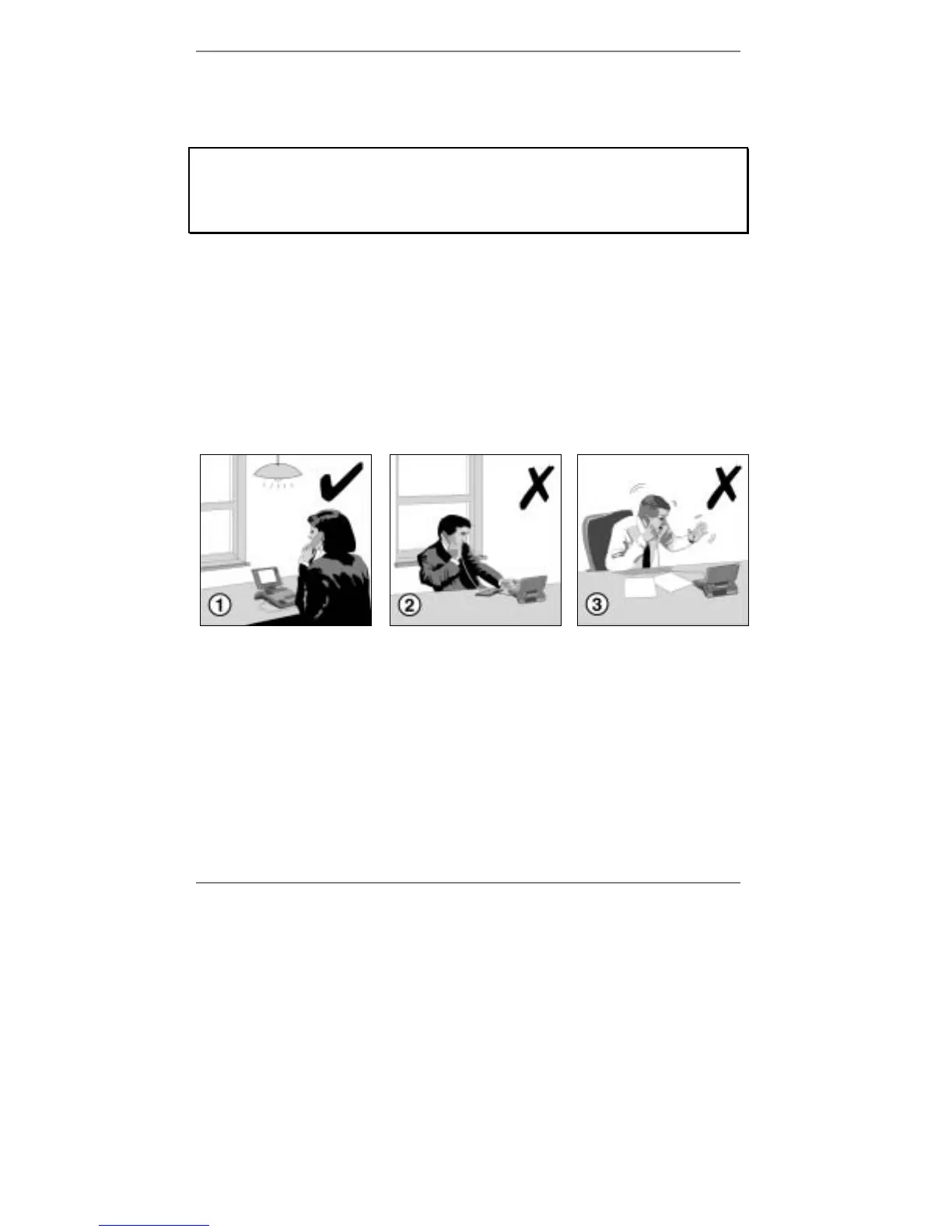
Nevertheless, there are a number of ways you can ensure you get the best possible
results…
&
Make sure the room is well lit – this is essential for best
picture quality.
'
Don’t position the e-m@iler with the screen directly
facing a sunlit window, otherwise silhouetting of your
image will occur.
(
Both you and the other person should avoid excessive
movement in order to prevent jerky pictures.



 To Next Page