Registration
- 21 -
Action required:
To choose one of the names listed, use
U D to highlight the required blob then
press ENTER.
To make up your own name, use
U D to highlight the blob next to the box, then
type in the name you want and press ENTER.
When you've completed this screen, press D to highlight lDNextl then press ENTER
and wait for display 21.
Notes
♦ If you have a popular name such as John Smith, you may find the choices
listed include numbers (for example: john_smith35 or j.smith86). This is
because other users with the same name have registered with Amserve
before you.
♦ If you decide to make up your own username (for example: smudger),
it must be between 2 – 18 characters long and contain only A – Z, 0 – 9,
hyphens – underscores _ or dots . Do not include spaces or symbols.
♦ If someone else has already registered the name you made up, the display
will ask you to choose another username.
♦ Please do not use offensive language in a username.
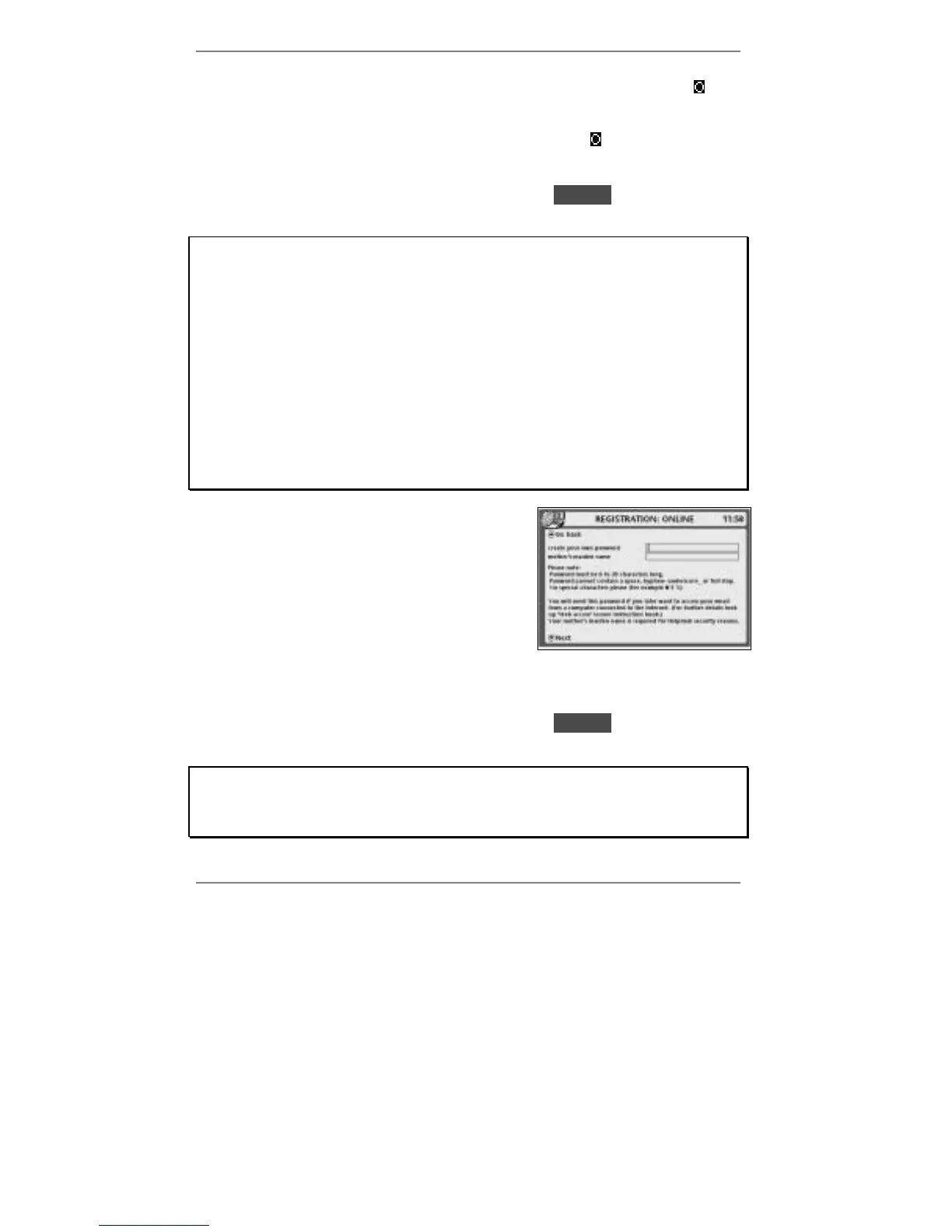
21. This display lets you create your own
password. You will need this if ever you want
to access your email on a PC connected to
the internet (information on page 72).
Your mother's maiden name is also requested –
this is for security and identification purposes if
ever you contact us regarding your password.
Action required:
Type in your password, then press D to move into the lower box and type in your
mother's maiden surname.
When you've completed this screen, press D to highlight lDNextl then press ENTER
and wait for display 24.
Note
♦ Your password must be between 6 – 20 characters long, consisting of letters
and/or numbers only. Do not include spaces.



 To Next Page