Email
- 65 -
message and you can expand the From/to and Subject areas to view
longer email addresses and titles.
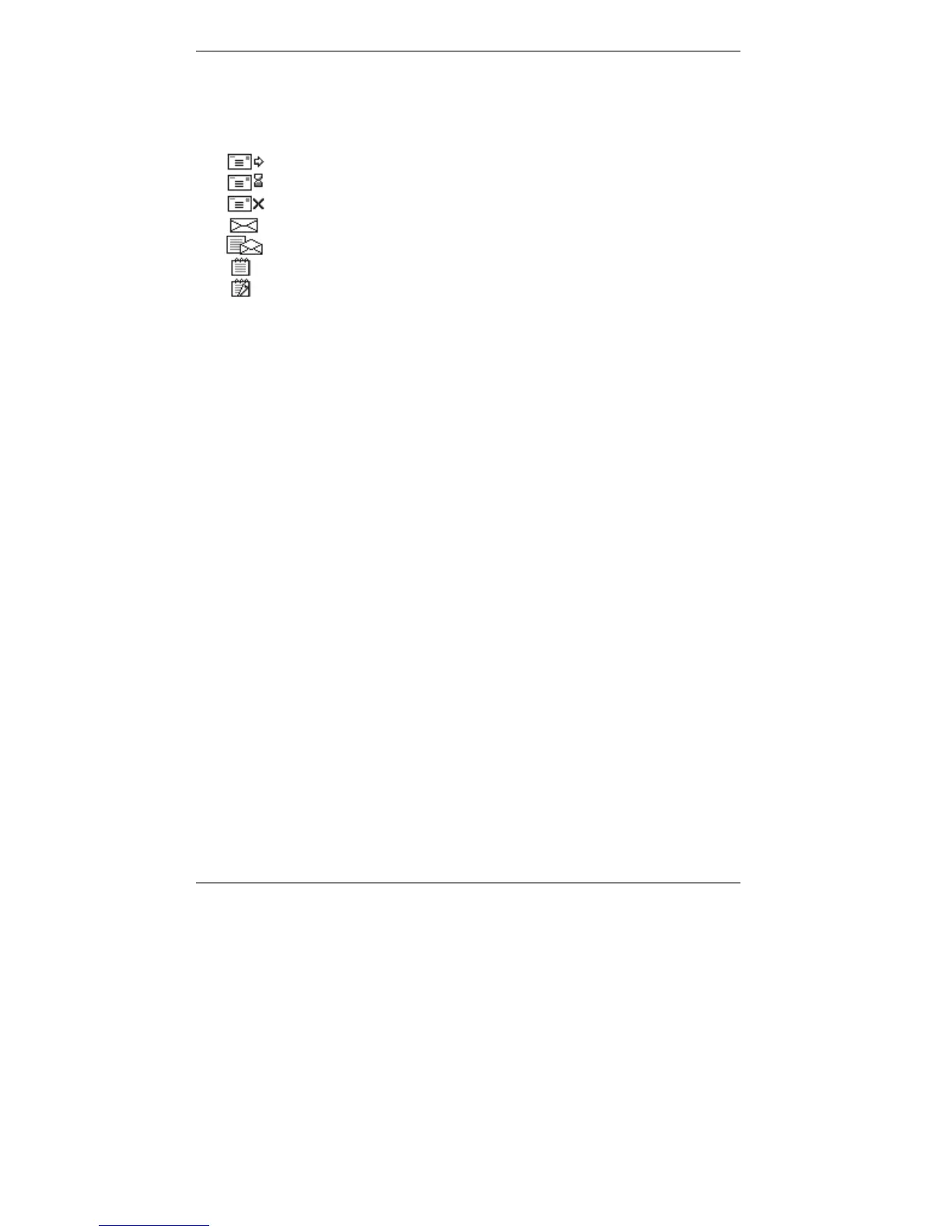
♦ Note the icons displayed in the left-hand column denote the following:
Outgoing message – sent
Outgoing message – waiting to send (stored)
Outgoing message – failed to send
Incoming message – new (unread)
Incoming message – old (read) message
Memo message – new (unread)
Memo message – old (read)
& Note that emails, texts, memos and faxes are filed together.
2. Using
U D, select the message you wish to read (or delete), then:
♦ to read the message, press READ. (Press STOP to close it.)
♦ to delete a (read) message, press DELETE on the e-m@iler (note that unread
messages will not be deleted).
♦ to delete a (read or unread) message, press "SHIFT and !DEL together on
the keyboard.
♦ to delete all (read and unread) messages, press "SHIFT and SYMBOL and
!DEL together on the keyboard.
♦ to print the message, see page 66.
♦ to reply to the message, see page 68.
♦ to forward the message, see page 69.
♦ to paste an email address, select the message containing the required address
and then, using the keyboard, press STORE together with EMAIL. This opens a
new Address Book entry with the selected address pre-inserted. Type in the entry
name and press STORE. (Storing information is on page 43.)
& Note you can store only one address in the Email: box. (If more than one
address is pasted, you will have to delete the additional ones.)
& Note that deleting your messages does not affect other users' messages.
3. When you've finished, press STOP to go back to the previous display. (If
necessary, press again to return to standby display.)



 To Next Page