Page 22
Audio Bolus/ezBolus
This button allows you to program a bolus without looking at the pump, by using audible
tones to confirm programming and delivery*. If you choose not to activate the Audio Bolus
feature, this button provides a shortcut to the Normal Bolus screen.
*When you first use the Audio Bolus feature, you should always look at the screen to
confirm correct programming until you are comfortable with using audio feedback to
program a bolus. See Chapter 11, Advanced Features, Setup Advanced 1 – Audio Bolus
Feature.
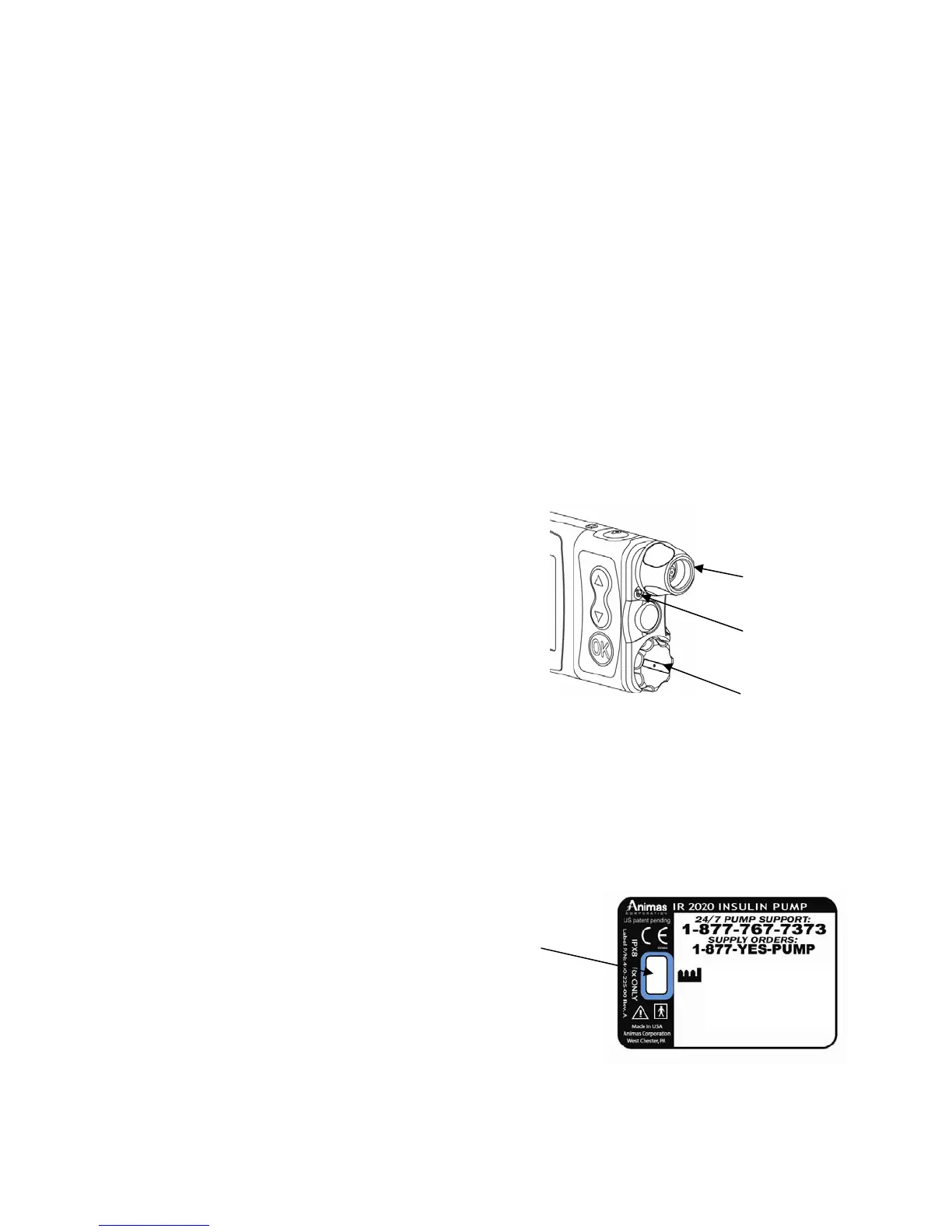
Battery Cap/Vent
This cap unscrews easily with a coin or the battery cap tool to replace and secure your
battery. There is a yellow o-ring around the cap, which prevents water from entering. The
battery cap also is equipped with a built-in vent to allow air to enter the pump to maintain
pressurization but prevent water from entering. Be careful not to over tighten the battery
cap. See Chapter 5, Changing the Battery.
Primary Vent
This vent is part of the redundant vent safety
system, which allows air inside the pump to
maintain equalized pressure but prevents water
from getting inside.
Under no circumstances should you introduce
any kind of sharp object into the vent
openings to clean them. Doing so will compromise
the pump’s waterproof capabilities. If at any
time you suspect the vent openings are clogged,
replace the battery cap or call Animas for questions about the Primary Vent.
Cartridge Compartment Cap
This cap secures your cartridge and infusion set in the pump.
Never tighten the cartridge cap when your infusion set is attached to your body.
Tightening the cartridge cap while your infusion set is attached to your body may
result in unwanted insulin delivery.
IR Window for Download
The IR window is framed in blue. This is the
infrared communication window used for
downloading your pump data.
Sounds
Your 2020 allows you to customize the volume level or use the vibrate function to notify
you of warnings and alarms and to confirm certain deliveries. With ezManager, you can also
add tunes to play as your initial audible notification for some Alerts, Reminders, Warnings
and Alarms. Refer to your ezManager User Guide included with the software.
Cartridge Cap
Primary Vent
Battery Cap/Vent
4
IR Window
2003-05
S/N: 49-00015-10
|||||||||||||||||||||||||| ||||| |||



 To Next Page