Page 68
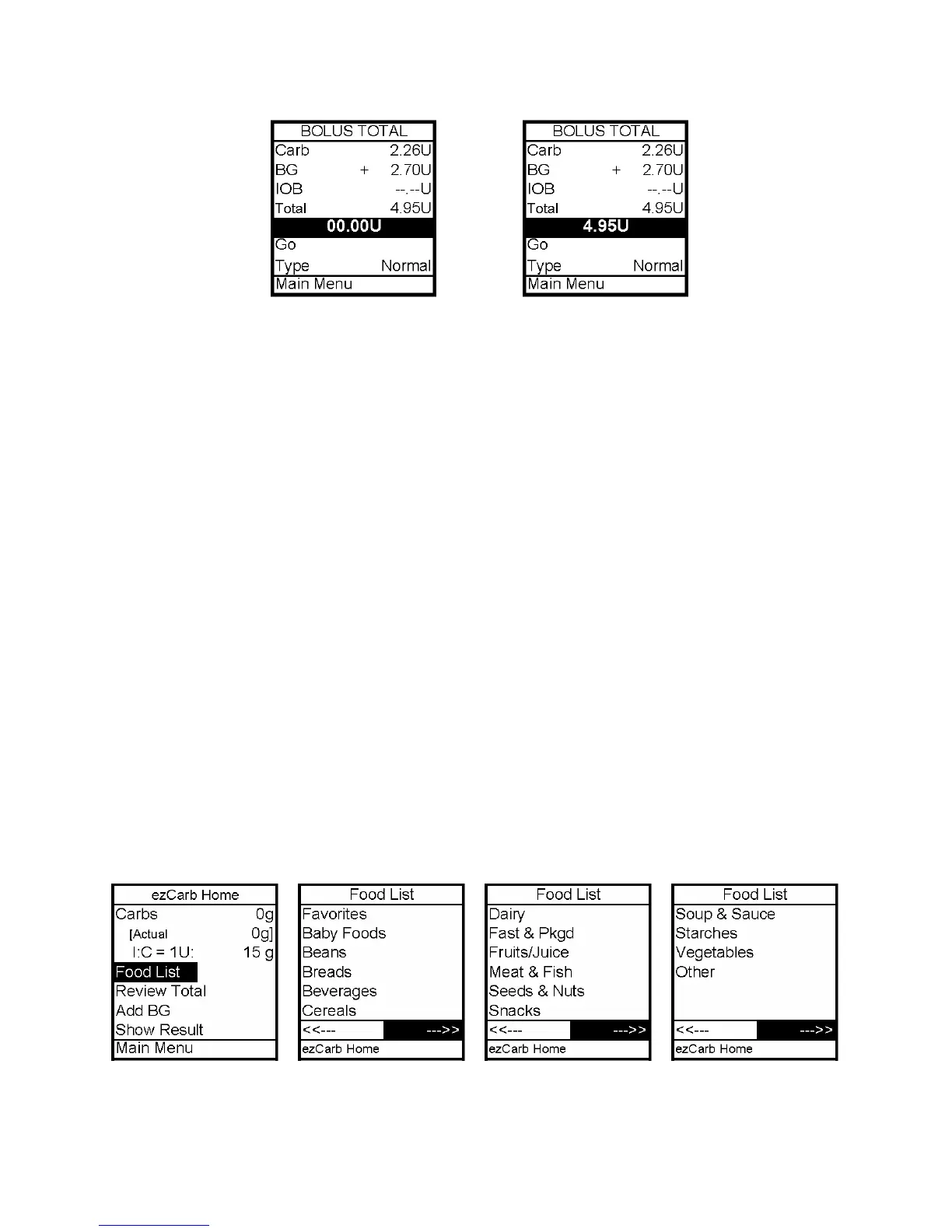
5. The Bolus Total screen is displayed and the Bolus amount field is highlighted and
flashing.
6. Enter the Bolus amount. Go is highlighted. Press OK to deliver or scroll to Type field to
select Combo Bolus, then select Go. See this chapter, Combo Bolus.
Entering Carbs Using the Food Database
Your pump comes pre-loaded with a sample food database. A reference sheet for your
pre-loaded food database is included with your other pump kit paperwork. You
should keep this reference sheet with you to ensure you understand the
abbreviated food names and serving sizes. Failure to use the reference sheet to
confirm your food selection could result in too much or too little insulin being
calculated for your food bolus. If you do not want a food database or if you would
like to customize your food database, refer to your ezManager User Guide included with
the software.
1. From the Bolus Menu, select ezCarb. Press OK.
2. On the ezCarb Home screen, press OK to exit Edit mode. Food List is highlighted. Press
OK to select.
3. The first Food List page is displayed. There are 3 pages of Food List categories. To move
through the pages, scroll to the backward or forward arrows and press OK. Repeat to view
the third page of the Food List.
12



 To Next Page