Page 51
Chapter 10 Status Feature
This feature gives you easy access to a summary of information about your pump’s current
programming and performances. There are 6 Status Screens.
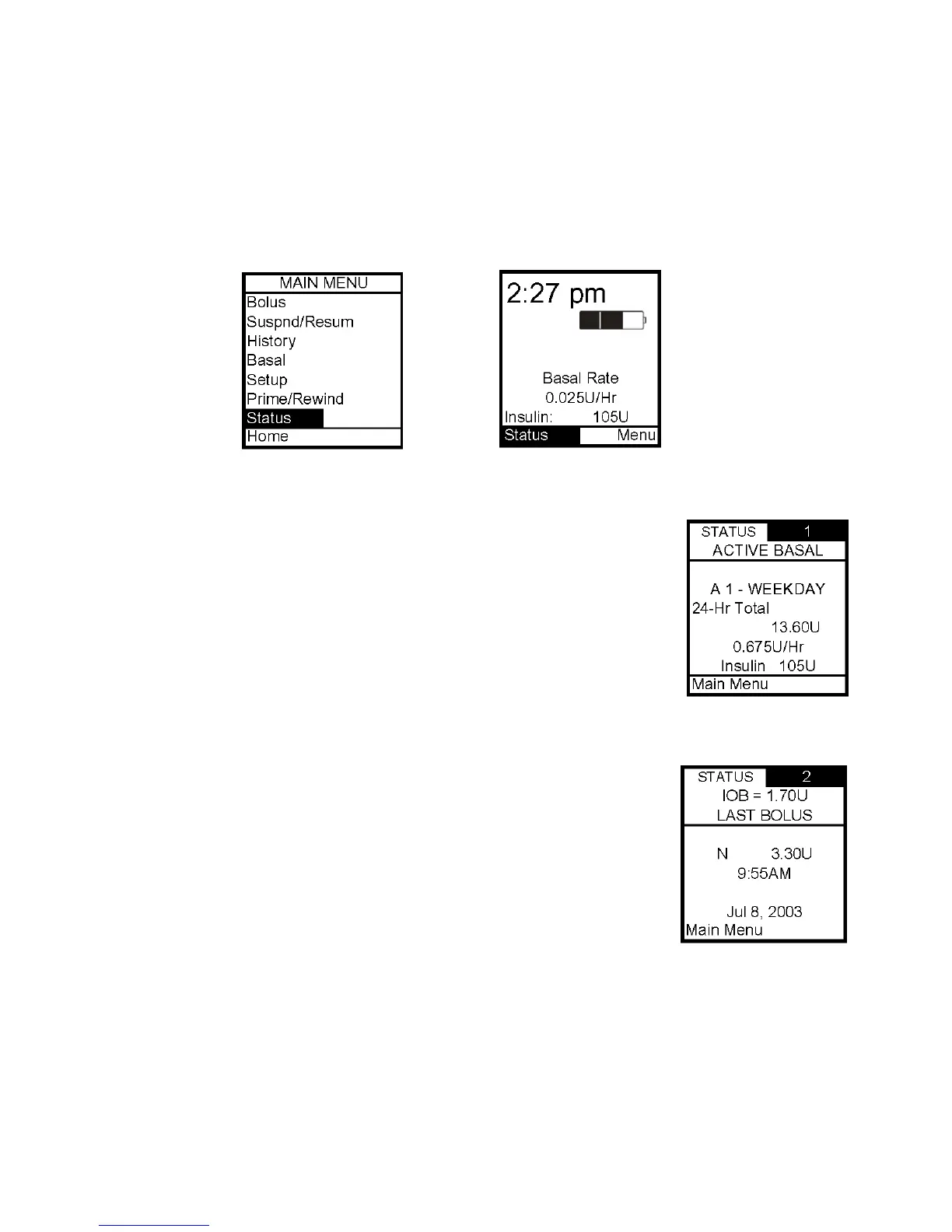
1. From the Main Menu or from the Home screen, scroll to Status and press OK.
Status Screen 1 – Active Basal
The screen displays the following information:
• Which basal program is currently active
• The 24 hour total for the active basal program
• Units per hour currently being delivered
• Insulin currently remaining in cartridge
The cursor is flashing on the Status Screen number 1. Press the Up
arrow to move to Status Screen 2 or press OK to highlight Main Menu
and exit Status screens.
Status Screen 2 – Last Bolus
The screen displays the following information:
• Amount of insulin currently “on board” (IOB). For more
information on this feature, see Chapter 11, Advanced Features.
• Type and amount of last bolus
o N = Normal
o C = Combo
o A = Audio
• Time and date of last bolus
The cursor is flashing on the Status Screen number 2. Press the Up arrow to move to Status
Screen 3 or press OK to highlight Main Menu and exit Status screens.
10



 To Next Page