Page 37
Chapter 7 Using Basal Program Features
You can program your 2020 to display either 1 or 4 basal program options. Basal insulin is
delivered continuously to help keep your blood glucose in target between meals. Having
more than one pre-set basal program makes it easy for you to switch based on your weekday
needs versus weekend needs, or to accommodate for shift work and menstruation. If you
are new to pumping, your healthcare team may suggest you first become comfortable with
one program before using multiple basal programs. The factory default displays one basal
program and the temporary basal program. To display multiple basal options, see Chapter
11, Advanced Features.
You can use your computer and ezManager software to upload basal program names as well
as basal rates. Outside the US, check with your local Animas distributor for information on
ezManager software and the IR Accessory Kit. For instructions on uploading basal program
information, refer to the ezManager User Guide included with the software.
Setting a Basal Program
Each basal program can be set with up to 12 different basal rates (doses) in a 24 hour
period. These 12 start times can be set to accommodate your changing basal needs
throughout the day. For example, your body may need more insulin in the early morning to
compensate for the “dawn phenomenon.” You can program time segments to begin at any
hour or half hour.
Note: The Up/Down buttons will move the cursor through fields when not in Edit mode. When
in Edit mode, the Up/Down buttons will change the value of the field. If the cursor is
flashing, that means you can edit the entry. Use the OK button to start/stop Edit mode.
Use the chart in Chapter 18, My Information, to record and enter your basal program times
and doses as recommended by your healthcare team.
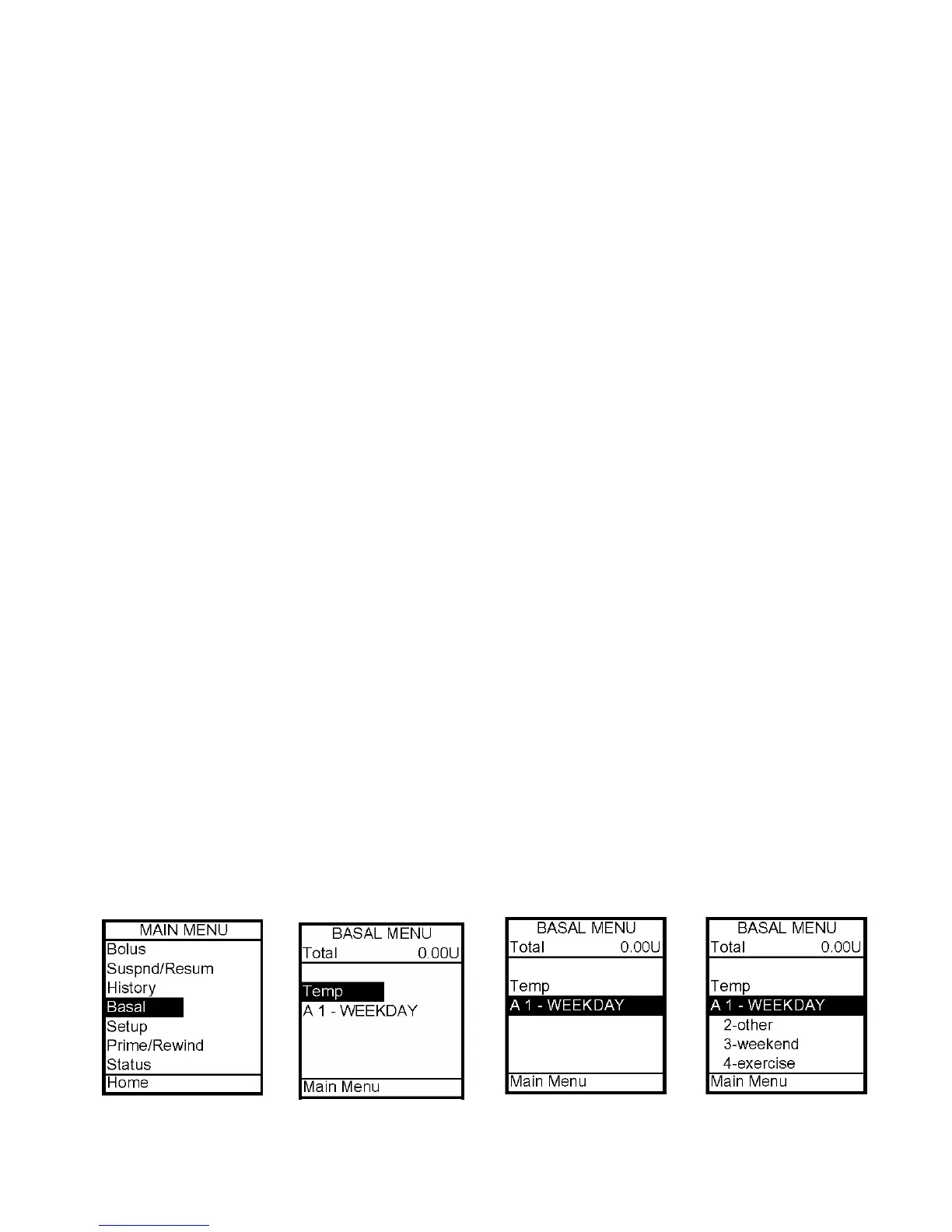
1. From the Main Menu, select Basal.
2. The Basal Menu displays the following:
• Total basal insulin programmed for the 24 hour period
• Temp (if you wish to program a Temporary Basal rate)
• The active basal program, designated by number and by name, as well as an “A” to
indicate the active program. (If you have activated multiple basal programs in Setup
Advanced, all 4 basal program options will be displayed as shown below, right.)
3. Scroll to select the program A1 - WEEKDAY, press OK.
7



 To Next Page