Page 56
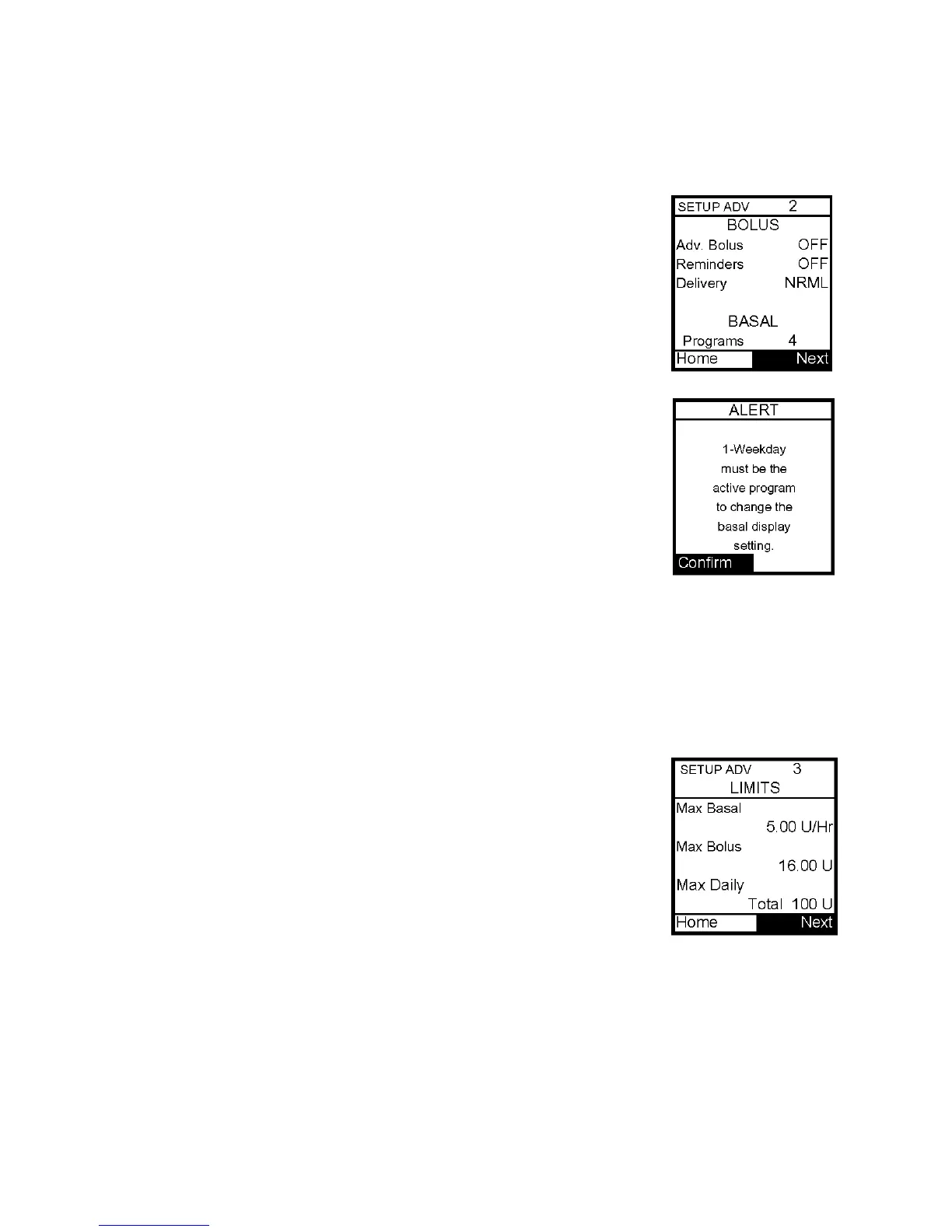
Setup Advanced 2 – Advanced Bolus Features and Multiple Basal Programs
This screen allows you to:
• Turn Advanced Bolus Features on or off
o ezCarb Bolus
o ezBG Bolus
o Combo Bolus
• Turn personal Reminders feature on or off
• Select bolus delivery speed (normal: 1 U every second or
slow: 1 U every 4 seconds)
• Select either 1 basal program or 4 basal programs to be
displayed in Basal Menu
Note: If a program other than 1-Weekday is active, you cannot change
this setting to display 1 basal program. The Alert screen shown here
will pop up to remind you.
1. Scroll to the desired field.
2. Press OK to change to flashing cursor for Edit mode.
3. Use the Up/Down buttons to change to desired setting.
4. Press OK when setting is made.
To move to the next Setup Advanced screen, scroll to the bottom of the screen and
highlight Next. Press OK.
To return to the Home screen, scroll to Home and press OK.
Setup Advanced 3 – Insulin Limits
This screen allows you to:
• Set maximum basal delivery per hour
• Set maximum bolus amount
• Set maximum daily (24 hour) delivery amount
1. Scroll to the desired field.
2. Press OK to change to flashing cursor for Edit mode.
3. Use the Up/Down arrows to change to desired setting.
4. Press OK when setting is made.
To move to the next Setup Advanced screen, scroll to the bottom of the screen and
highlight Next. Press OK.
To return to the Home screen, scroll to Home and press OK.
Should you attempt a delivery that exceeds the limits you have set, the pump will alert you
and display a text message. See Chapter 14, Safety System and Alarms, for additional
information.
11



 To Next Page