Page 60
9. Use the Up/Down arrows to change the BG units field as desired. Press OK. Repeat to
set remaining segments per your healthcare team’s recommendations.
To review your settings, highlight the forward arrows and press OK to scroll through each
segment. Confirm the times and setting values are correct.
When finished, scroll to Done and press OK to return to the Setup Adv screen.
To return to the Home screen, scroll to Home and press OK.
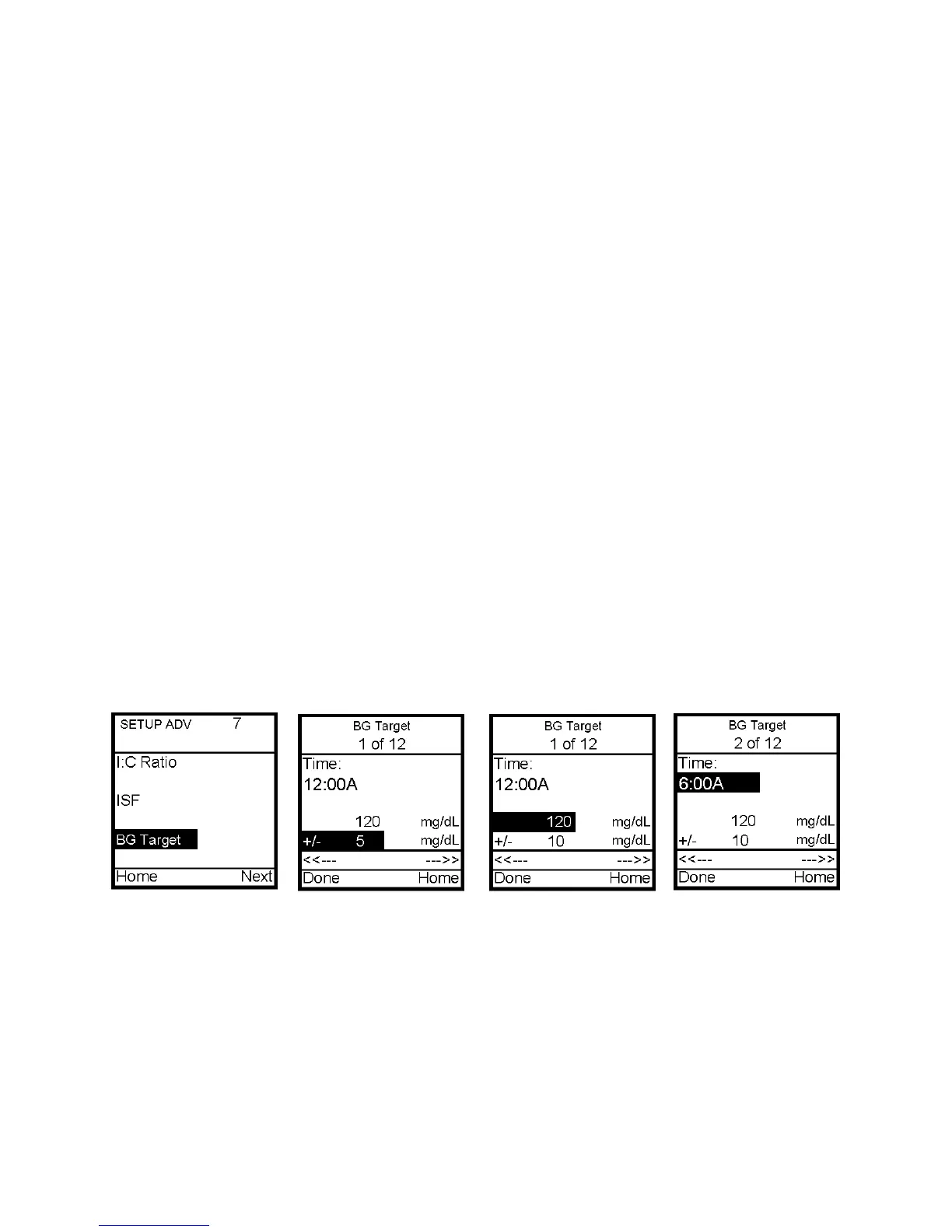
Setup Advanced 7 – Personal Settings - BG Target Ranges
Your healthcare team may recommend you use different BG Target Ranges for different
times of day. When you use the ezCarb feature or ezBG, your pump will automatically select
the BG Target Range for the current time of day.
By setting a range (+/-) the pump will not calculate a correction dose if your actual BG
is within that range. If you prefer to correct to one target number rather than a range,
simply set your range to +/- 0.
This screen allows you to:
• Set different BG targets and ranges for 12 different time slots
Note: If you set only one ratio, it will be used for the entire 24 hour period.
From the Setup Adv 7 screen, scroll up to BG Target. Press OK.
1. The first segment always starts at midnight. The last time slot available is 11:30pm. Use
the Up/Down arrows to scroll to the BG target field.
2. Press OK to change to flashing cursor for Edit mode.
3. Use the Up/Down arrows to change to desired setting.
4. Press OK when setting is made.
5. Scroll to the range field. Press OK to change to flashing cursor for Edit mode.
6. Use the Up/Down arrows to change the range as desired. Press OK.
7. To move to the next BG Target screen, scroll to the forward arrows and press OK.
8. Scroll up to the time field and press OK to change to flashing cursor for Edit mode.
9. Use the Up/Down arrows to change the segment start time. Press OK.
10. Scroll to the BG Target field. Press OK to change to flashing cursor for Edit mode.
11



 To Next Page