Page 34
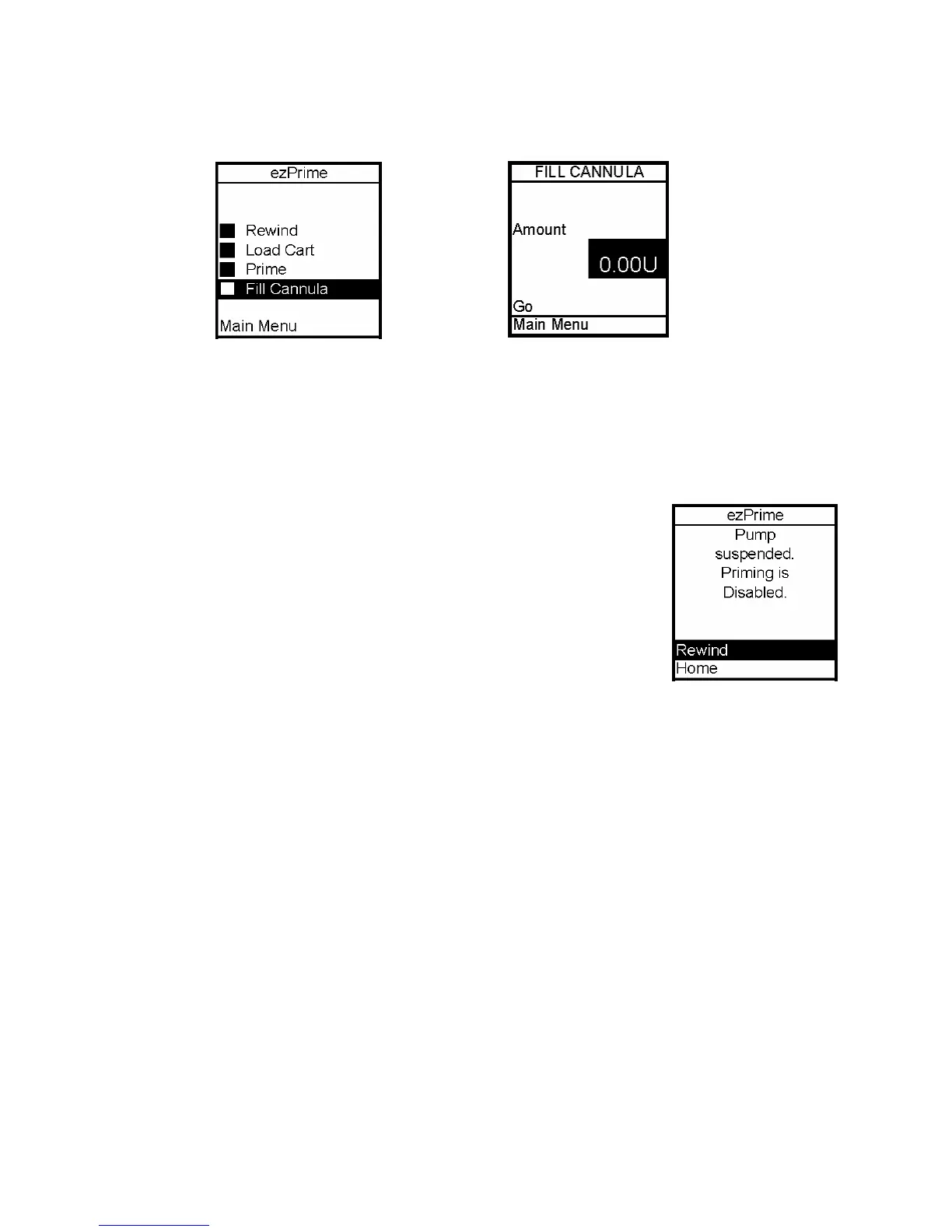
12. From the ezPrime Menu, Fill Cannula is highlighted. Press the OK button. The Fill
Cannula screen is displayed.
13. Use the Up/Down arrows to enter the amount of insulin needed to bolus to fill the
cannula. Refer to the Instructions for Use included with your infusion set for details on how
much insulin is required to fill the cannula.
Note: The maximum Fill Cannula amount is 1U at a time.
The Fill Cannula step is not required for the pump to operate.
For example, when you prime the pump after a battery change and
you are not inserting a new infusion set, this step is not necessary.
Filling the cannula when not necessary can result in unwanted
delivery of insulin.
If the pump is suspended, the screen will alert you with the ezPrime Pump Suspended
screen. You must resume delivery of your pump in order to complete the Priming function.
Selecting the Infusion Site and Inserting the Infusion Set
Your healthcare team will review appropriate site selections and techniques for insertion
based on your body type. Refer to the Instructions For Use included with your infusion set
for proper insertion guidelines.
Do NOT attempt to insert the infusion set into your body until you have been trained by
your diabetes educator. Improper insertion of your infusion set can lead to death or
serious injury.
Changing the Cartridge and Infusion Set
Cartridges and infusion sets require replacement and are not to be reused. Infusion sets
should be replaced approximately every 2 – 3 days or as directed by your healthcare team.
Refer to the insulin labeling and follow the direction of your healthcare team for frequency
of replacing the cartridge.
Occasionally check the infusion set tubing for any damage, air bubbles, leaks or kinking,
which may restrict or stop insulin delivery and result in under infusion.
5



 To Next Page