Page 41
If you press OK to select Clear, your pump will check to be sure you
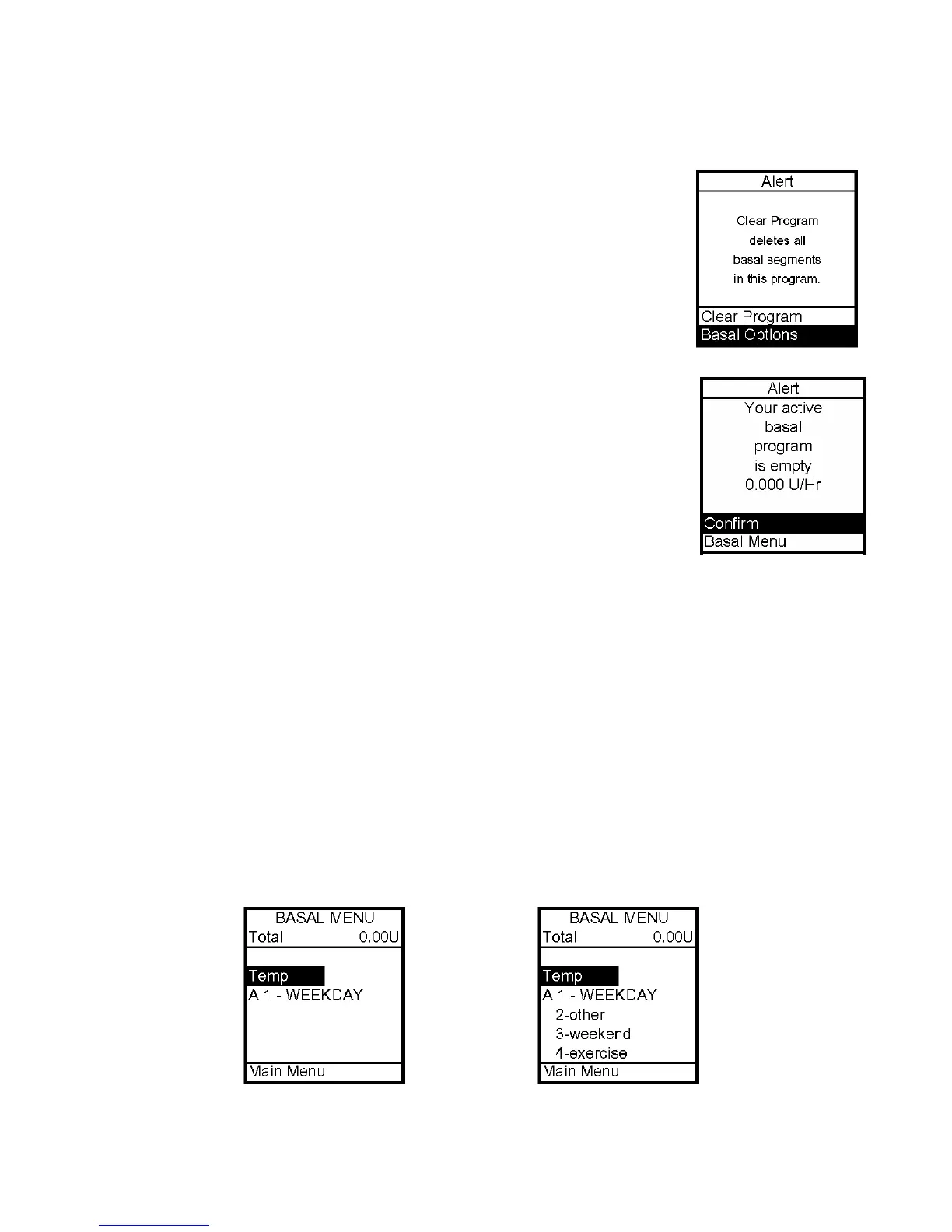
want to clear all the segments of the basal program selected. The Alert
screen shown here is displayed. If you do wish to clear all the basal
segments of the selected program, scroll to Clear Program and press OK.
If you do NOT wish to clear all the basal segments, scroll to Basal
Options and press OK. The Basal Options screen will be displayed.
If all segments of your active basal program are set to 0.000 U/hr the
pump will not deliver any basal insulin. Each time you wake up the
pump, the Alert screen shown here is displayed. If you have turned on
the sound for Alerts, you will also be notified by a beep or vibrate. This
Alert screen does not need confirmation and does not progress to higher
audible alarms. You do have the option to either select Confirm to
quickly go to the Main Menu screen or select Basal Menu to reset rates
in your active program. For more information see Chapter 14, Safety
System and Alarms.
Temporary Basal Feature
This feature allows you to increase your active basal delivery rate for events such as sick
days or decrease for events such as exercise. You can set in decrements of -10% down to -
90% or in increments of +10% up to +200%. You can also set to OFF. You can set the
duration up to 24 hours in half-hour increments. (If you have activated multiple basal
programs in Setup Advanced, all 4 basal program options will be displayed as shown on
screen example below, right.)
The lowest basal delivery amount possible is 0.025 U/hr. The highest basal delivery
amount possible is 25 U/hr or the Max Basal amount you set in Setup Advanced. See
Chapter 11, Advanced Features.
1. From Basal Menu, scroll to Temp. Press OK.
7



 To Next Page