Page 42
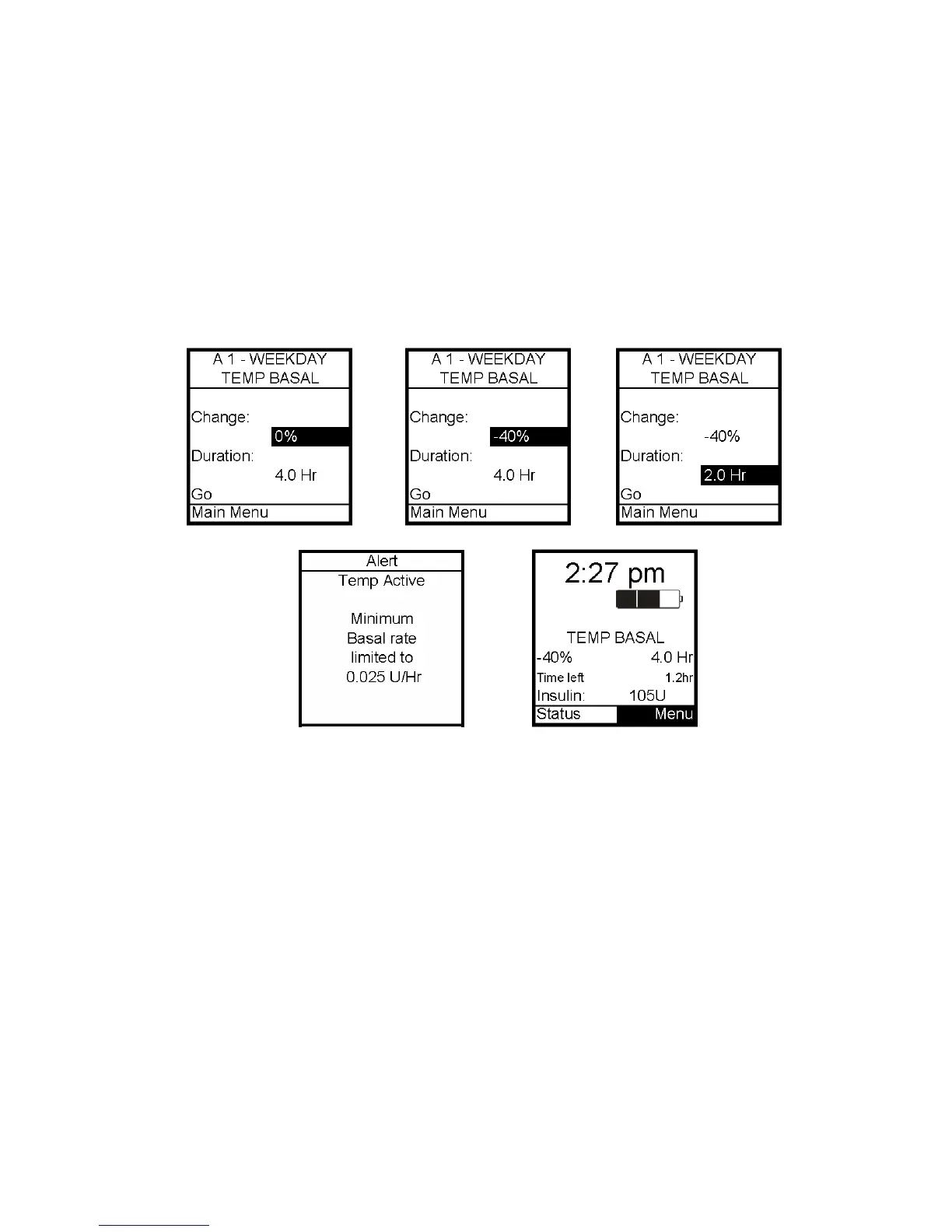
2. The Change % field will flash to indicate Edit mode. Use the Up/Down arrows to enter
the percentage change desired. Press OK button to exit Edit mode.
3. Duration field is highlighted. Press OK to activate Edit mode.
4. Use the Up/Down arrows to enter the duration desired. Press OK to exit Edit mode.
5. Go is highlighted. Press OK to activate Temp Basal.
The lowest basal delivery amount possible is 0.025 U/hr. When you set a negative
temporary basal rate, the pump will beep and display an Alert screen to remind you of the
minimum delivery limit. This screen will display once for 5 seconds and give one audible
alert (if you turned on Alert sounds in Setup).
6. The Home screen is displayed and shows your Temp Basal is active, the percentage
change, the duration and how much time is left. When the duration of time is complete,
your pump will automatically resume the active basal program.
Note: If you turned on the Temp Basal sound in Setup, the pump will beep once every 30
minutes to remind you of Temp Basal status.
7



 To Next Page