Page 40
6. When finished, scroll to Save/Review and press OK. If you have edited the active program,
it is now resumed automatically. The Basal Options screen is displayed.
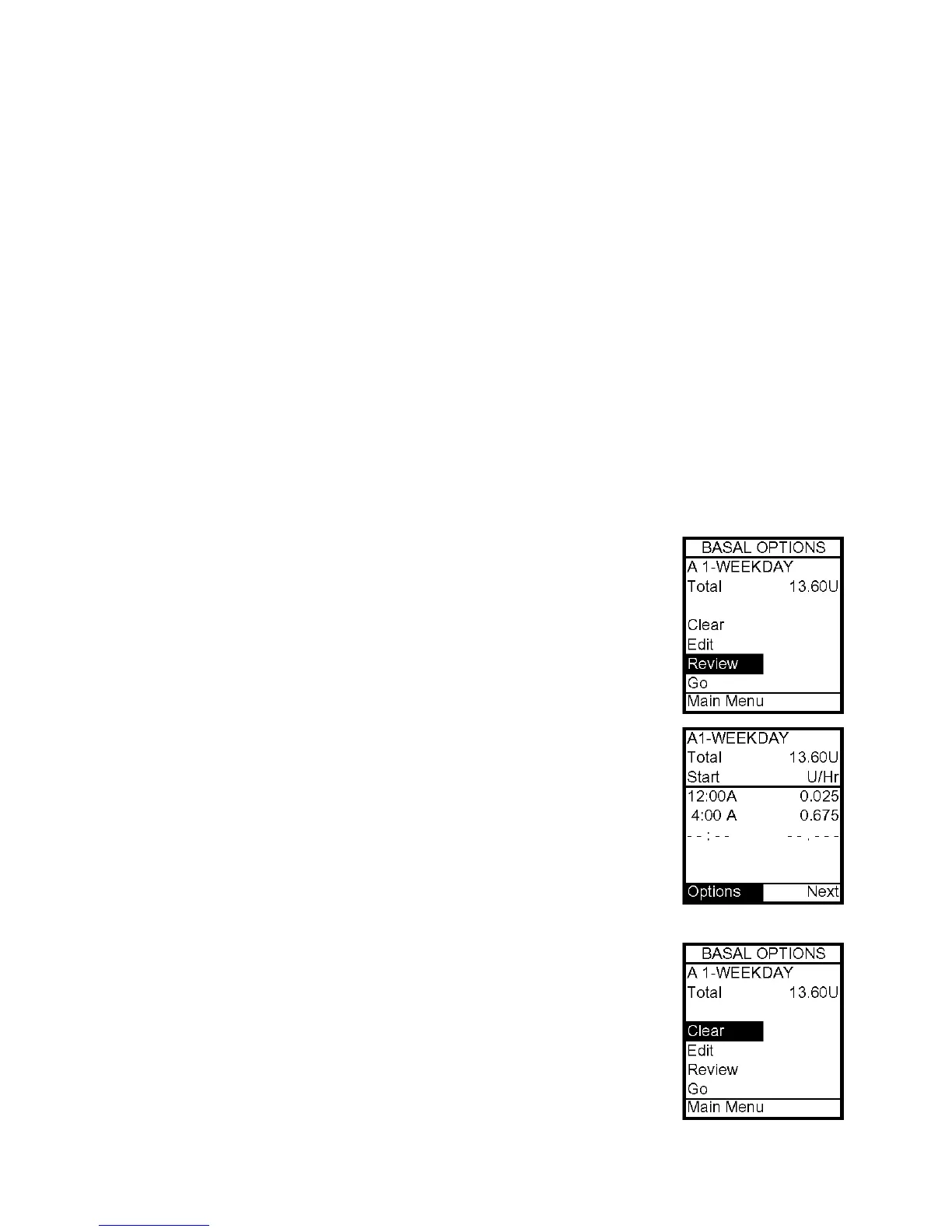
a. Select Review from the Basal Options screen to review your entries for accuracy.
Your basal segment settings are shown (5 on first screen, 5 on second screen and 2 on
last screen). If you have more than 5 segments programmed, scroll to Next to see second
and third screens as desired.
b. If you’ve edited an inactive program, select the program from the Basal Menu. Press
OK. Select Go from the Basal Options screen to activate the program you’ve selected.
When you select Go, the Home screen is displayed, which shows the current rate of delivery
for the program that is active. (Or you can simply wait for the pump display to time out.
When you press any button, your active basal program rate information is displayed on the
Home screen.)
Always review changes to your basal program to be sure they are
correct. See next section, Reviewing Basal Programs.
Reviewing Basal Programs
1. From Basal Menu, scroll to highlight desired program. Press OK.
2. Scroll to Review from Basal Options screen. Press OK. Your basal
segment settings are shown (5 on first screen, 5 on second screen and
2 on last screen). If you have more than 5 segments programmed,
scroll to Next to see second and third screens as desired.
3. When finished, Options is highlighted. Press OK.
4. Scroll to Main Menu and press OK. The Main Menu screen is
displayed. The active basal program continues.
5. If reviewing an inactive program and you wish to activate it, select
the program you wish to activate from Basal Menu screen. Press OK.
6. Select Go from Basal Options screen to activate the program. The
Home screen is displayed to show the current rate per hour of the
program you have activated.
Clearing Basal Programs
This feature allows you to clear all information from a basal program.
1. From Basal Menu, scroll to desired program.
2. From Basal Options screen, scroll to Clear. Press OK.
7



 To Next Page