Page 52
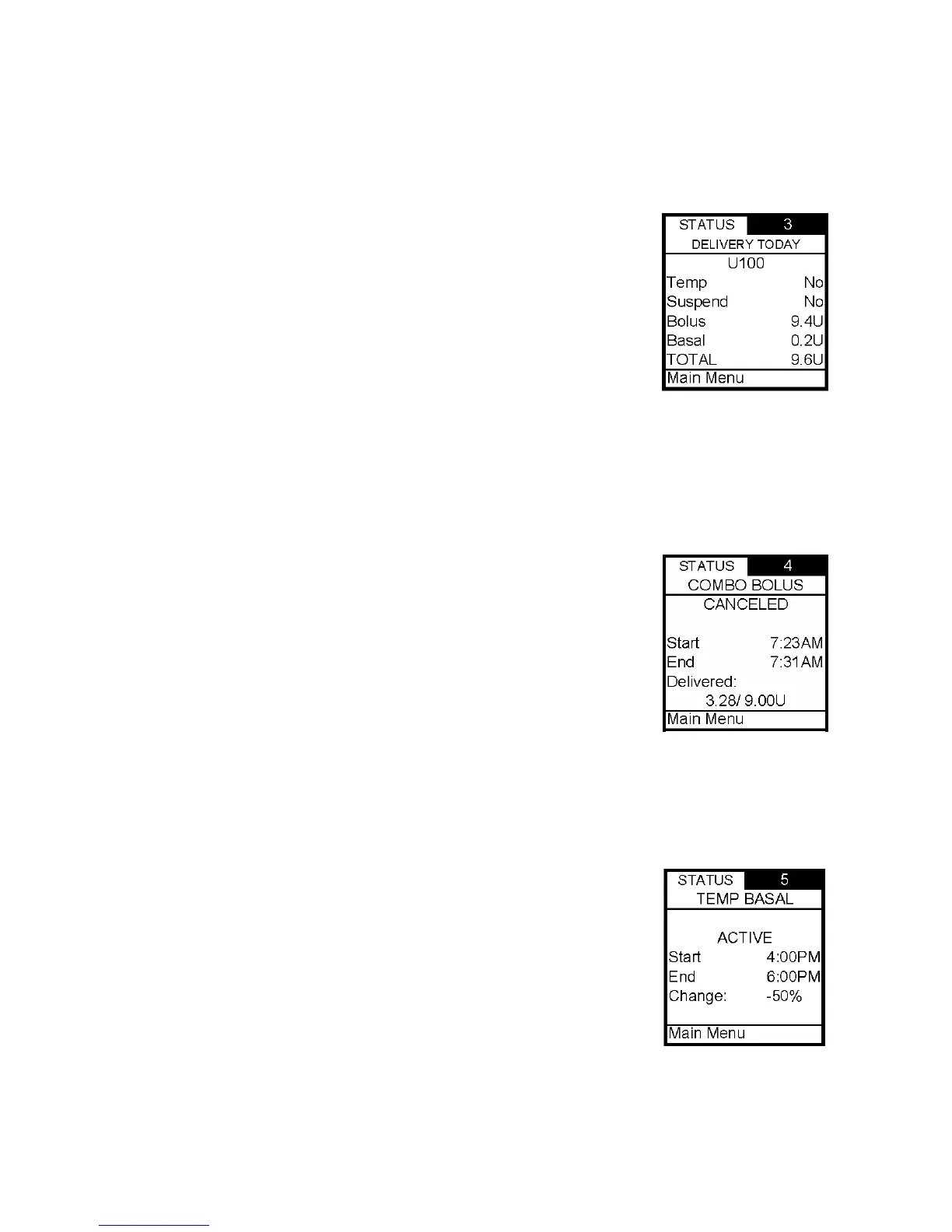
Status Screen 3 – Delivery Today
The screen displays the following information:
• Insulin type
• If Temp Basal has been active between midnight and today’s
current time
• If Suspend has been active between midnight and today’s
current time
• Total bolus amount delivered since midnight and up to
today’s current time
• Total basal amount delivered since midnight and up to
today’s current time
• Total insulin delivered (excluding prime amounts) since midnight and up to today’s
current time
The cursor is flashing on the Status Screen number 3. Press the Up arrow to move to Status
Screen 4 or press OK to highlight Main Menu and exit Status screens.
Status Screen 4 – Combo Bolus
The screen displays the following information:
• Most recent Combo Bolus that was used
• Most recent Combo Bolus status
o Active or Completed or Canceled
o Start time
o End time
o Amount delivered (if active, shows amount delivered
as of current time)
For more information on Combo Bolus, see Chapter 11, Advanced Features.
The cursor is flashing on the Status Screen number 4. Press the Up arrow to move to Status
Screen 5 or press OK to highlight Main Menu and exit Status screens.
Status Screen 5 – Temp Basal
The screen displays the following information:
• Most recent Temp Basal status
o Active
o Inactive
o Start time
o End time
o % adjustment
The cursor is flashing on the Status Screen number 5. Press the Up arrow to move to Status
Screen 6 or press OK to highlight Main Menu and exit Status screens.
10



 To Next Page