Page 26
Changing the Battery
Each time you change the battery
• A full rewind and prime sequence is required. See this section, Priming the Pump and
Infusion Set
• The Insulin on Board calculation starts over at zero
• The Combo bolus returns to the factory set default duration and split
• Review your basal program settings
Low Battery Warning means battery life will end in minimum 1 hour.
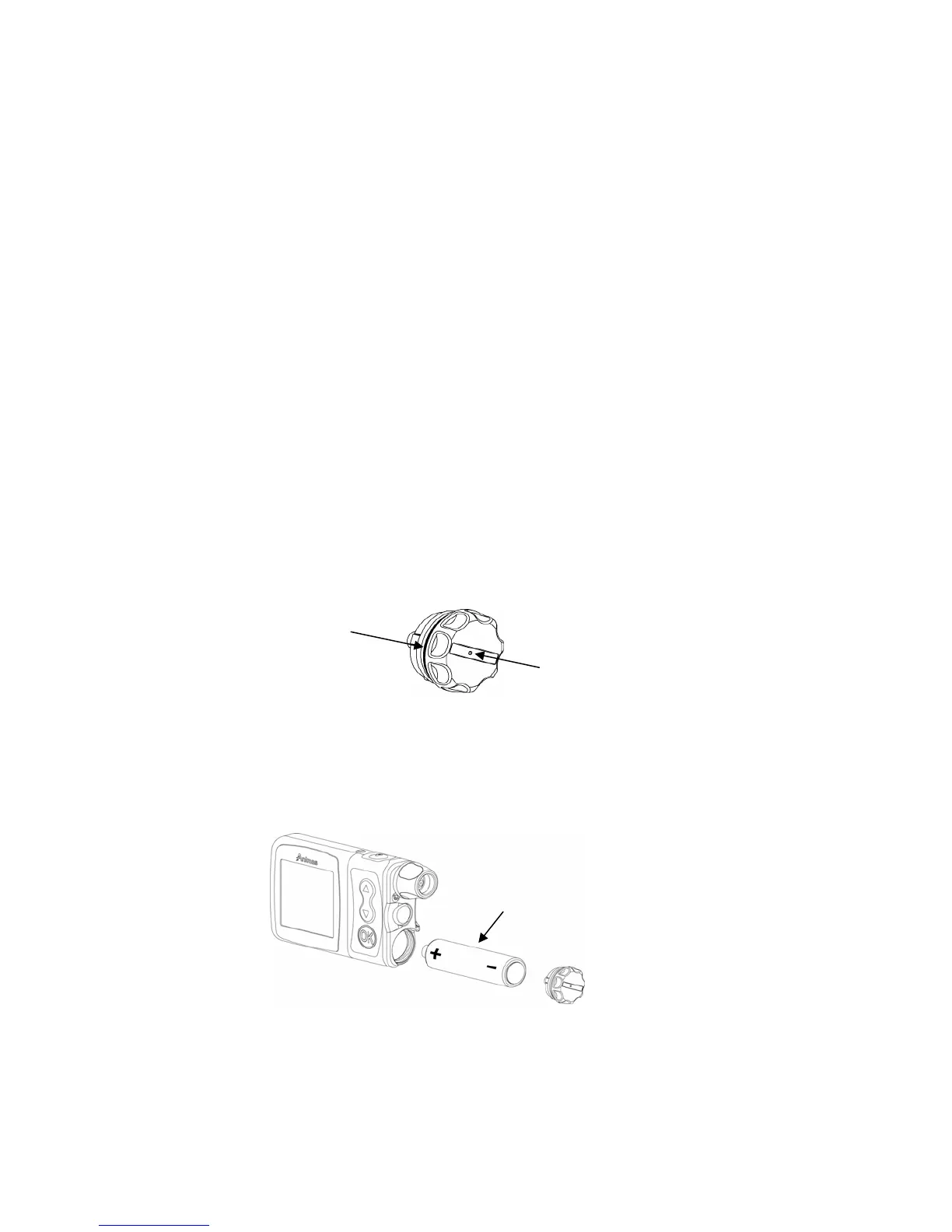
1. Use a coin or the battery cap tool to unscrew the battery cap with a counter-clockwise
motion.
2. Check your battery cap for damage such as cracks or missing threads, and be sure the
colored (yellow) o-ring fits securely and is not torn or damaged.
3. Check the vent hole on the top of the battery cap to be sure it is clear of debris. This
vent maintains pressurization while preventing water from entering the compartment. The
battery cap should be replaced twice each year or sooner if the o-ring or cap is
damaged or the vent is clogged. See Chapter 13, Care and Maintenance.
4. Insert the Energizer Lithium L91 AA (1.5V) battery into the battery compartment with
the positive (+) end going in first.
5. Replace the cap by turning clockwise until you cannot see the o-ring but do not over
tighten.
6. Each time you change the battery, your 2020 will run a series of self-tests which will last
a few seconds. The Animas logo will be displayed briefly. The pump will give a beep to
alert you to verify (or change) the time/date, language and battery type.
Energizer Lithium L91 AA battery
ellow o-rin
Batter
Cap Vent Hole
5



 To Next Page