Page 77
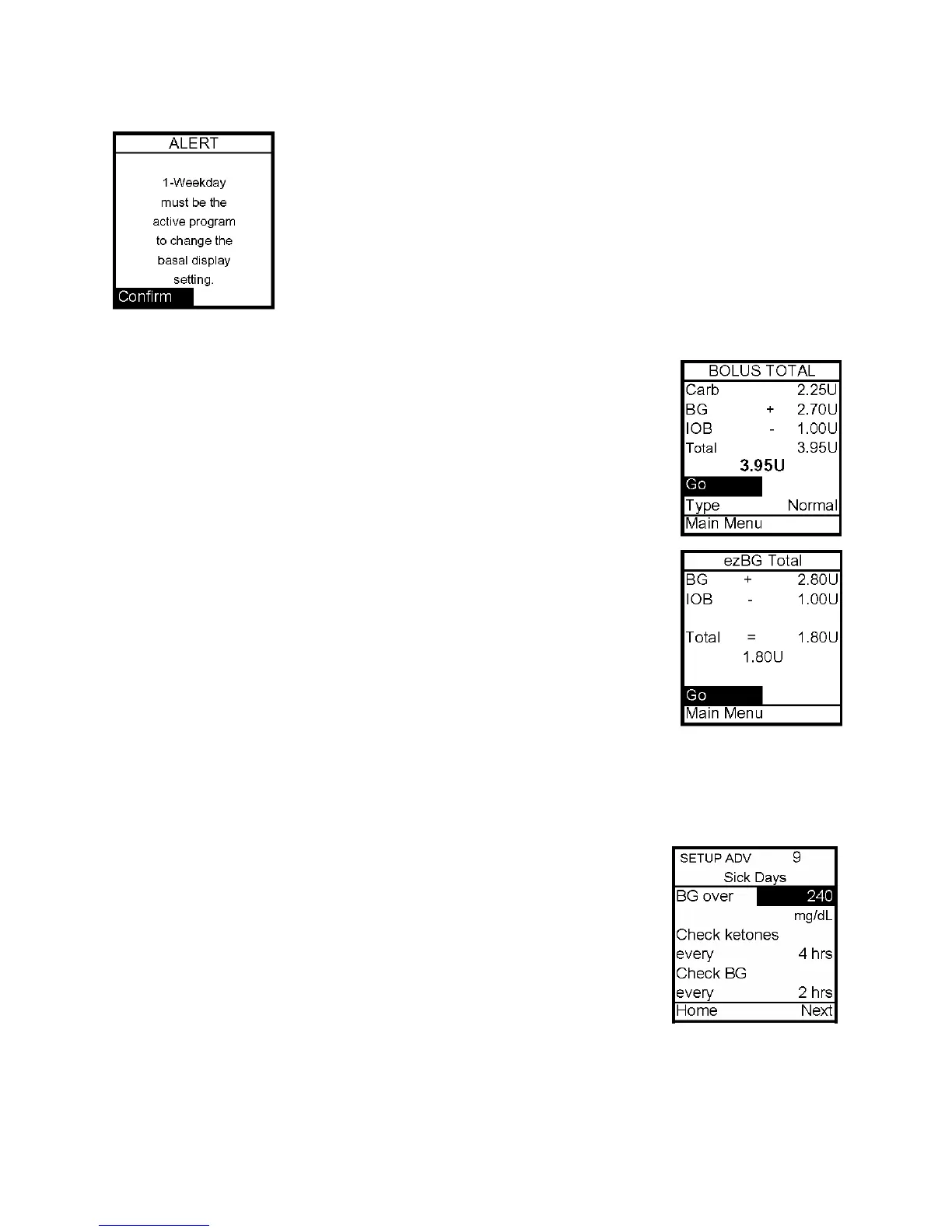
Note: If a program other than 1-Weekday is active, you cannot change
this setting to display 1 basal program. The Alert screen shown here
will pop up to remind you.
Insulin on Board
Even with rapid-acting insulin, your body takes some time to use the
entire bolus amount. If you have activated this feature, your pump
will track the bolus insulin remaining in your system - Insulin on
Board (IOB) - and calculate a suggested lower correction bolus dose.
The lower dose is only recommended if you use the ezBG feature or if
you add a BG bolus to an ezCarb bolus. For this feature to give
optimal results, you should always use either ezBG or the Add BG
feature during ezCarb programming when entering a correction bolus.
Your healthcare team will give you recommendations specific to
your plan of treatment.
In the examples shown here, IOB amount is subtracted from the Bolus
Total screen and the ezBG Total screen.
When you replace the battery, the IOB amount is cleared.
Note: The pump constantly tracks insulin on board. If you’ve given a bolus before turning on
the feature, the pump will show the remaining amount from that bolus as IOB immediately.
Sick Day Guidelines
To review your basic sick day guidelines, refer to this screen. For
more information on sick day guidelines, refer to Chapter 16, Sick
Day Guidelines, and contact your healthcare team.
1. From the Setup Menu, select Advanced.
2. Scroll to Setup Advanced screen 9.
3. Enter or review the guidelines as recommended by your healthcare team.
12



 To Next Page