PC Software C-4 Connecting to the MS2090A or Localhost
MS2090A UG PN: 10580-00444 Rev. U C-3
C-4 Connecting to the MS2090A or Localhost
Connecting to a networked instrument or to the localhost is established via the system menu. If connecting to
an instrument, the instrument must first be connected to the network via Ethernet or Wi-Fi and the IP address
of the instrument must be known.
C-5 System Menu
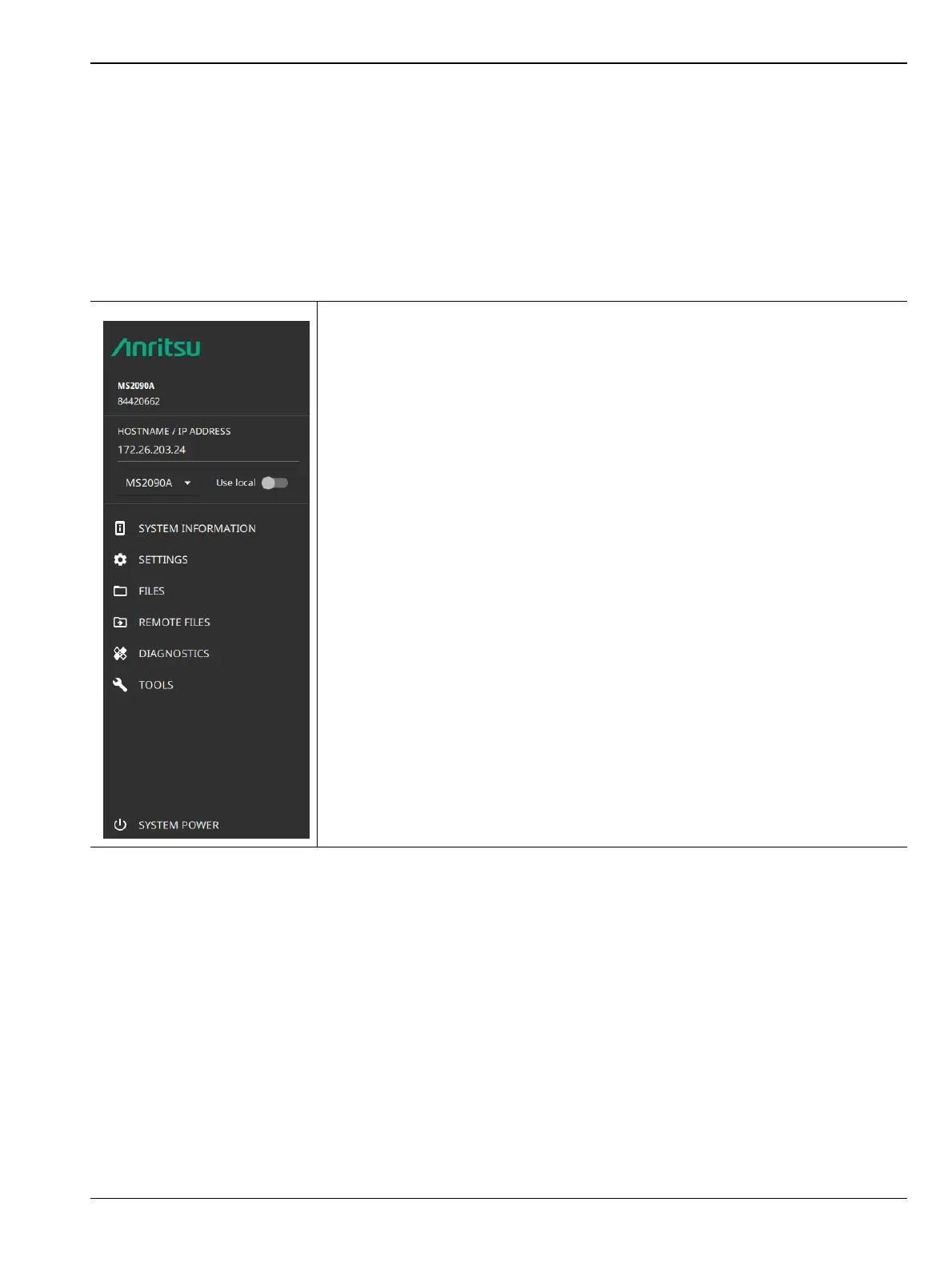
Select the 3-line icon to access the system menu.
-
The System menu identifies the instrument model and serial number.
HOSTNAME/IP ADDRESS: Displayed only on the MS2090A PC software. This
field is used to specify the IP address or hostname of an instrument that is
connected to the network.
When Use local (localhost) is toggled on, the software will connect locally to
provide some UI functionality.
Note that some of the system menus have limited functionality when the software
is connected to the localhost. When connected to an instrument, refer to “System
Menu” on page 2-21.
SYSTEM INFORMATION: Displays information about the instrument and
software. Refer to “System Information” on page C-4.
SETTINGS: Provides access to setting the display color theme and screenshot
capture settings (refer to “Display Settings” on page 2-24).
FILES: Opens the Windows file explorer. Refer to “Files (File Management)”
on page C-5.
REMOTE FILES: Opens the “Remote Files” on page C-6.
DIAGNOSTICS: Opens “Diagnostics Menu” on page 2-49.
TOOLS: Opens the “Tools Menu” on page C-7.
SYSTEM POWER: Opens a dialog to RESTART or POWER OFF the instrument.
Figure C-2. System Menu














 To Next Page