Instrument Overview 2-12 Diagnostics Menu
MS2090A UG PN: 10580-00444 Rev. U 2-49
2-12 Diagnostics Menu
1. Select System menu.
2. Select DIAGNOSTICS menu to access the diagnostics options of the instrument. See Figure 2-48.
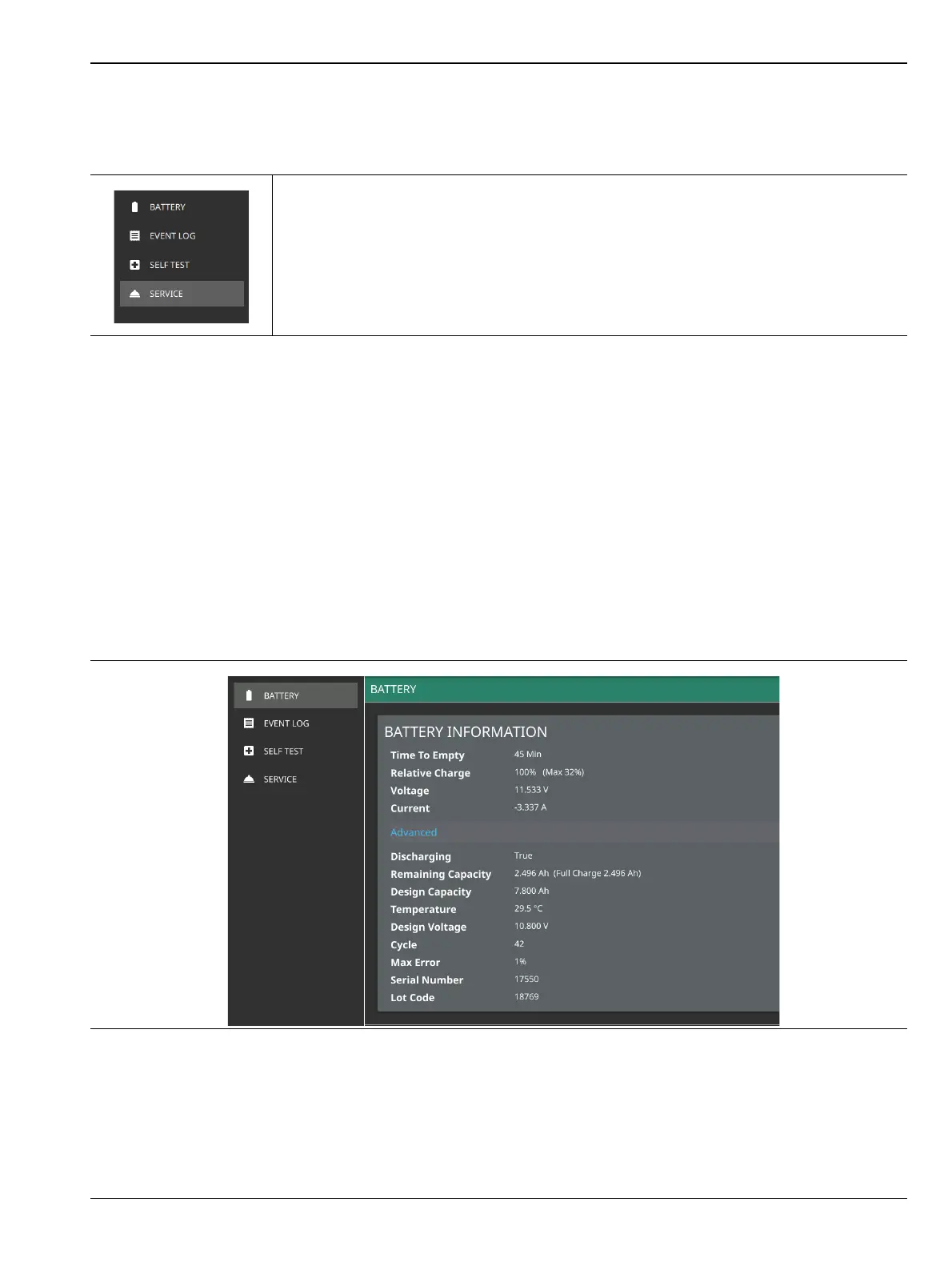
Battery
This diagnostic option displays the information of the MS2090A battery consisting of BATTERY
INFORMATION and ADVANCED sections.
The battery information consists of the following:
• Time To Empty:
• Relative Charge:
• Voltage:
• Current:
The relative charge indicates the charge level that the battery is capable of storing. The maximum charge
shows the relative capacity of the battery compared to the design capacity. Advanced information can be
expanded by selecting ADVANCED.
-
BATTERY: Displays the list of battery information. Refer to Battery section.
EVENT LOG: Saves log files in a USB memory device. Refer to Event Log section.
SELF TEST: Displays the list of self test results. Refer to Self Test section.
SERVICE: Enables service mode. Refer to Service Mode section.
Figure 2-48. Diagnostics Menu
Figure 2-49. Battery Information













 To Next Page