Instrument Overview 2-9 System Menu
MS2090A UG PN: 10580-00444 Rev. U 2-21
2-9 System Menu
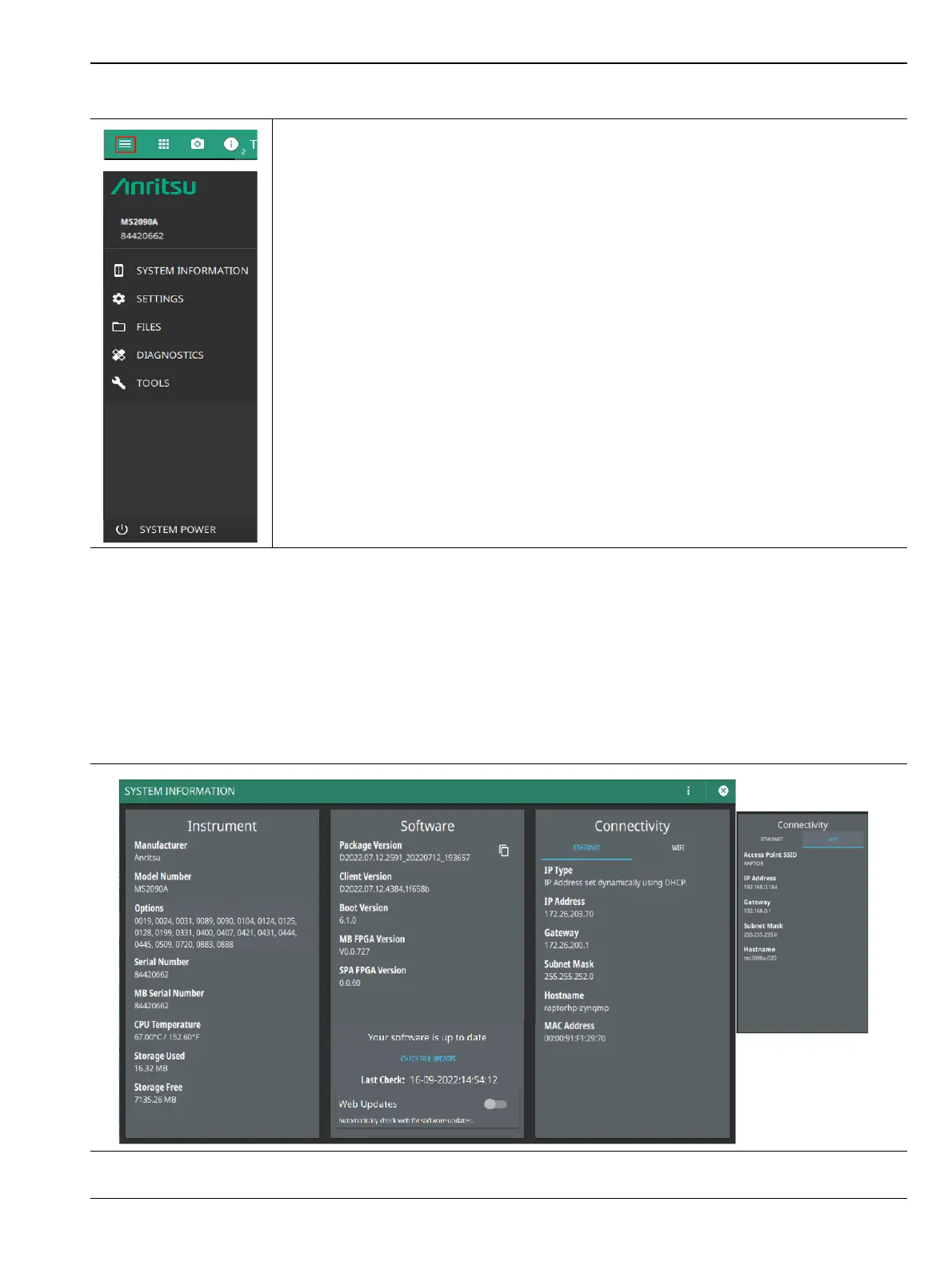
System Information Menu
The System Information panel shows all information about the instrument hardware, software, and
connectivity. From here you can also toggle the WEB UPDATES button to automatically install the latest
software update when it is available on the Anritsu website. This functionality facilitates firmware updates
within the last 24 hours, if the instrument is connected to the Internet.
If WEB UPDATES button is toggled off select the CHECK FOR UPDATES button to manually install the
updates.
-
The System menu displays the instrument model and serial number. It consists of
following menus:
SYSTEM INFORMATION: Opens the System Information Menu. Select SYSTEM
INFORMATION menu to view instrument, software, and connectivity details.
SETTINGS: Opens the “Settings Menu” on page 2-23. Select SETTINGS menu to
access all system level settings and controls.
FILES: Opens “File Management” on page 2-46. Select FILES menu to open File
Management screen. In file management screen you can manage the internal files or files
saved on a USB memory device.
DIAGNOSTICS: Opens “Diagnostics Menu” on page 2-49. Select DIAGNOSTICS menu
to view battery information, self test results, service mode and event log screens.
TOOLS: Opens “Tools Menu” on page 2-52.Select TOOLS menu to concatenate IQ
streaming metadata files, and access Map Tool.
SYSTEM POWER: Select SYSTEM POWER menu to either RESTART or POWER OFF
the instrument.
Figure 2-18. System Menu
Figure 2-19. System Information Menu













 To Next Page