Instrument Overview 2-7 GUI Overview
MS2090A UG PN: 10580-00444 Rev. U 2-17
Scroll Indication
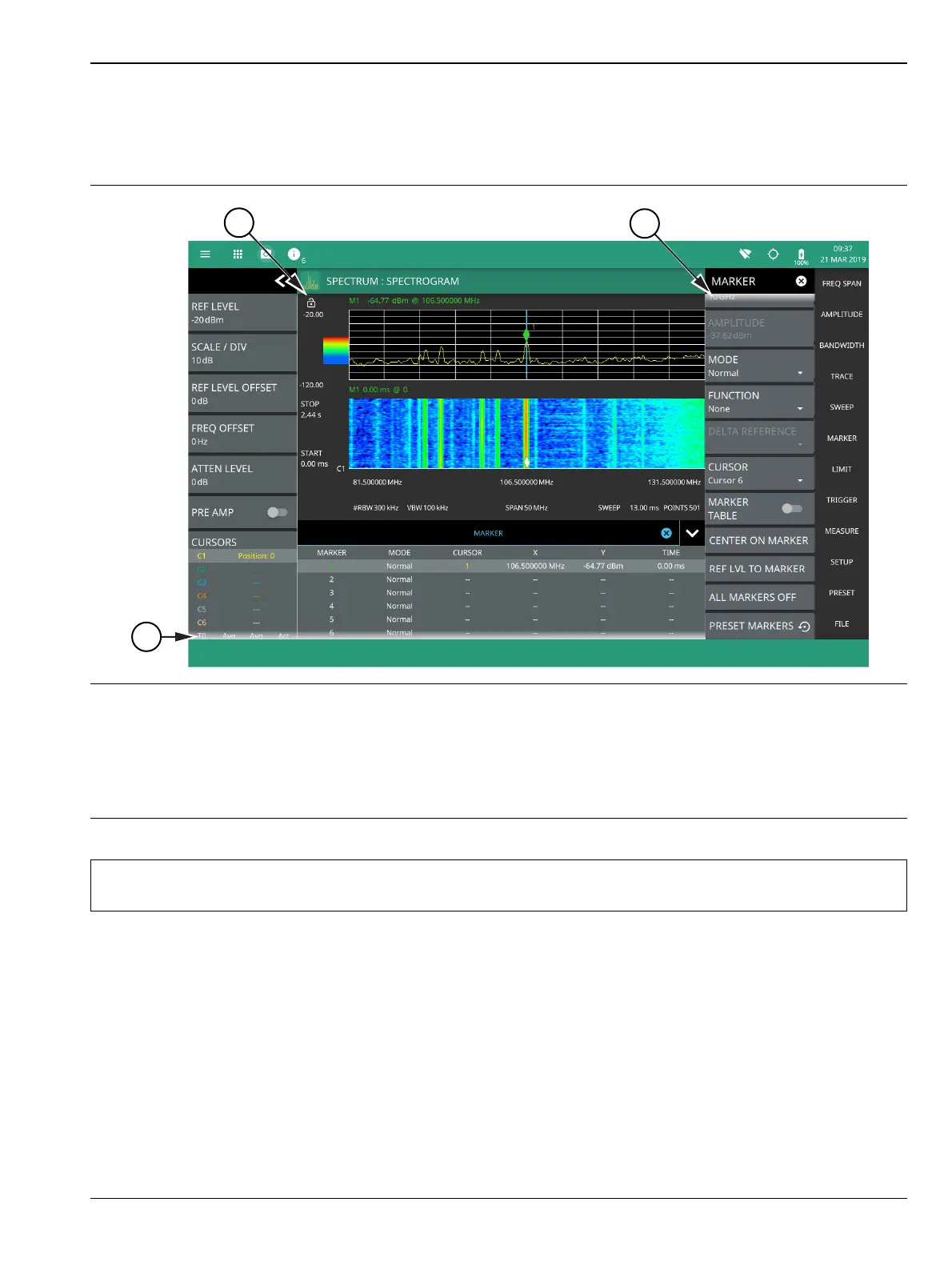
In some cases, menus, status panels, or other lists contain more information than can be displayed in the
available area. In these cases, the top or bottom of the panel will have a fade-to-white appearance as shown
below. You can scroll the control to move it up or down and expose the hidden information.
1. The fade-to-white at the bottom of the status panel and marker table here indicates that there is more
information below the display area. The panel can be scrolled by dragging it upward to expose more information.
2. Reference Level Dragging lock icon is used to lock the reference level, so that any accident modification of the
setup parameters can be avoided.
3. The fade-to-white at the top of the menu here indicates that there is more information above the display area.
The menu can be scrolled by dragging it downward to expose the information.
Figure 2-12. Scroll Indication
Note
If the display is set to another color theme, the fade effect remains the same but the color may fade
to a dark shade.













 To Next Page