Instrument Overview 2-10 Settings Menu
MS2090A UG PN: 10580-00444 Rev. U 2-39
Port Setup
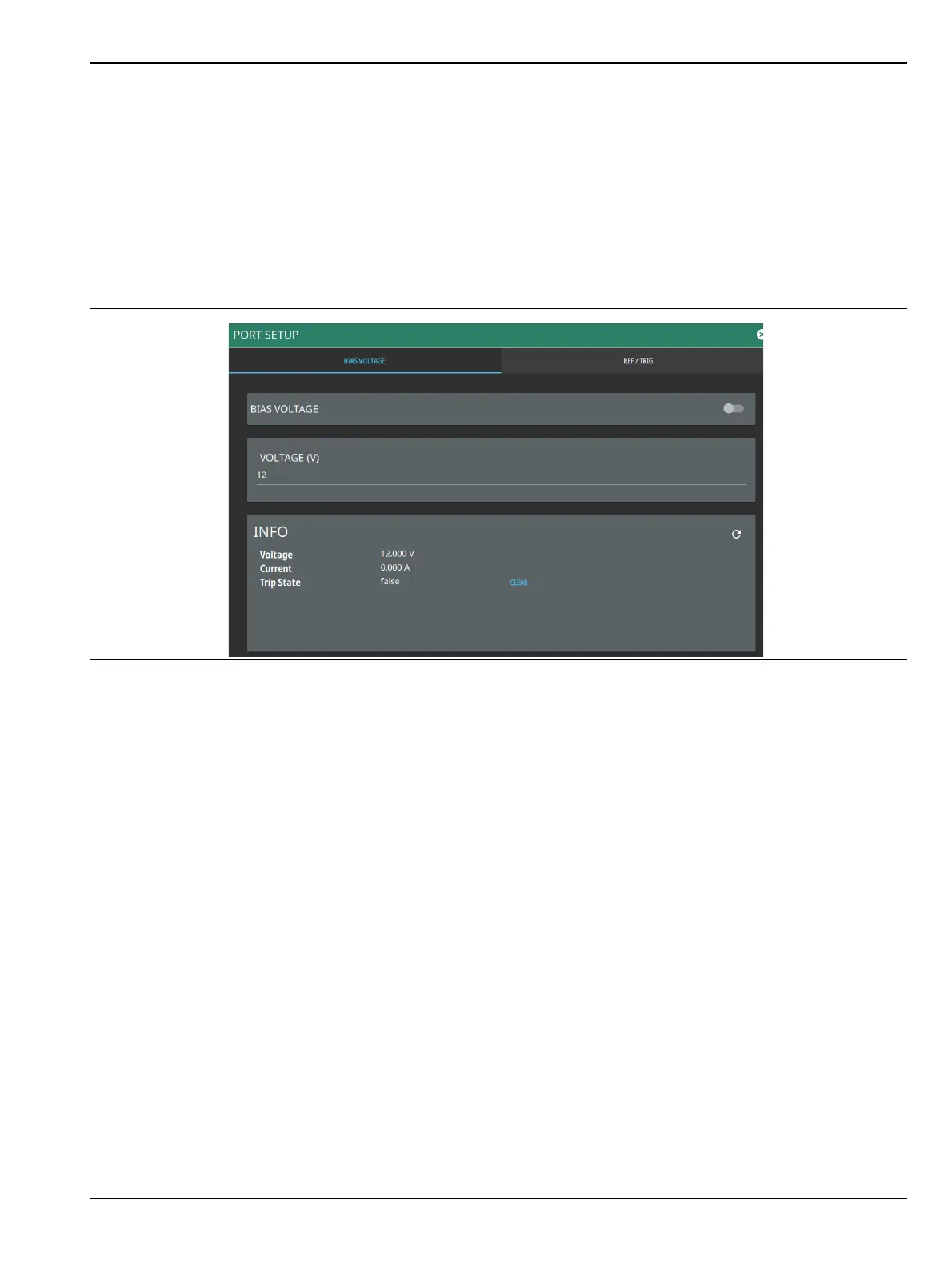
The Port Setup menu allows you to configure the external ports.
Bias Voltage
Bias Voltage setup provides controls to set the voltage level and to monitor the precise voltage and current, and
trip state.
1. Access the System menu (3-line icon in the upper left corner).
2. Select SETTINGS to access the instrument settings menu, then select PORT SETUP to display the top
panel bias voltage output settings.
3. Manually set the voltage in the range of 0 V to 34 V (note: stable output voltage setting is ≥ +1 V).
4. Toggle the bias voltage on or off.
Figure 2-38. Bias Voltage Port Settings








 To Next Page