2-10 Settings Menu Instrument Overview
2-40 PN: 10580-00444 Rev. U MS2090A UG
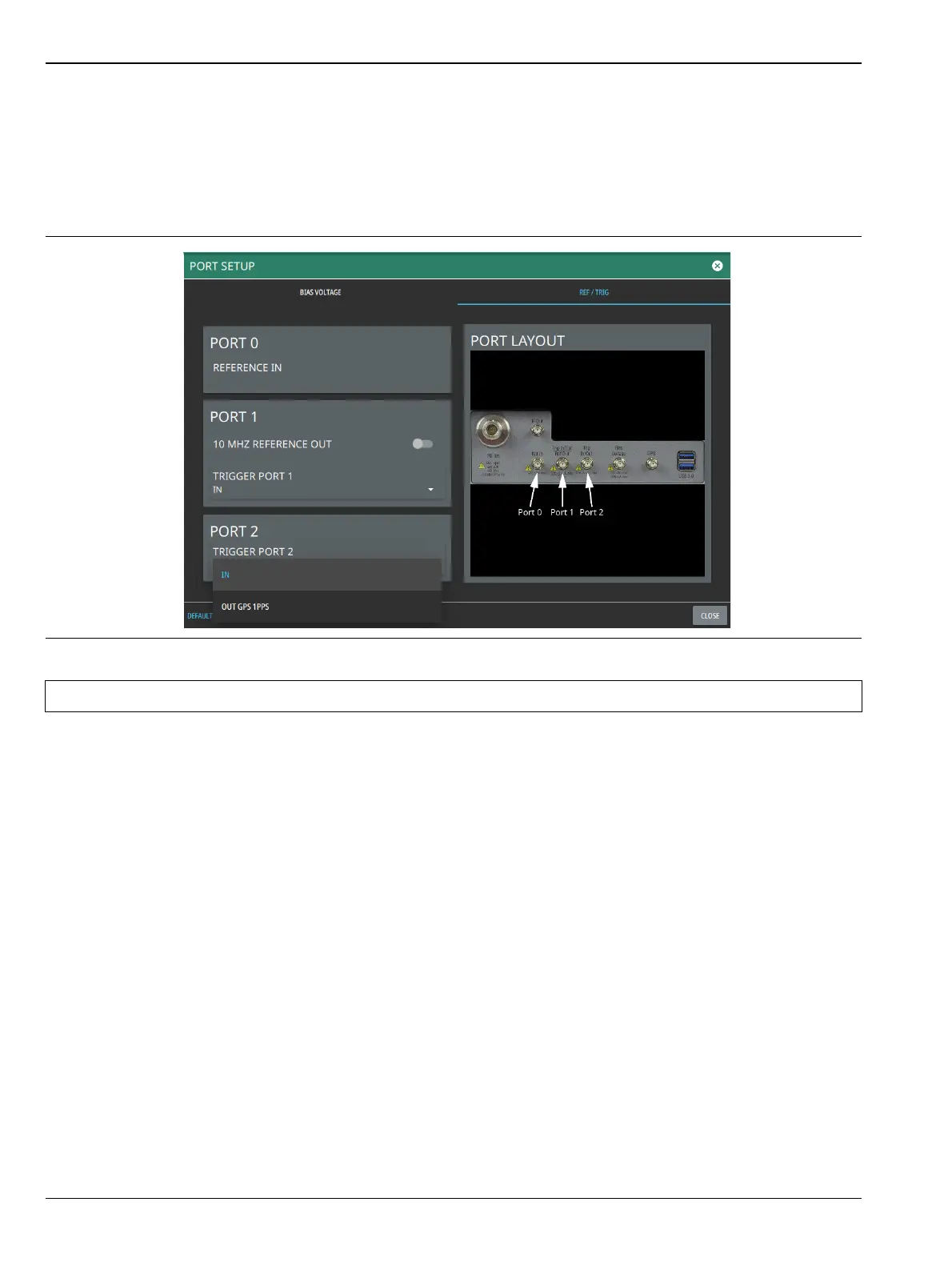
Reference and Trigger
The reference and trigger setup provides controls to set the functionality of the configurable top panel
reference and trigger ports.
1. Access the System menu (3-line icon in the upper left corner).
2. Select SETTINGS to access the instrument settings menu, then select PORT SETUP > REF / TRIG to
display the top panel reference and trigger port settings.
3. To set PORT 1 as a reference output, toggle 10 MHz REFERENCE OUT on. Otherwise, PORT 1 can be
selected as a trigger input or trigger output by using the drop-down selection.
4. Use the drop-down selections to select PORT 2 as a trigger input or trigger output (GPS 1 PPS).
Figure 2-39. Reference/Trigger Port Settings
Note PORT 0 is always a reference in port.













 To Next Page