C-5 System Menu PC Software
C-6 PN: 10580-00444 Rev. U MS2090A UG
Remote Files
1. Access the System menu (3-line icon in the upper left corner).
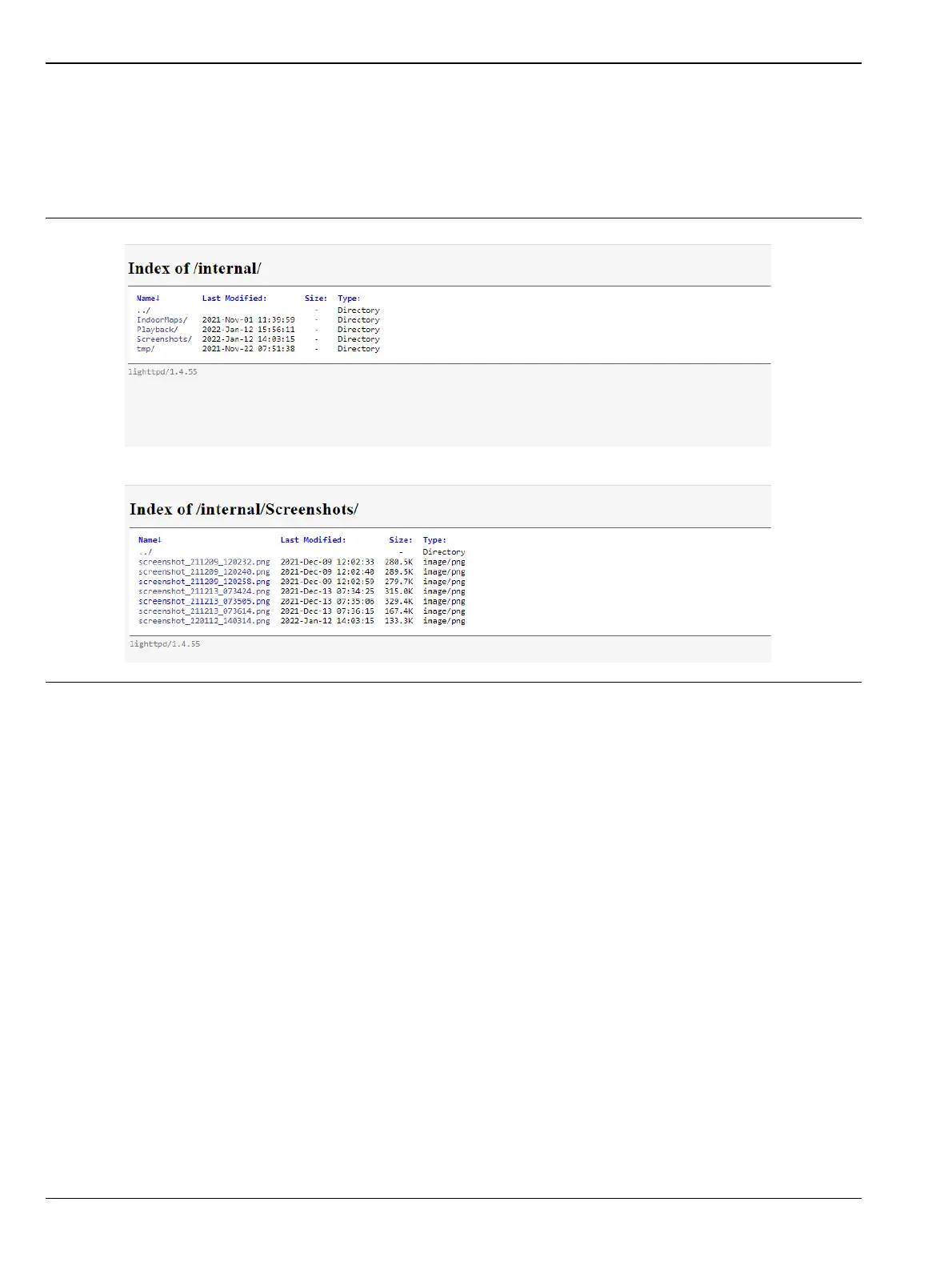
2. Click SETTINGS to access the settings menu, then select REMOTE FILES to open the default browser
window and download the internally saved files for e.g. screenshots. See Figure C-5.
3. Click the desired file from the list and download the content as needed.
Figure C-5. Remote Files Menu








 To Next Page