2-10 Settings Menu Instrument Overview
2-34 PN: 10580-00444 Rev. U MS2090A UG
GNSS (GPS) Settings (Option 31)
The MS2090A Field Master Pro is available with a built-in global positioning receiver feature (Option 31) that
can provide latitude, longitude, altitude, and UTC timing information. This option also enhances frequency
reference oscillator accuracy. When the global positioning receiver is actively locked to satellites, this
information is saved with all saved measurements.
The MS2090A supports the following global positioning satellite systems:
• GPS: The United States Global Positioning System (GPS). GPS is currently the world's most utilized
satellite navigation system.
• GNSS: Global Navigation Satellite System, a term used worldwide. This term includes the combinations
of GPS, GLONASS, BeiDou and Galileo. Accessing multiple satellites provides increased accuracy,
redundancy, and availability at all times.
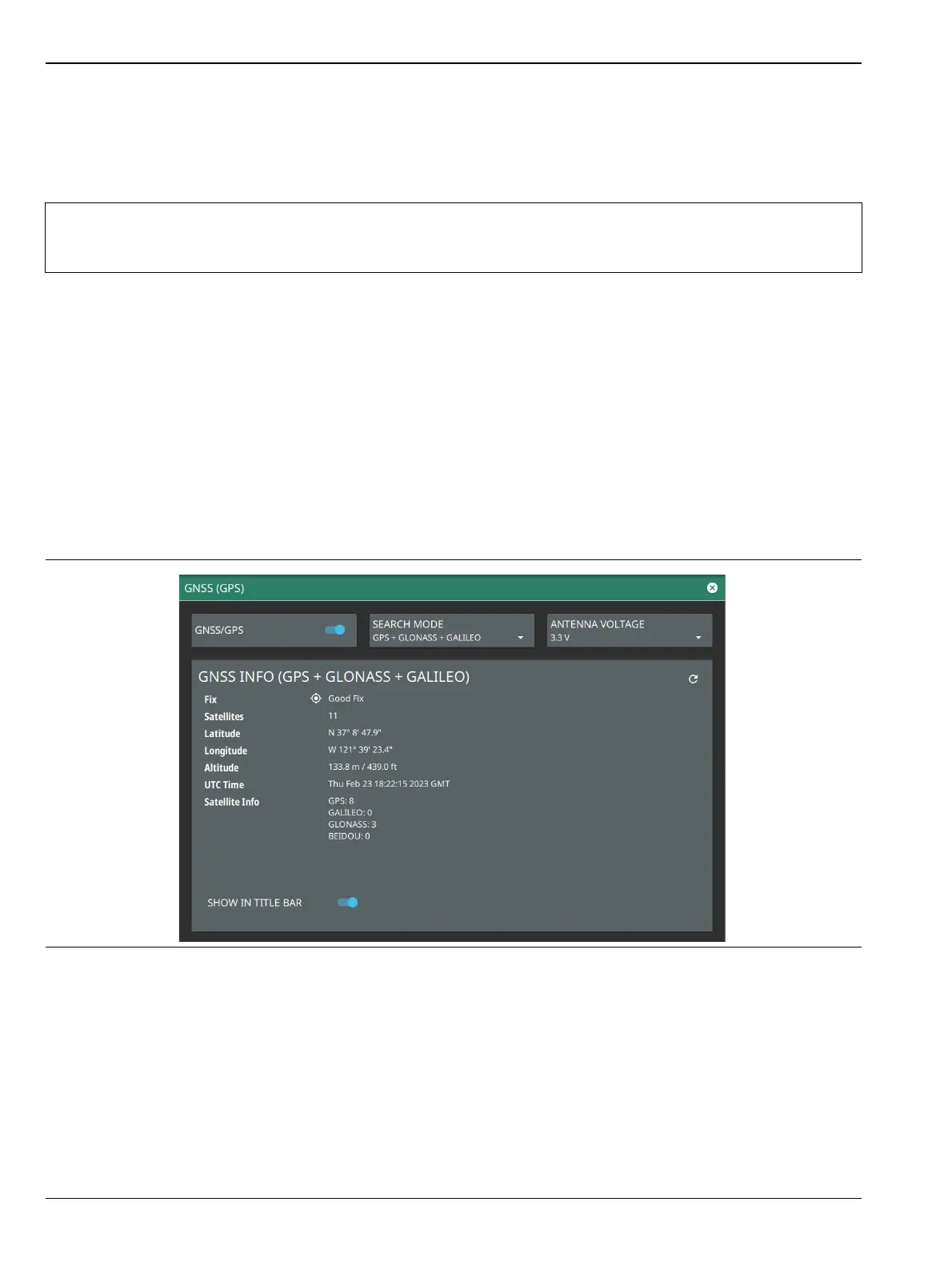
Activating the GNSS (GPS) Feature
Attach the GPS antenna to the GPS connector on the top of the instrument and follow the steps below:
1. Access the SYSTEM menu (3-line icon in the upper left corner).
2. Select SETTINGS to access the instrument settings menu, then select GNSS (GPS) to open the
GNSS (GPS) settings window.
3. Activate the GNSS (GPS) by sliding the GNSS/GPS toggle button to on.
4. Select SEARCH MODE button to select the combination of the satellite systems.
5. Set ANTENNA VOLTAGE to 3.3 or 5.0 V.
Note
The MS2090A Field Master Pro Data Sheet provides a list of the options and measurements that
require GNSS Receiver (Option 31). In addition to having Option 31 installed, a GPS antenna is
required. Refer to the instrument Technical Data Sheet for compatible GPS antennas.
Figure 2-34. GNSS (GPS) Settings













 To Next Page