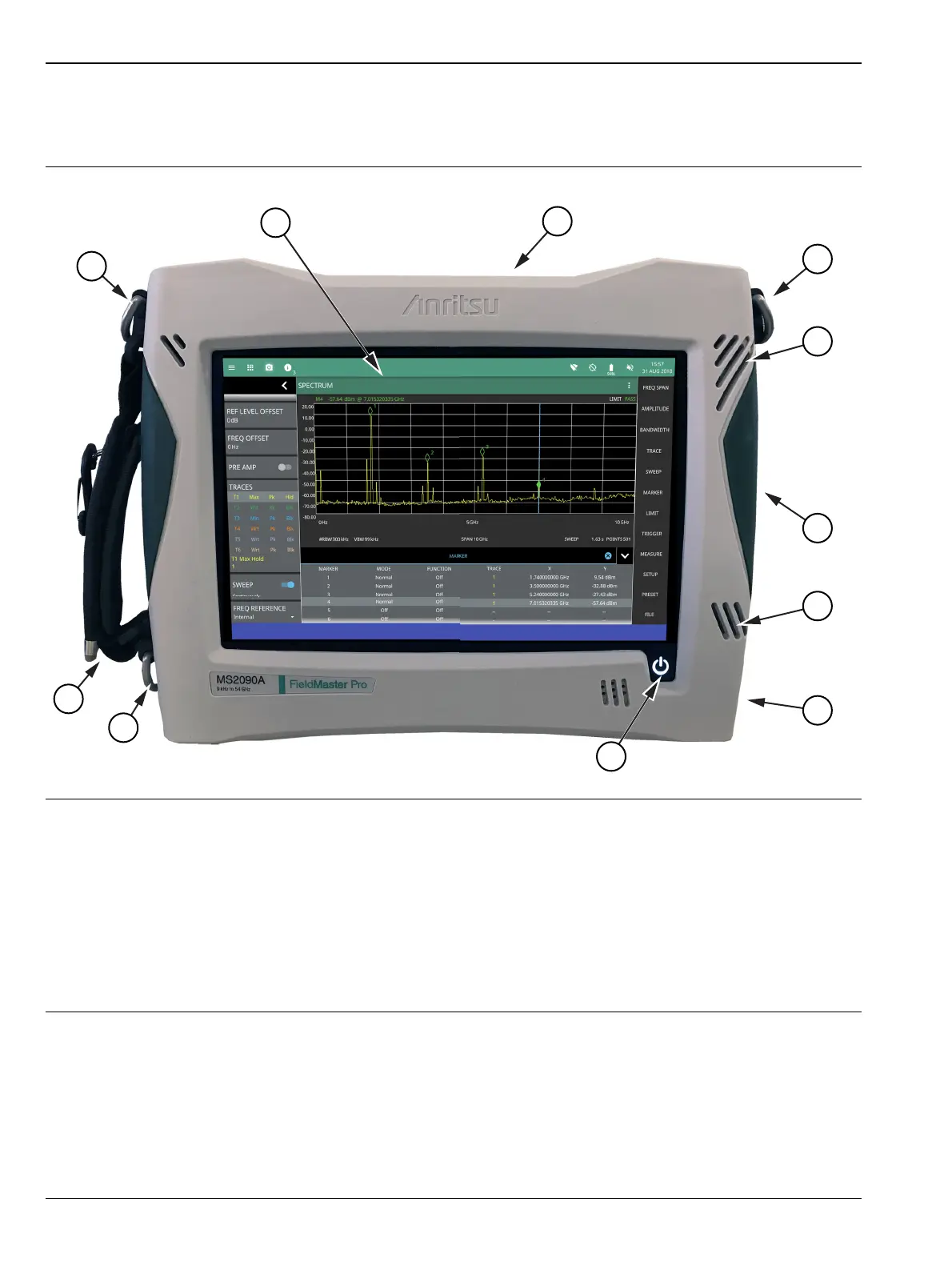
2-2 Instrument Front Panel Instrument Overview
2-2 PN: 10580-00444 Rev. U MS2090A UG
2-2 Instrument Front Panel
The Field Master Pro uses a touch screen for data input. The menus can vary depending on the current
measurement configuration, installed options, and selected instrument function.
1. LCD Touch Screen Display
2. “Top Connector Panel” on page 2-3
3. Shoulder Strap D-Ring Mount
4. Fan Ventilation Ports
5. “Side Connector Panel” on page 2-5
6. Battery Cover (see “Replacing the Battery” on page 2-9)
7. Power LED/Button and Battery Charge LED (see Section 2-6 “Turning On the MS2090A Field Master Pro”)
8. Handle and Stylus
Figure 2-1. Front Panel Overview













 To Next Page