A-7 System Recovery Instrument Notifications and Troubleshooting
A-22 PN: 10580-00444 Rev. U MS2090A UG
Reset
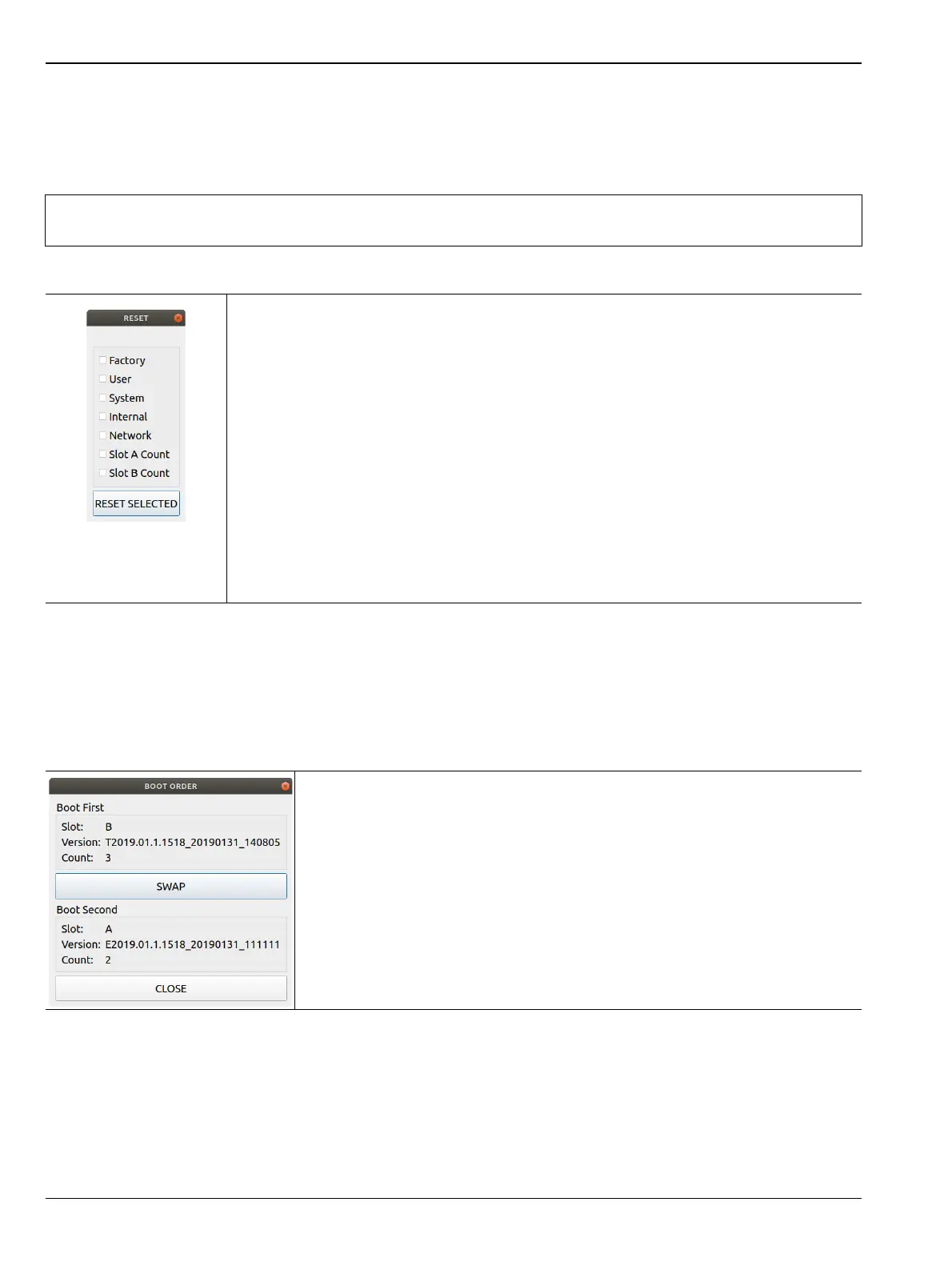
The recovery RESET dialog is shown in Figure A-3. Here you can reset the MS2090A from the choices shown.
In rare cases, system, internal, or other user files may interfere with instrument operation, so choosing to
delete this data in that order may resolve a problem.
Once reset options are selected, press the RESET SELECTED button.
Boot Order
The order of which slot boots first can be changed from the BOOT ORDER menu (shown in Figure A-4). You
may want to change the boot order to select a different software image in case of corruption or for preference.
Selecting SWAP will change the boot sequence order: Slot A or Slot B. Once selected, press CLOSE and then
reboot the instrument. This setting can only be changed from the Recovery Mode menu.
Caution
Any data that is deleted by the following selections is unrecoverable. Use the EXPORT button to
save this data before proceeding.
-
Factory: Performs a Factory reset, which deletes last saved settings files for all
applications.
User: Performs a User reset, which deletes all user setup, measurement, csv, limit,
screenshot, IQ captures, and user calibration files.
System: Performs a Factory reset and also deletes event and error logs.
Internal: For service use only. Performs an Internal reset, which deletes non-volatile
system files, except for critical files such as the serial number, options, and network
configuration. Does not take effect until the next boot.
Network: Performs a Network reset, which deletes manual Ethernet settings and reverts
the networking to DHCP. All saved Wireless networks will also be lost.
Slot A Count: Resets Slot A Count to 3. This is used for the recovery mode countdown.
Slot B Count: Resets Slot B Count to 3. This is used for the recovery mode countdown.
RESET SELECTED: Resets the MS2090A by the method chosen.
Figure A-3. RESET Dialog
-
Boot First: Provides the first boot version to boot.
• Slot: Provides the slot designated location.
• Version: Provides the boot version number.
• Count: Boot attempts with this version.
SWAP: Swap Slot A and Slot B in the boot sequence.
Boot Second: Provides the first boot version to boot.
• Slot: Provides the slot designated location.
• Version: Provides the boot version number.
• Count: Boot attempts with this version.
Close: Closes the BOOT ORDER dialog.
Figure A-4. BOOT ORDER













 To Next Page