SH-300
User’s Manual Software Part
Page 45 of 103
In this property frame, user can modify the X and Y coordinate position of the menu information (at
the top left corner, it is the original coordinate position (0, 0) of X and Y) and the contents of the
text information of the text frame (supporting multi language system). If “Default” is selected,
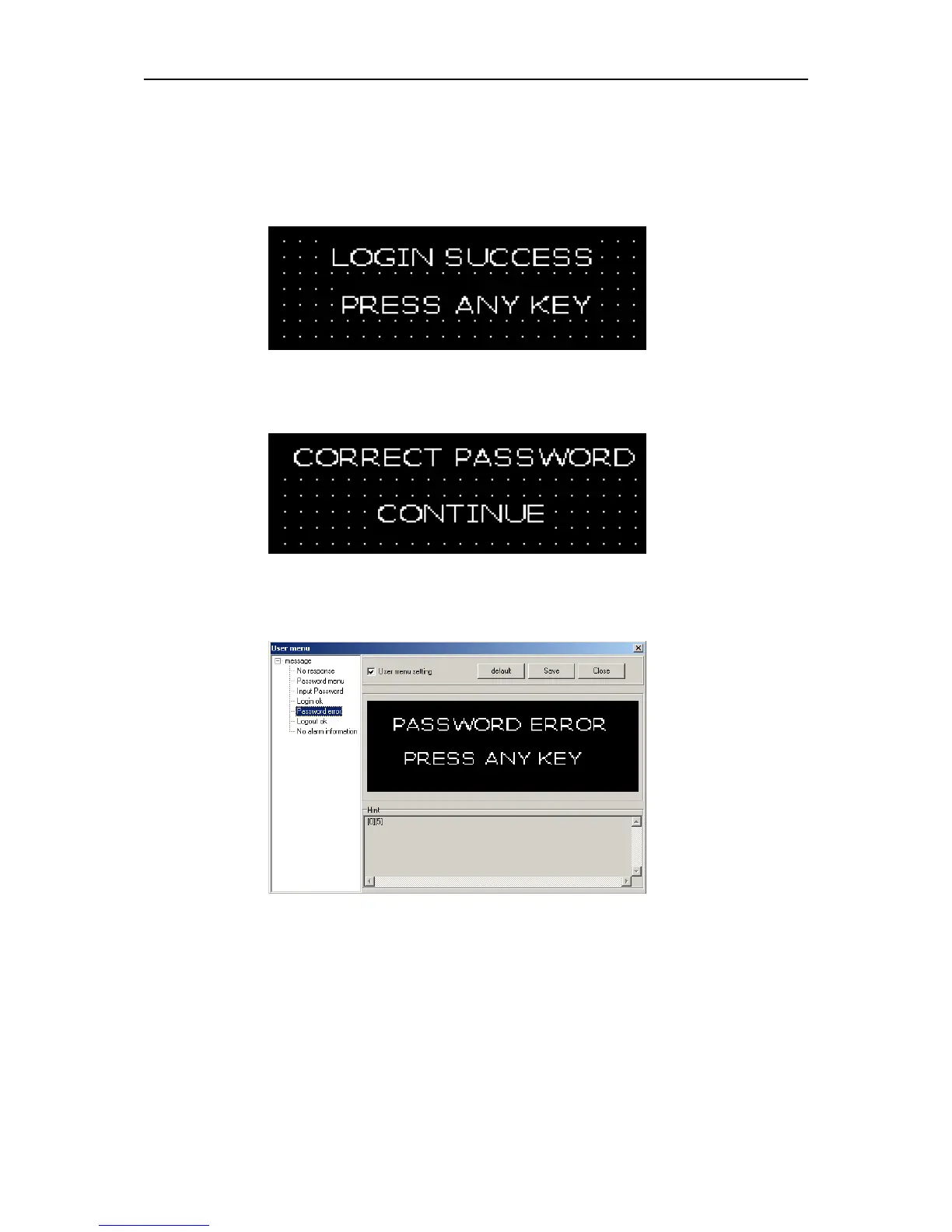
which means the default interface will be displayed when communication. The displayed text is
“Login Success” and the coordinate position is X38 and Y8 as in the following diagram:
Example: Substitute the text “CORRECT PASSWORD” for “LOGIN SUCCESS” and
“CONTINUE” for “PRESS ANY KEY”. Then click “OK”. The following diagram will be displayed:
Click the “Password error” submenu, the password being error prompting interface will be
displayed as in the following diagram:
In this interface, there are two lines of texts “Password Error”, “Press any key” (default
information).
If the text and the position of the information in the screen need to be changed, cross “user menu
setting” check box and doubt click the modifying text (take “PASSWORD ERROR” for example),
the following prompting frame will be displayed as the following:



 To Next Page