52 CHAPTER 6 - Controls and use
FlexiBowl® - Models 200 - 350 - 500 - 650 - 800
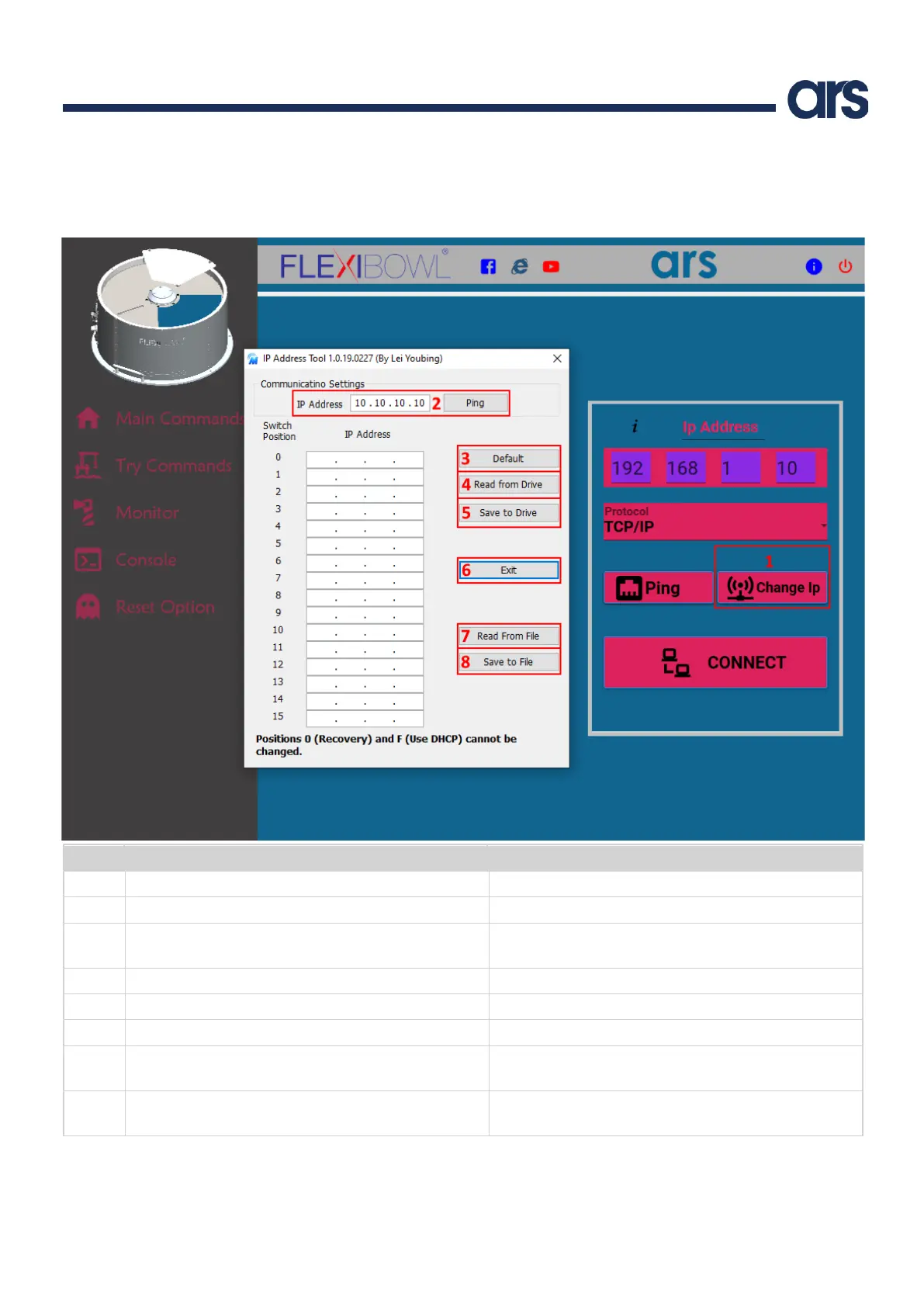
6.2.2 Change IP address
The “Change IP” button allows you to change the IP address.
Note: you are not allowed to change the subnet mask.
It opens the pop-up window to change the IP address
It pings the Flexibowl® with the IP address inserted
It inserts in the pop-up table the default Flexibowl® IP
addresses
It reads the currently set IP addresses
It saves the currently set IP addresses
It reads the file with the IP addresses if previously
generated by pressing Save to File
It generates a file containing the current table of IP
addresses
Note: restart the Flexibowl® to apply the changes
Note: the IP addresses corresponding to position 0 and F cannot be modified.



 To Next Page