88 CHAPTER 7 - Maintenance
FlexiBowl® - Models 200 - 350 - 500 - 650 - 800
7.3.5 Replacing the power supply unit
REPLACING THE POWER SUPPLY UNIT
Mechanical maintenance technician
CAUTION!
Disconnect the power supply before taking the cover off.
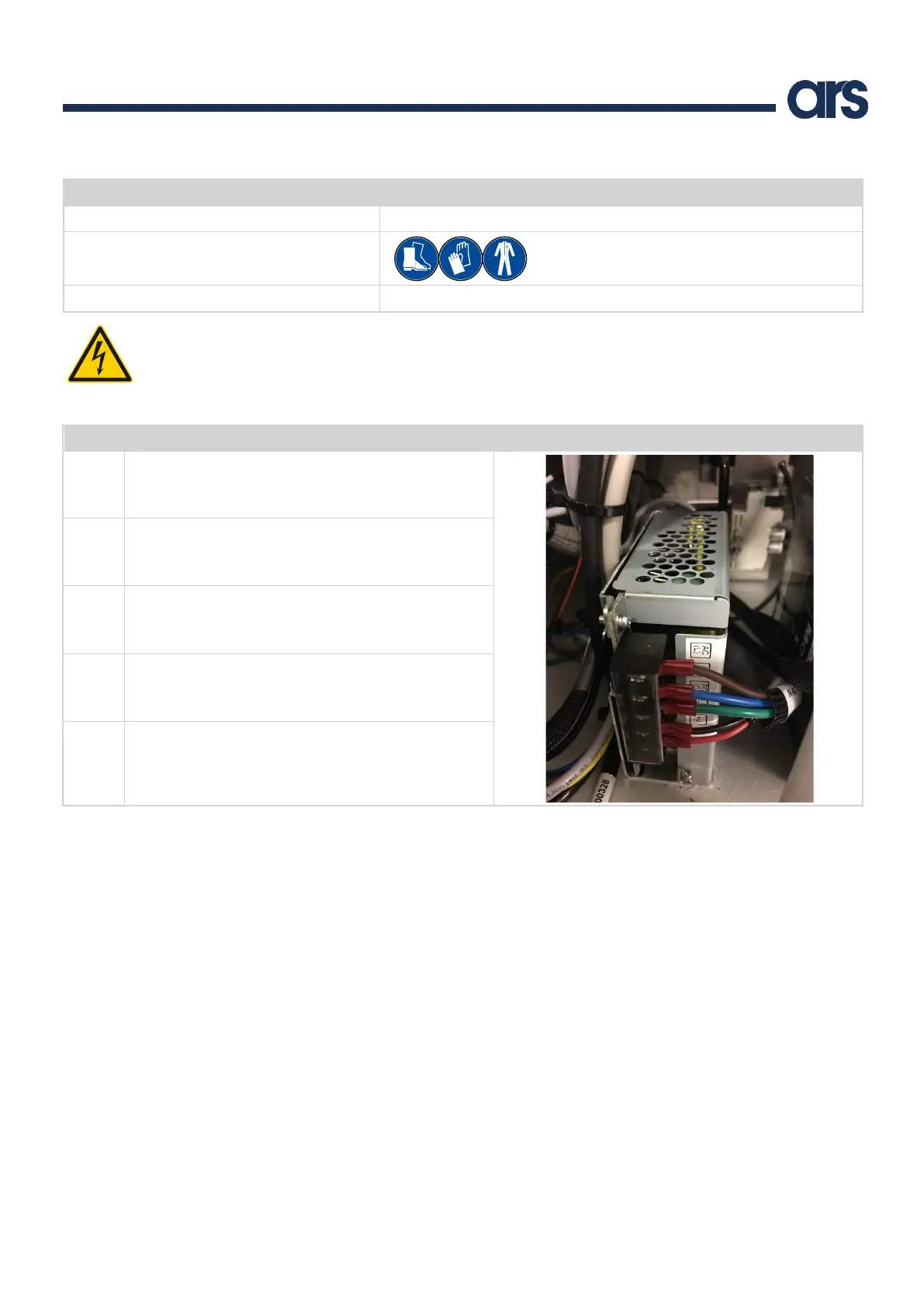
Proceed as follows to replace the power supply unit:
Unplug the power cable from the control panel.
Take the cover off the Flexibowl®.
Remove the fixing screws.
Insert the new power supply.
Note: the red cables plug into + on the power supply and
the black cables plug into -.



 To Next Page