EasyManua.ls Logo

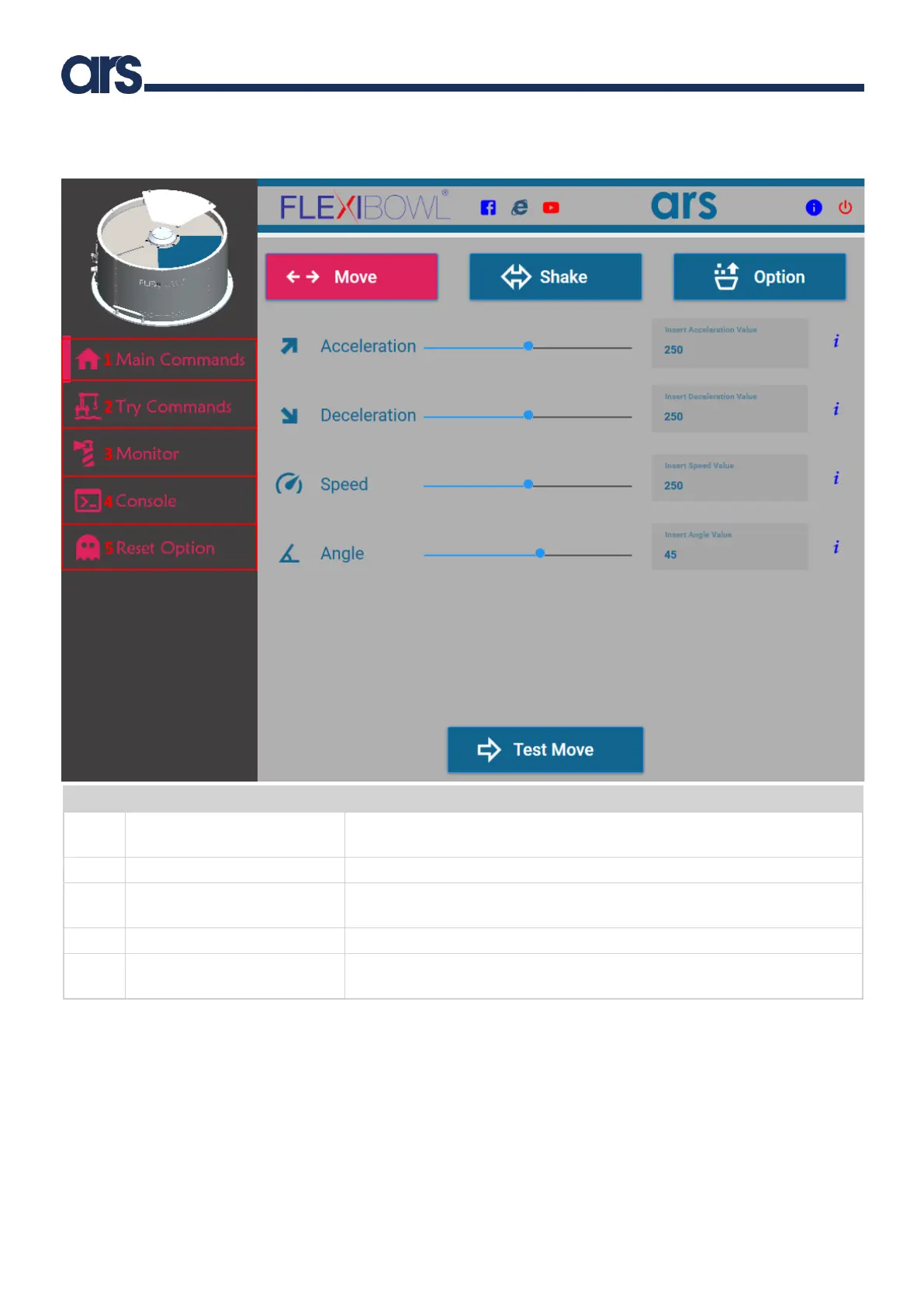
ARS Flexibowl 200 - Home Screen

Default Icon
96 pages
Print Icon
To Next Page IconTo Next Page
To Previous Page IconTo Previous Page
Loading...
CHAPTER 6 - Controls and use 55
Instructions for use and warnings
6.2.4 Home screen
Pos.
Item
Description
1
Main Commands
It shows the main window for all movements and parameters associated with
Flexibowl®
2
Try Commands
It opens a window to try a sequence of several combined movements.
3
Monitor
It opens a window to monitor the I/O statuses of the Flexibowl®, the status of the
driver and any list of errors.
4
Console
It opens a window to send command strings to the driver.
5
Reset Option
It opens a window to reset the Flexibowl® at Factory status (only the parameters
not the IP Address) and command the Emptying Door manually

Table of Contents