EasyManua.ls Logo

ARS Flexibowl 200 - Try Commands

Default Icon
96 pages
Print Icon
To Next Page IconTo Next Page
To Previous Page IconTo Previous Page
Loading...
CHAPTER 6 - Controls and use 59
Instructions for use and warnings
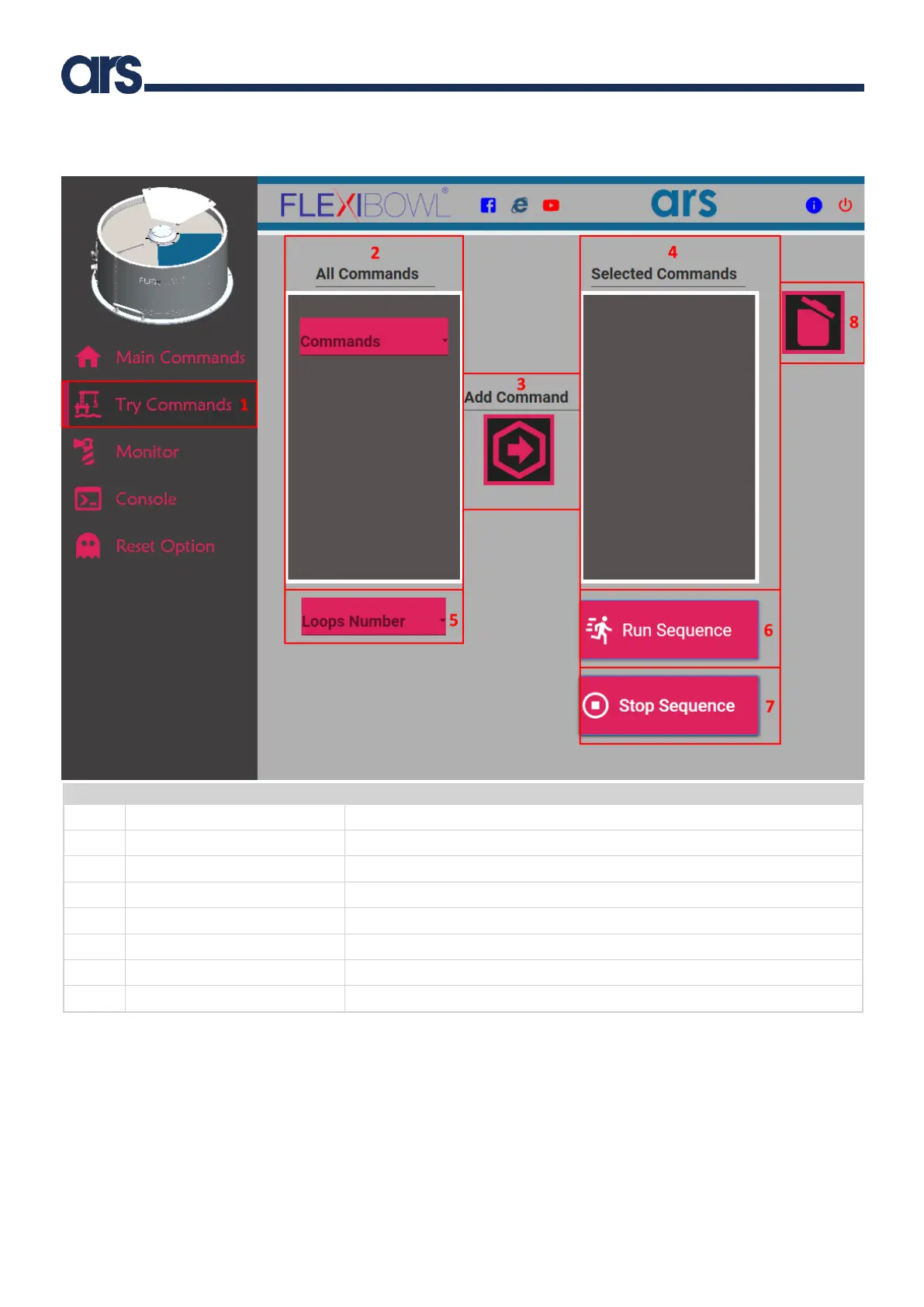
6.2.4.4 Try Commands
Pos.
Item
Description
1
Try Commands
It shows the windows to try a sequence of commands.
2
All Commands
It is used to select the available commands.
3
Add command
It is used to enter the command selected in the work sequence.
4
Selected Commands
List of commands added to the work sequence.
5
Loops Number
It is used to set the number of loops for the commands to be performed.
6
Run Sequence
It performs the created sequence.
7
Stop Sequence
It stops the current sequence.
8
Delete Command
It deletes the selected command from the sequence.

Table of Contents