56 CHAPTER 6 - Controls and use
FlexiBowl® - Models 200 - 350 - 500 - 650 - 800
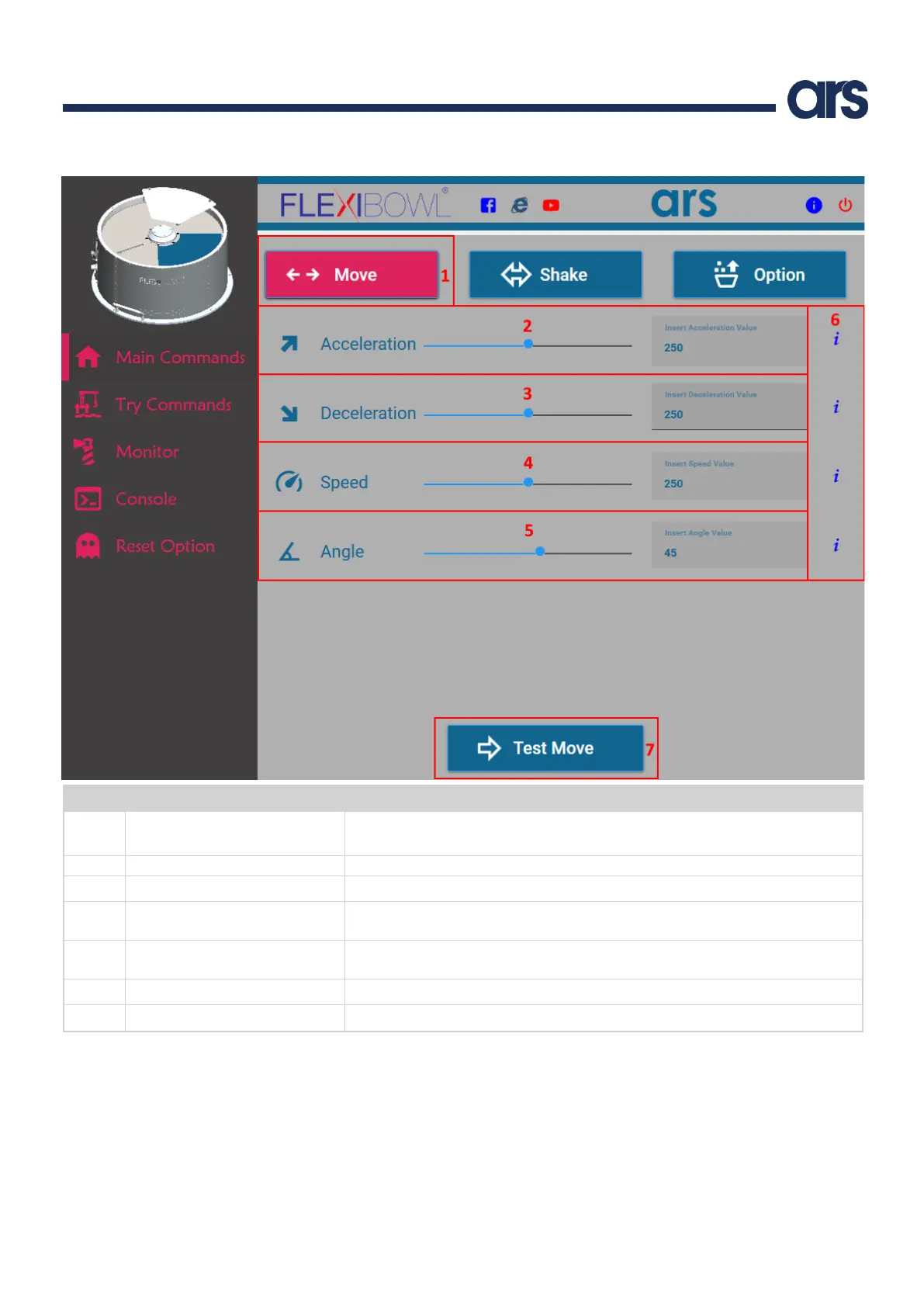
It shows the window to set the Move parameters.
Note: to execute the movement command, press the Test Move button.
Acceleration used for each subsequent Move command.
Deceleration used for each subsequent Move command.
Speed, in RPM, at which the Flexibowl® will advance at each subsequent Move
command.
Angle by which the Flexibowl® will advance at each subsequent Move
command.
Information regarding the parameter.
It performs the Move command with the selected parameters.



 To Next Page